4. LG Network Storage Web Menu Use (for LG
Network Storage administrators)
142
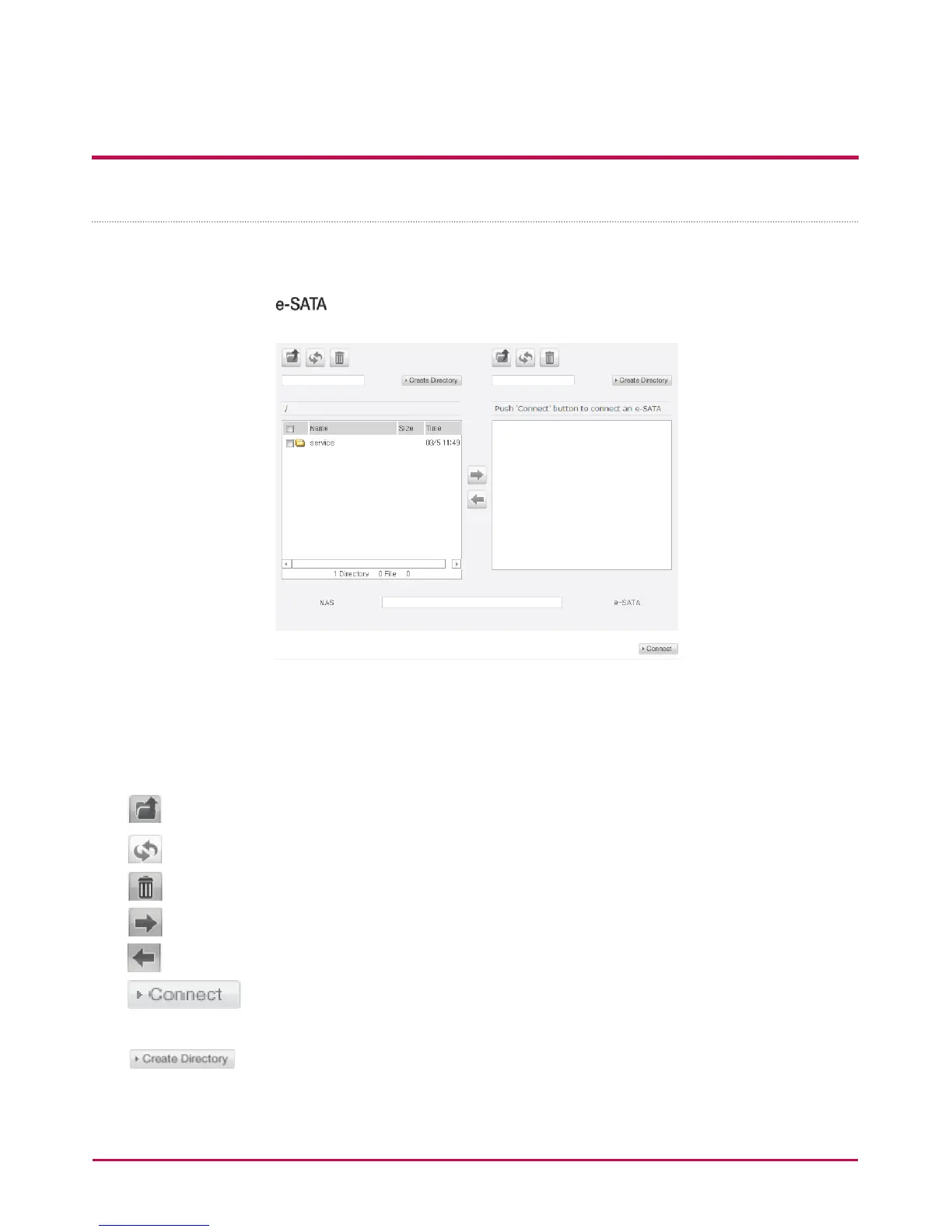
e-SATA
This function enables data transfer between external e-SATA devices and the LG NETWORK
STORAGE.
The LG NETWORK STORAGE folders are displayed on the left window and folder structure
of e-SATA devices on the right.
<Button Functions>
:Moves to upper folder.
: Refreshes the current folder
: Deletes selected les or folders.
: Copies selected LG NETWORK STORAGE folders/les to e-SATA device folder
: Copies selected e-SATA device folders/les to LG NETWORK STORAGE folder
: checks e-SATA device’s connection status and loads connected e-SATA
device
: You can create a folder



 To Next Page