4. LG Network Storage Web Menu Use (for LG
Network Storage administrators)
82
Disc Data Copy
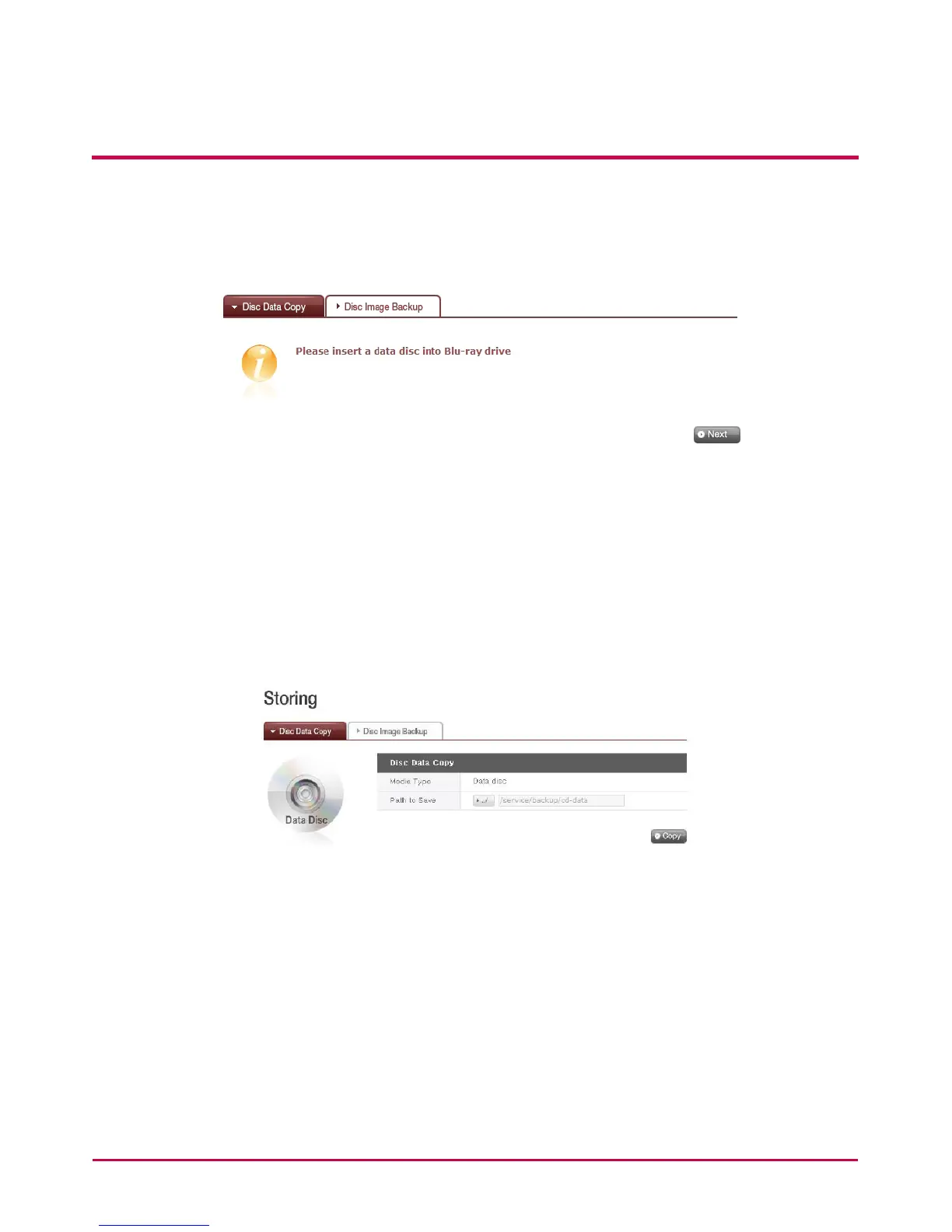
Storage of disc data using the LG NETWORK STORAGE is a data disc copy function.
1 Insert the data disc in to the Blu-ray / DVD Drive and press the ‘Next’ button. If the disc
is completely recognized, it will appear as ‘Data Disc’ on the ‘Media Type’ cell.
i) If the disc loading function has not nished, a ‘Blu-ray / DVD Drive is busy. Try again
later.’ Message will appear. Try again after a short while.
ii) If there is no disc in the Blu-ray / DVD drive, or if an incompatible disc is used, a
‘Please insert a data disc into Blu-ray / DVD drive’ message will appear.
2 Set the destination folder to save date
3 Click on the ‘Copy’ button to start copying.



 To Next Page