3. LCD panel and front button usage
38
Backup data on discs using LG NETWORK STORAGE (ODD Backup)
The data saved on the disc can be backed up to the LG NETWORK STORAGE by simple
button operation.
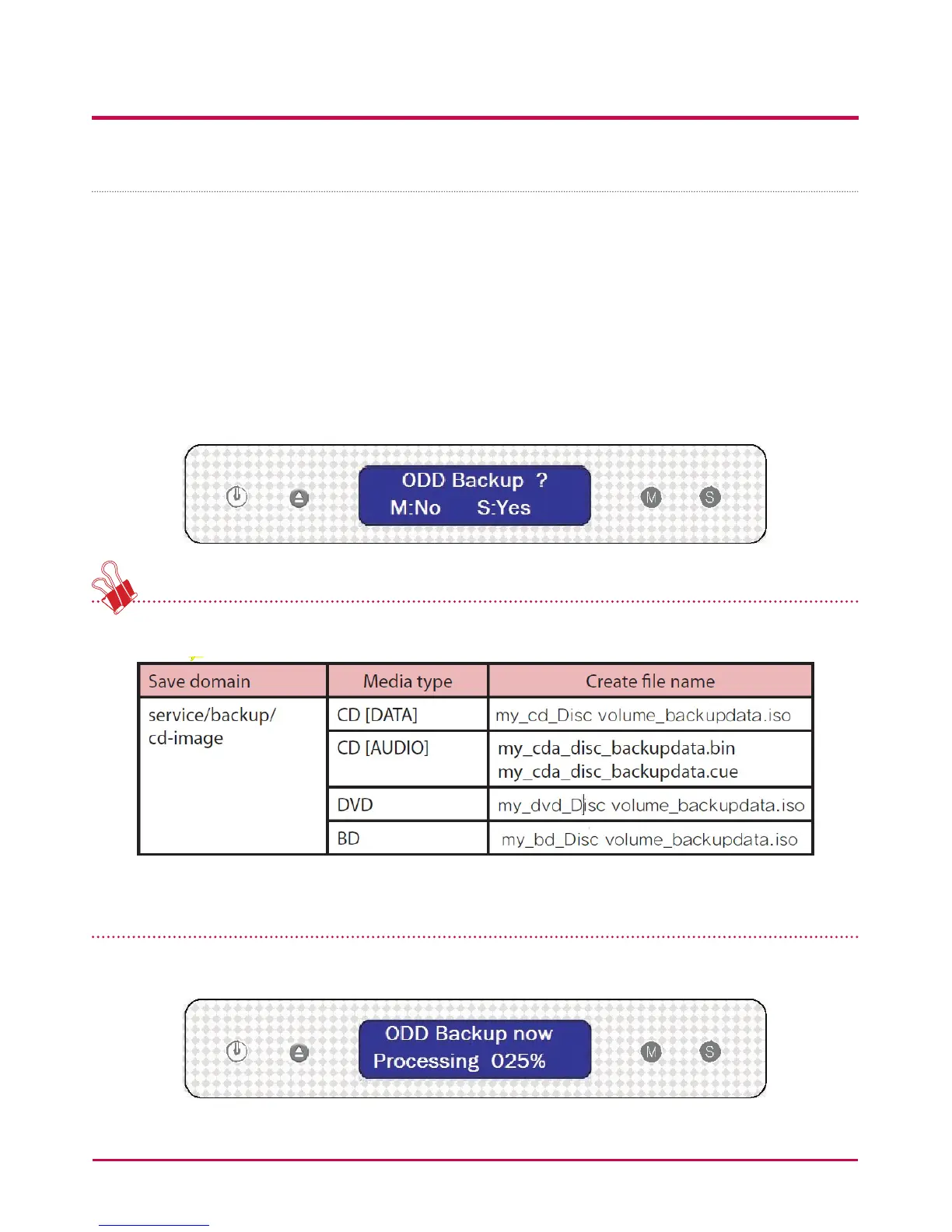
1 Insert the backup disc in the LG NETWORK STORAGE Blu-ray disc drive.
2 In the rst LG NETWORK STORAGE screen, press the MODE button to congure the
ODD Backup mode.
3 Press the SET button to back up data on disc to the LG NETWORK STORAGE. The ISO
image le can be saved to the LG NETWORK STORAGE default folder ‘service/backup/
cd-image ’.
The le name is automatically created as follows.
* Does not support copy protected discs
4 During the process the percentage completed is displayed on the LCD.



 To Next Page