4. LG Network Storage Web Menu Use (for LG
Network Storage administrators)
123
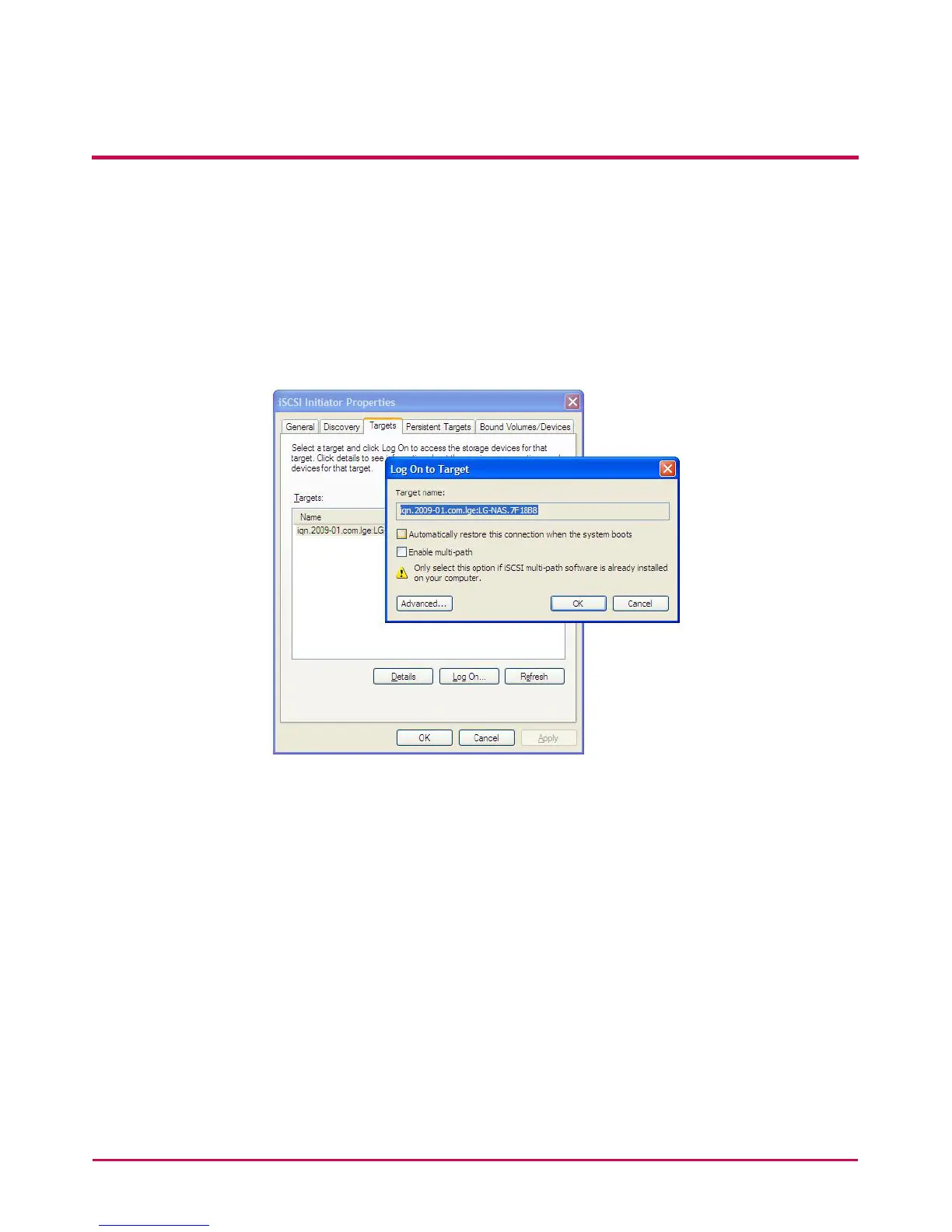
3 Log in.
Go to the Targets tab on the cop of the iSCSI Initiator program. If all of the
above procedures have been followed properly, the iSCSI Initiator will nd
and list the information for the target (LG Netsork Storage). Select the relevant
target name and press the “Log On . . .” and click “OK” from the pop-up window.
4 Check that the target has been connected as follows.
Target can be checked by going to Device administrator g DVD/CD-ROM drive.


 To Next Page
 Loading...



