Problem solutions
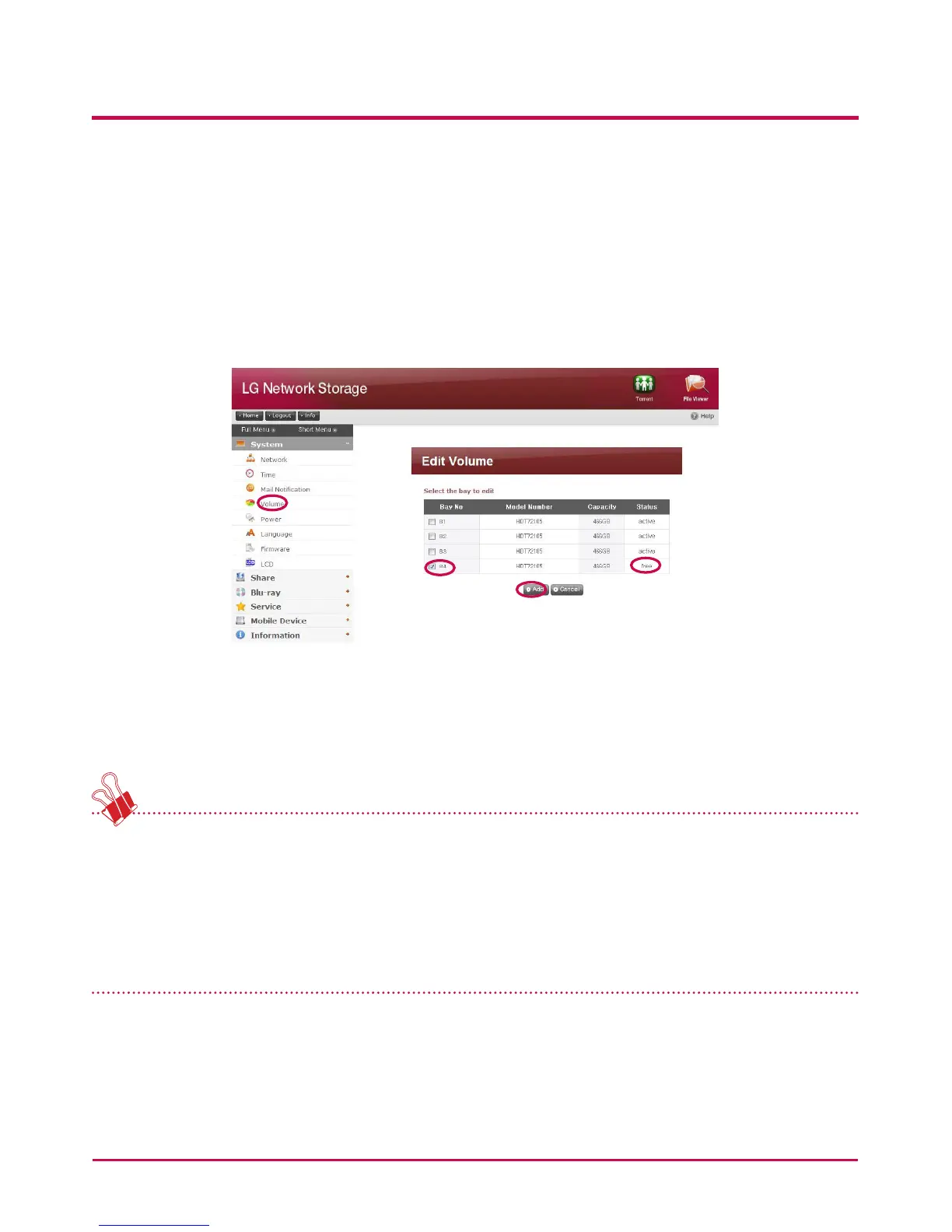
Removing the HDD with the error and connecting a new hard drive (e.g. HDD 4) will
display the new hard disk status to be free on the system/volume/add or remove HDD
page. Select the hard disk and click the Add button and RAID will recongure. This will
delete all contents of the new hard disk.
RAID reconstruction entails to RAID 1 only.
If there is another failure during reconguration, another hard disk should be connected
in place of the hard disk at work and recongure RAID.
When connecting or disconnecting the HDD, strictly adhere to the following procedure
and avoids abnormal system operation or data obstruction.
1. In the LG Network Storage, one HDD can be connected or disconnected at a time.
2. 10 seconds will lapse before 2 tones are heard when the LG Network Storage is
connected to or disconnected from a new hard drive. Next, connect or disconnect the
HDD.
8. RAID configuration error checkup
186



 To Next Page