Installation Guide
Installation of the Logipix Hybrid Extenders
• Mounting the Hybrid Extender into the rack cabinet
• Connecting the analog cameras
• Connecting the CAT5 cables
• Power on
• Checking LED information
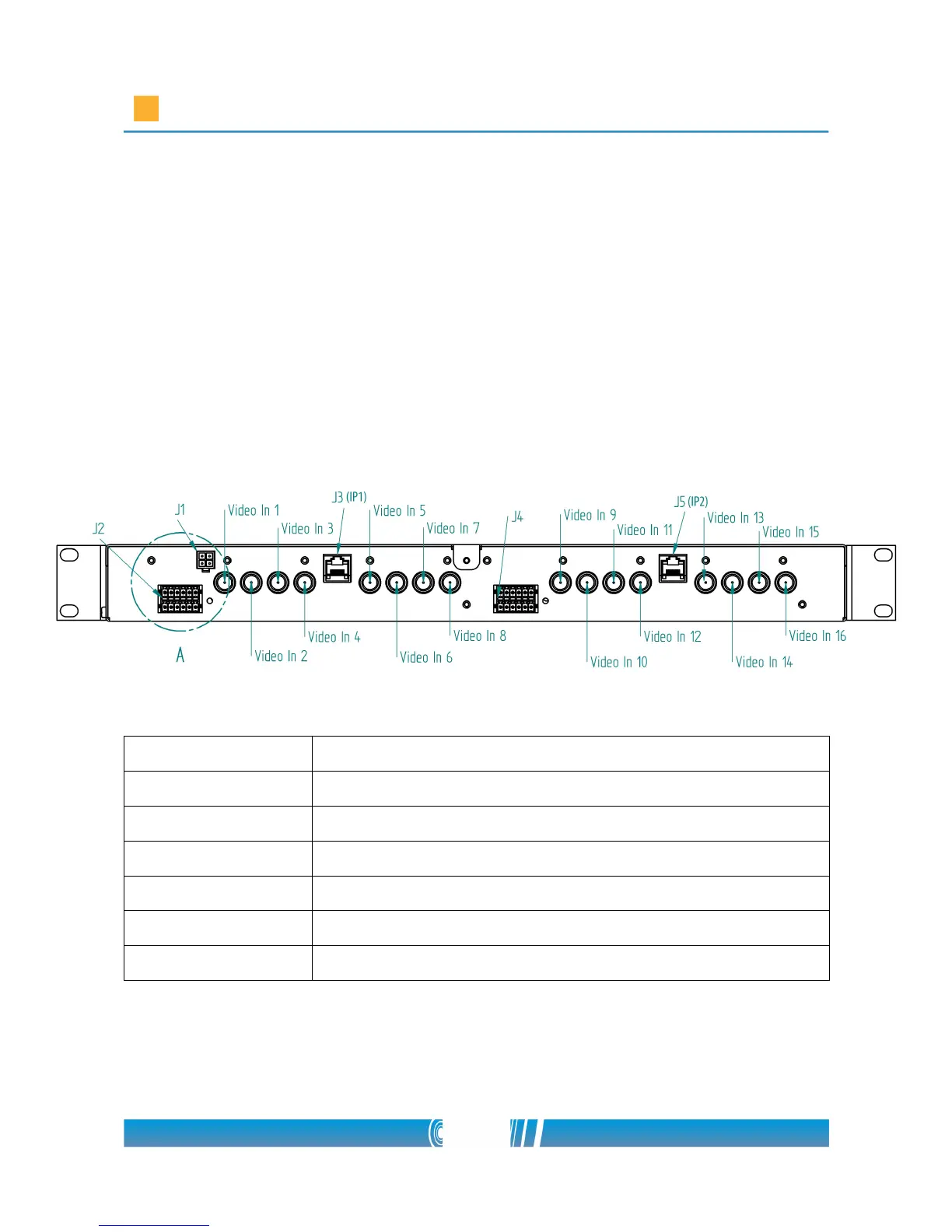
Rear view
Connector Name
J1 Power connector
J2 Serial line and I/O pins
J3 RJ45 socket for the first group of cameras
J4 Serial line and I/O pins
J5 RJ45 socket for the second group of cameras
Video In 1-16 BNC connectors
24/80



 To Next Page