Installation Guide
6. If the new setup is selected, adjust the lower quality configuration for
after the event! This camera setup will operate when the Event has
closed.
Configuring the analog PTZ cameras
1. Click on the Configure icon on the main software surface!
2. Select the Hybrid extender in the left tree to which the analog PTZ
camera is connected! Click on the '+' sign near the Hybrid extender! The
cameras of the device appear. Click on the '+' sign near the camera name
and select Settings!
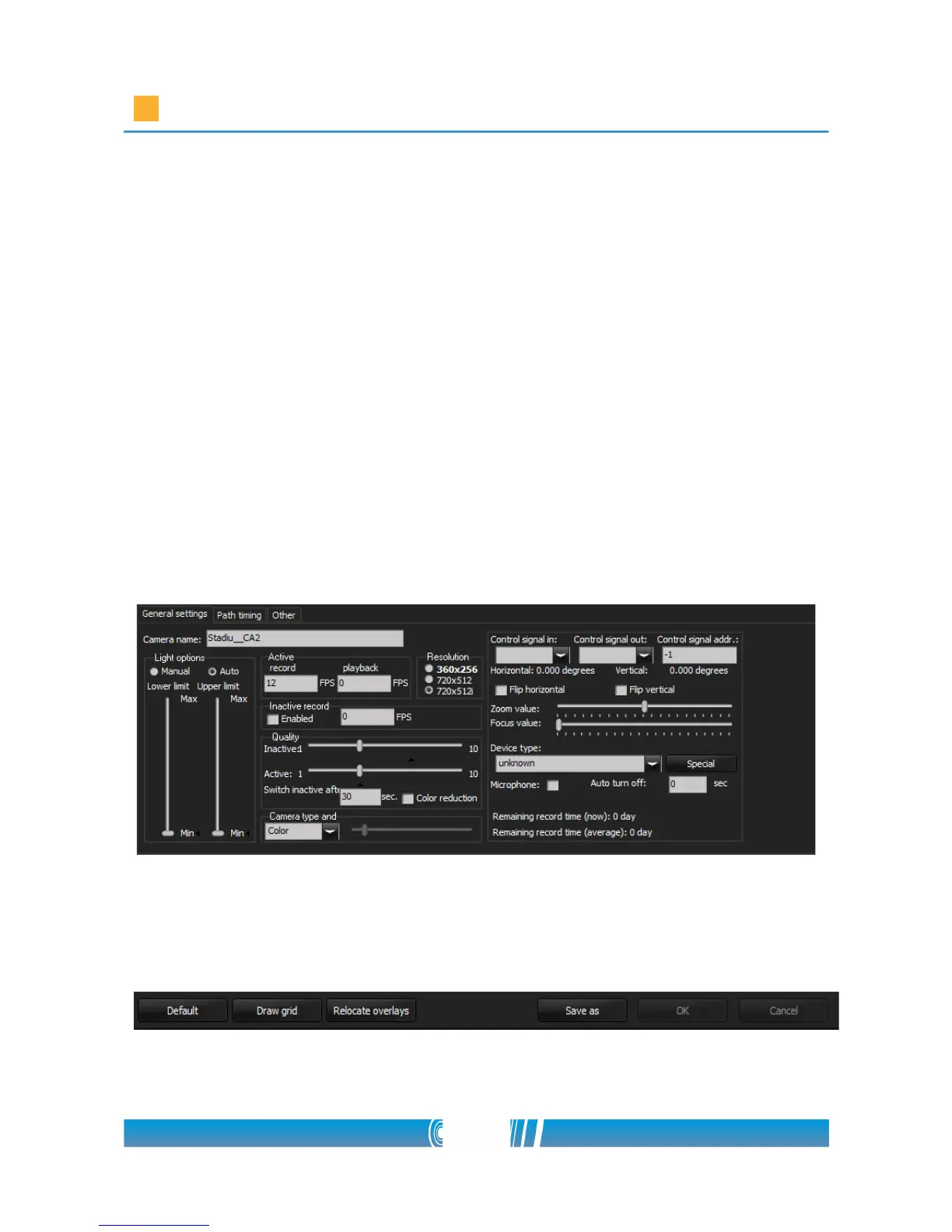
3. Select Auto at Light options section! Adjust 12 FPS for Active recording
and 0 for play! Set the Resolution! Select 720x512i! Adjust the quality by
selecting the value 4 on the Quality (Active) slider!
4. Press the Save as button at the bottom of the window! Right click on the
created setup in the left camera tree then Rename it! This camera setup
will operate while the Event is open.
56/80



 To Next Page