Installation Guide
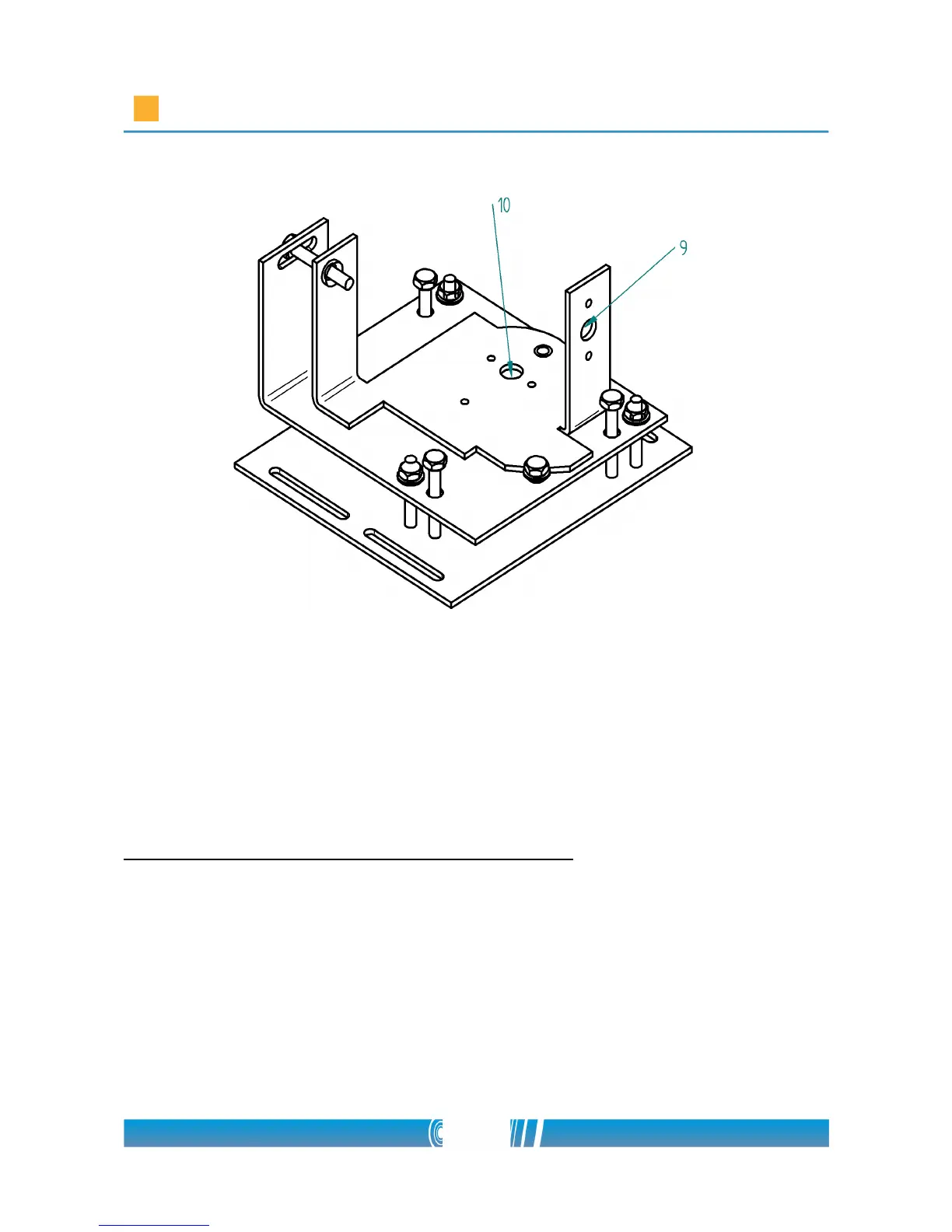
Mount the camera on the position fine-tuning panel
Remove the protective stick from the bottom of the camera. Suit the Logipix
camera to a mounting hole of the upper part of the position fine-tuning panel,
depending on whether you want to install the camera in a vertical or in a
horizontal position (9 or 10)! Use a M5×6 size screw to fix the camera on the
panel! Use a pipe wrench to tighten the screw!
Install the camera into a camera enclosure
Important requirements for the camera enclosure:
• The material of the enclosure must be aluminum
• The material of the enclosure's front must be glass
• The enclosure must be a top opening one
• The outdoor camera enclosure must have heating and cooling system
• The ventilation system of the enclosure must be set to continuous
circulation
7/80



 To Next Page