Installation Guide
Connecting the Logipix cameras and the Hybrid extenders to the
LNVRs
• All the Logipix cameras, the Logipix Full HD cameras, the Logipix Full HD
PTZ cameras and the Logipix multi-megapixel cameras and the Logipix
hybrid extenders must be connected to Local Network Switches of the
CAMERA VLAN. Connect them by CAT5 cables!
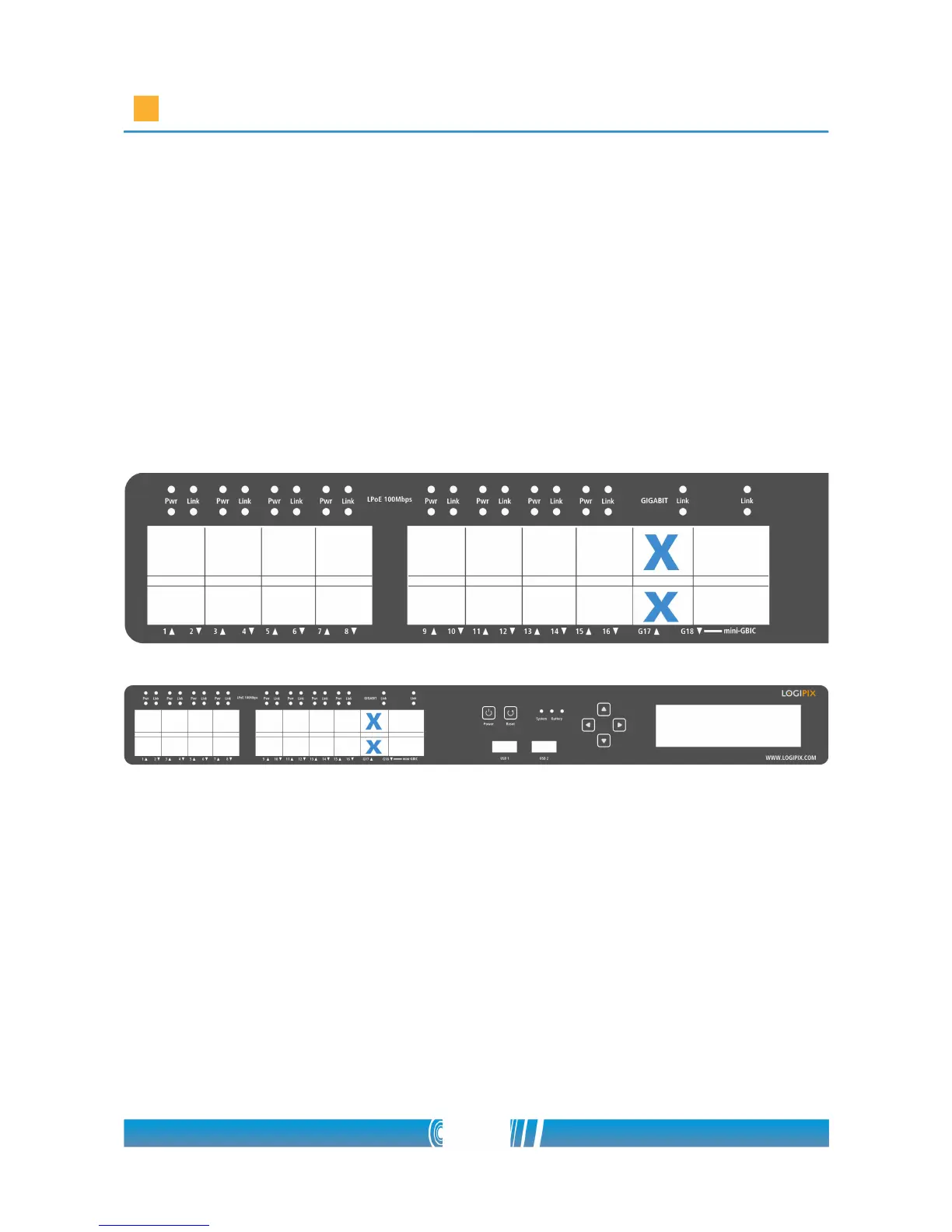
• Connect the CAT6 cables of the CAMERA VLAN switches to the Gigabit
LAN connectors (G17 and G18 ports) of the Rack mount LNVR! The exact
places of the ports are indicated on the picture below.
Connecting the power and power on
Connect the power cable to the Logipix Network Video Recorder! The power
connector can be found at the back of the LNVR. Connect the power cable to
the main power (230V AC)! After connecting the power cable the LNVR is
turned on immediately and it will be ready to record after configuration. After
the first startup the LNVR can be switched on and off by the Power button.
32/80



 To Next Page