Optical Backscatter Reflectometer 4600 197
User Guide
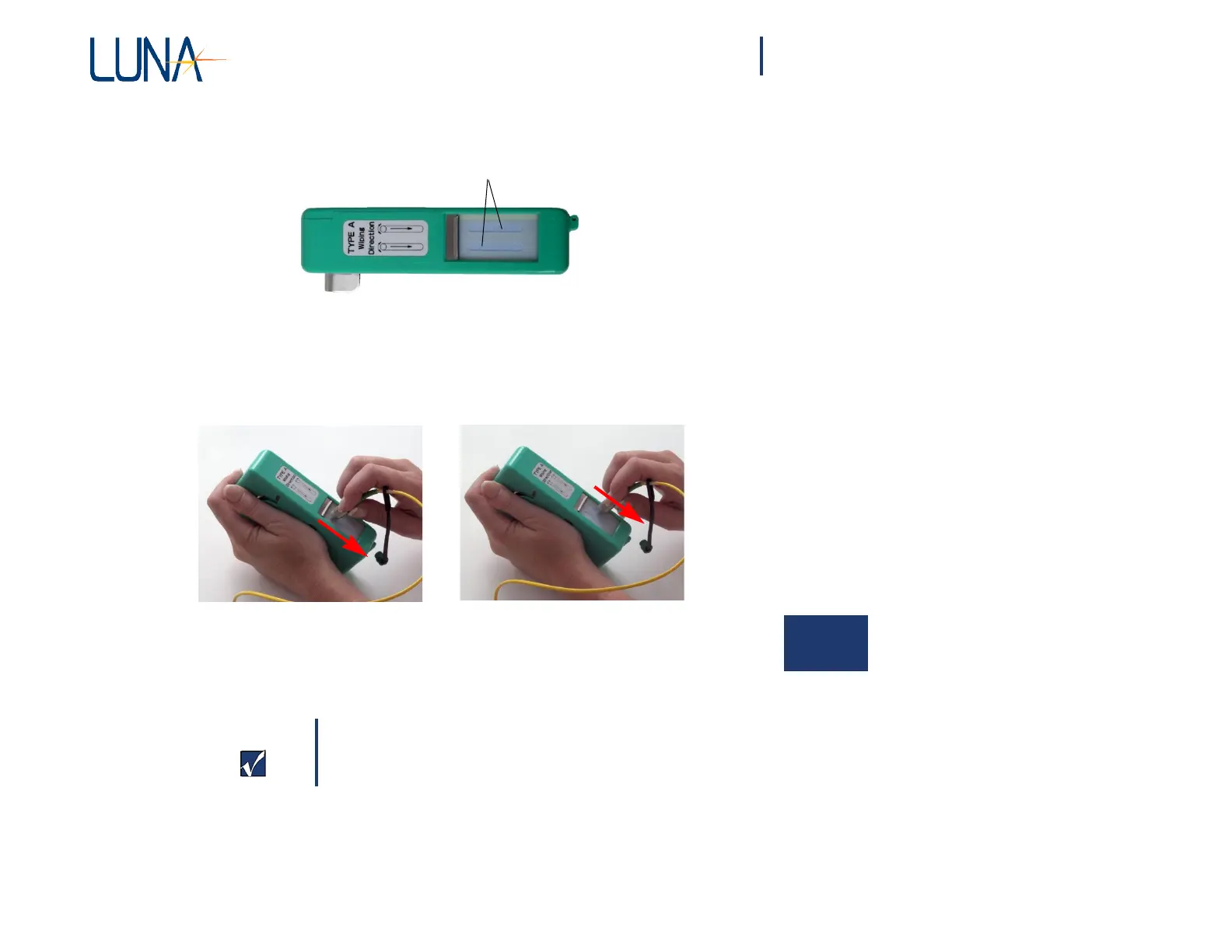
The cleaner tape has two cleaning strips:
cleaning strips
2 Holding the fiber connector perpendicular to the cleaner tape surface,
swipe the tip of the connector down the first cleaning strip, then swipe
on the second strip.
3 Close the cleaning tape cover before swiping another connector. This
advances the cleaning tape.
Cleaning Bulkhead Connectors
Important
The bulkhead connector should be cleaned about once
every 25 connections.
1 Either turn off the OBR, or turn off the laser by selecting Tools > Turn
Laser OFF.
2 Make sure that no devices are connected to the OBR.



 To Next Page