©Copyright MAC Instruments 2005. All Rights Reserved. MAC155 Rev. 12
Pg 17
LMake sure that the filter is in place before inserting the unit into the
mounting adapter. Refer to the section on “Filter / Extension tube”
Operating the MAC155 Probe without a filter can cause severe damage to the
unit which is not covered under the warranty.
When the MAC155 Probe is ready to be inserted into the instrumentation
port, carefully remove the sealing cap from the mounting adapter. Take care not
to lose the white Teflon gasket which is loose, proper installation requires the
use of the supplied white Teflon gasket. This gasket is installed before the unit is
inserted into the adapter by placing the gasket over the probe barrel and then
inserting the probe barrel into the mounting flange adapter. Insertion into the
mounting flange adapter requires an assistant to hold the MAC155 Probe until
the clamp can be installed and secured. The gasket must be seated in the
grooves of the mating parts to assure a seal. After the clamp is installed, check
the gasket for proper installation before operating the probe. Without a proper
seal, the MAC155 Probe could provide erroneous readings.
FILTER BLOW BACK AIR SUPPLY – OPTION
The Filter Blow Back option requires clean, dry, and oil free air supply at a
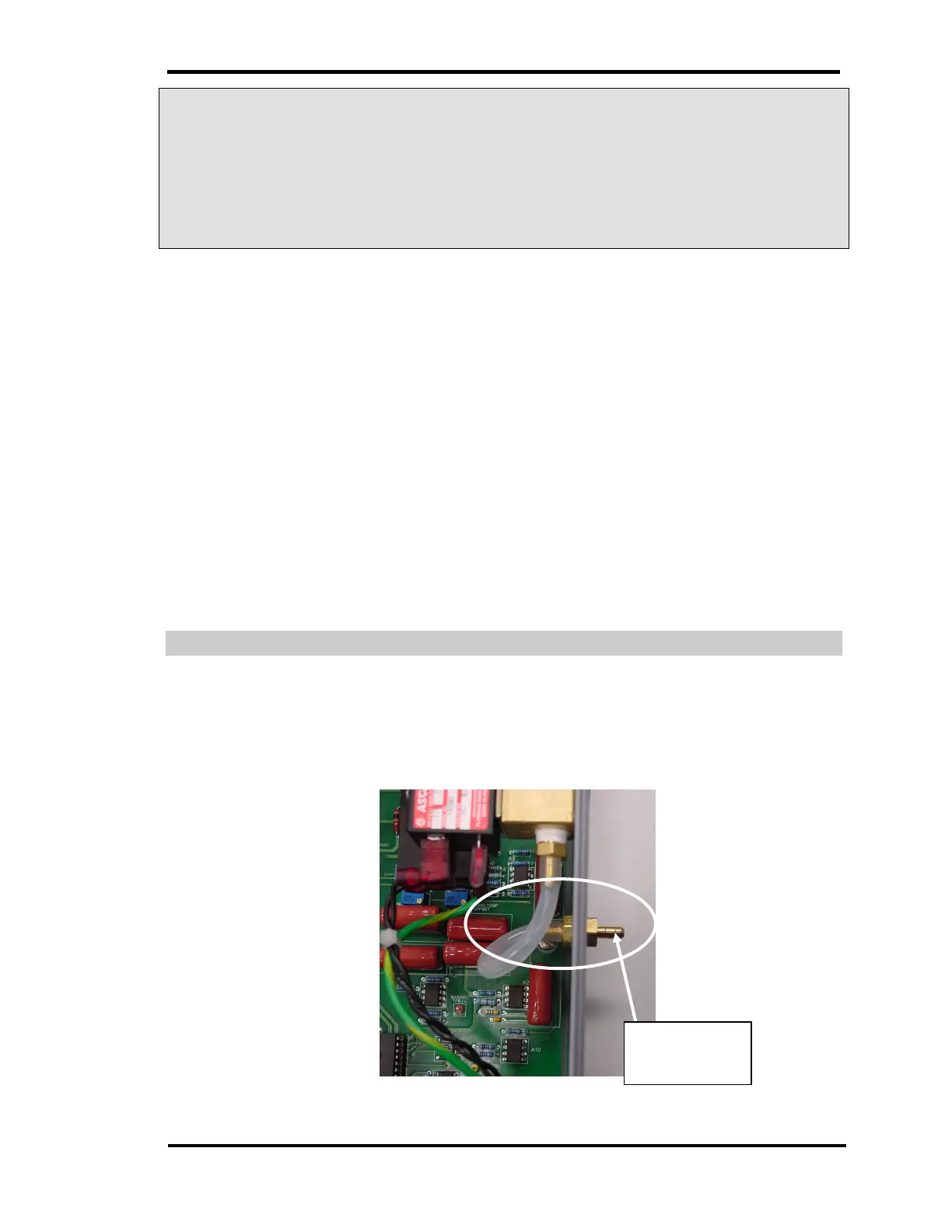
pressure of no more than 10 psi (69kPa). Supply the air to the 0.170” ID barbed
hose fitting as show in Figure 8 – Filter Blow Back Compressed Air Input
Figure 8 – Filter Blow Back Compressed Air Input
Air Input
Fitting



 To Next Page