MAC155 Rev. 12 ©Copyright MAC Instruments 2005. All Rights Reserved.
Pg 78
few minutes of the calibration cycle. Indication of the probe exiting this mode
either manually or at the end of the uninterrupted cycle will be confirmed when
refreshing the page and viewing the Mode text box. Upon completion of the
calibration mode “Normal” will be displayed in the text box.
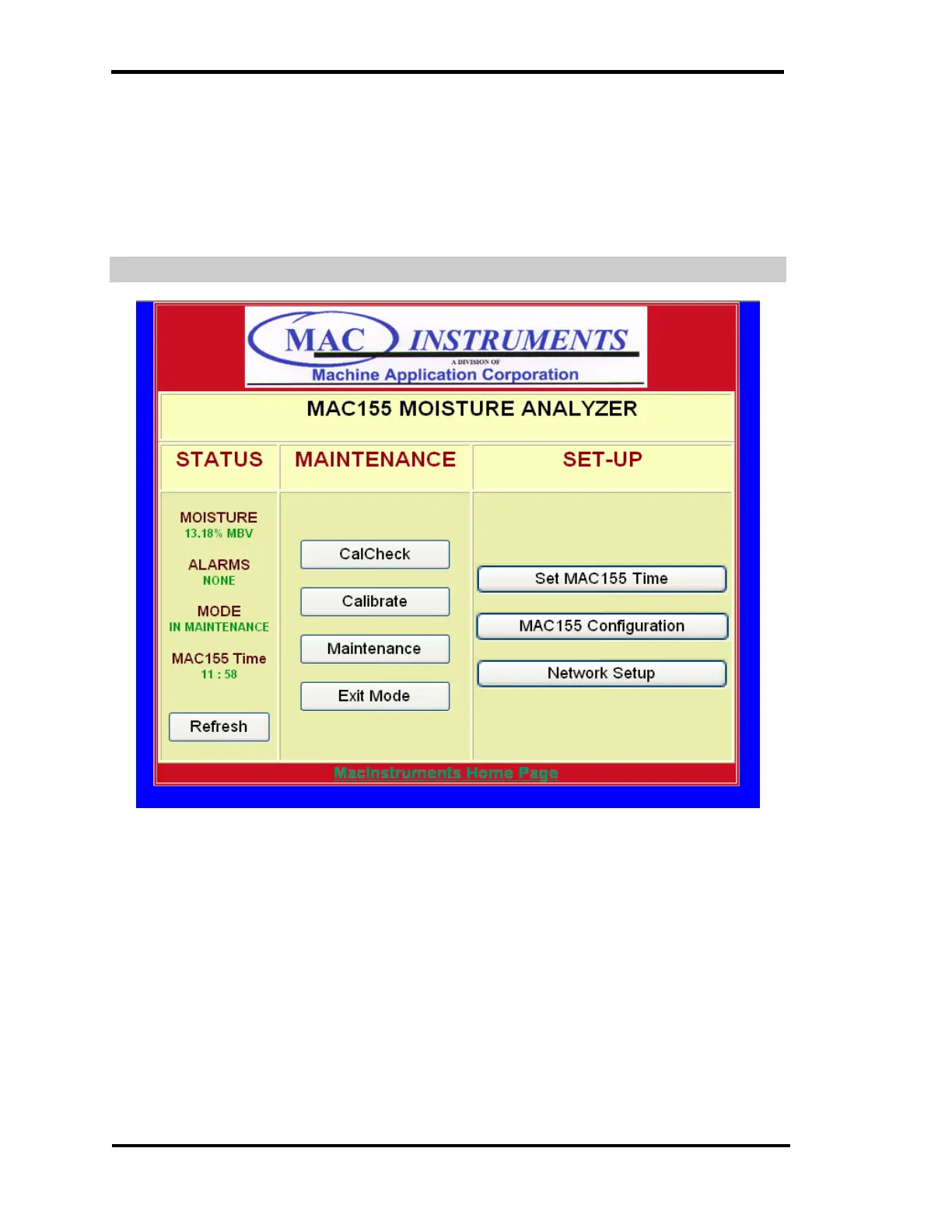
IN MAINTENANCE OPERATION SCREEN
Figure 59 - MAC155 Time Setup Menu
The In-Maintenance mode can be executed by clicking on the Maintenance
button. The probe will stay in the in-maintenance mode until cancelled by
pressing the Exit Mode button or by the menu on the MAC155 controller.
If the mode is inadvertently entered the procedure can be canceled by
pressing the “EXIT Mode” button. It is recommended doing this within the first
few minutes of the calibration cycle. Indication of the probe exiting this mode will
be confirmed when refreshing the page and viewing the Mode text box.



 To Next Page