MAC155 Rev. 12 ©Copyright MAC Instruments 2005. All Rights Reserved.
Pg 68
PLC INTERFACE CONTROLLER OPTION
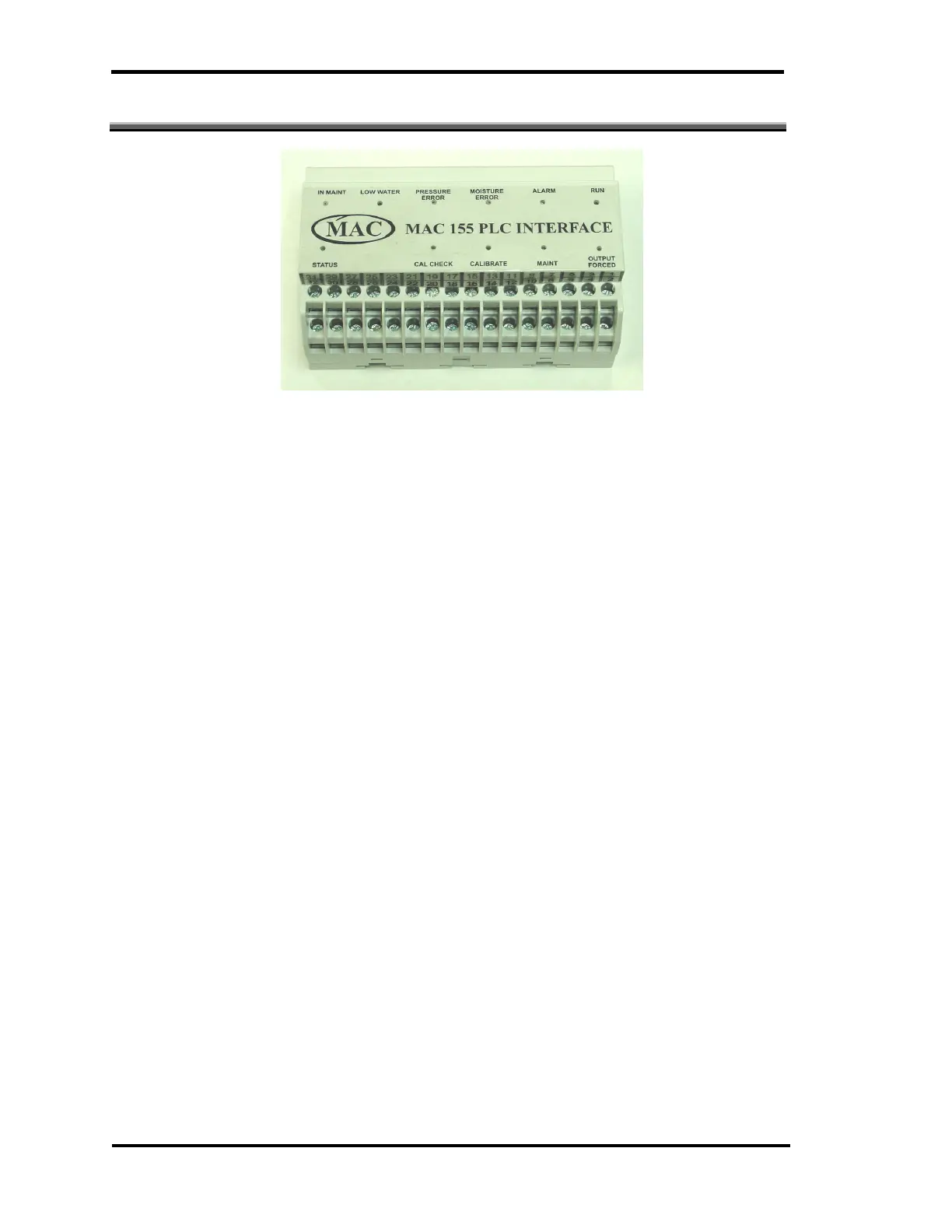
Figure 52 - PLC Interface
The PLC interface is a DIN rail mountable module that communicates with
the controller through the RS-485 port on the back of the controller. The PLC
interface can be mounted close to the users PLC or data logger so that only a
shielded, twisted pair must be run to the MAC155 controller.
The PLC interface allows a Programmable Logic Controller (PLC) to control
critical operations of the MAC155. Four inputs and six outputs are available to
interface to a PLC. LEDs indicate if signals are present on the inputs and
outputs. There is also a bi-color STATUS LED that provides information with
respect to the communications via RS485 with the controller. Normal
communications is indicated when the STATUS LED is green and flashes on
and off approximately every 2 seconds.
The STATUS LED can indicate a communication error. When a
communication fault exists, the STATUS LED will change from “Green” to “Red”.
The “Red” LED will flash or alternate in the same manner as the “Green” normal
indication
The outputs of the PLC Interface provide a dry contact closure rated at 5A
120VAC. The inputs will accept an 18VDC to 56VDC signal. The nominal voltage
is 24VDC.



 To Next Page