©Copyright MAC Instruments 2005. All Rights Reserved. MAC155 Rev. 12
Pg 65
This menu option forces the condenser to 100° F. A number will appear
below the first line when enabled, (Figure 47 – Force Cond Temp to 100° Menu
indicates a forced condition enabled). This additional number represents the
actual temperature of the condenser and can be used to verify proper operation
of the condenser. To complete a test cycle remain in this menu item until the
bottom number has reached 100° F. Press the DISABLE push button and then
the Exit button to return operation to normal. Pressing the EXIT button before
the DISABLE button will result in no change in the display since the EXIT button
is disabled during this forced condition.
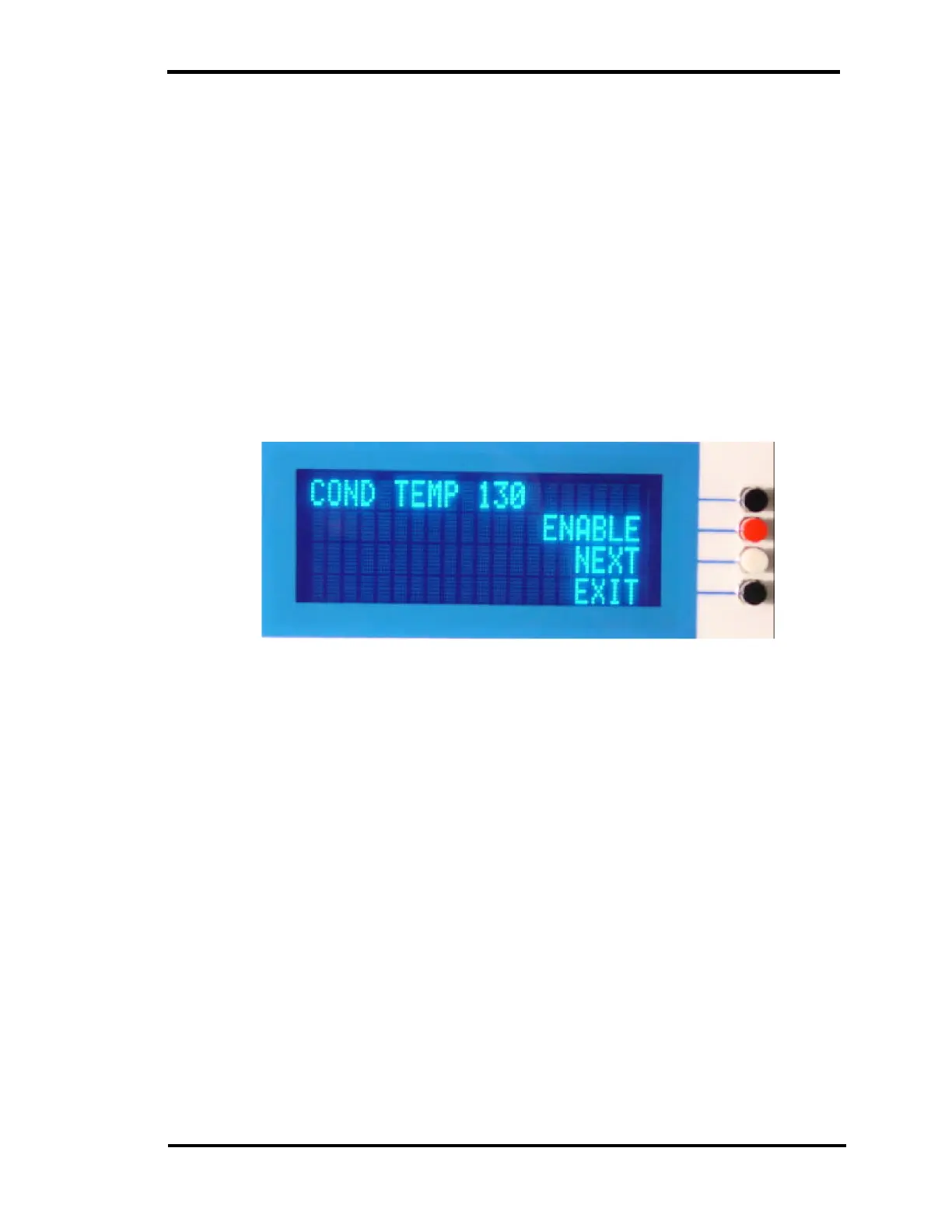
FORCE COND TEMP 130°
Figure 48 – Force Cond Temp to 130° Menu
This menu option forces the condenser to 130° F. A number will appear
below the first line when enabled. This additional number represents the actual
temperature of the condenser and can be used to verify proper operation of the
condenser. To complete a test cycle remain in this menu item until the bottom
number has reached 100° F. Press the DISABLE push button and then the Exit
button to return operation to normal. Pressing the EXIT button before the
DISABLE button will result in no change in the display since the EXIT button is
disabled during this forced condition.



 To Next Page