MAC155 Rev. 12 ©Copyright MAC Instruments 2005. All Rights Reserved.
Pg 80
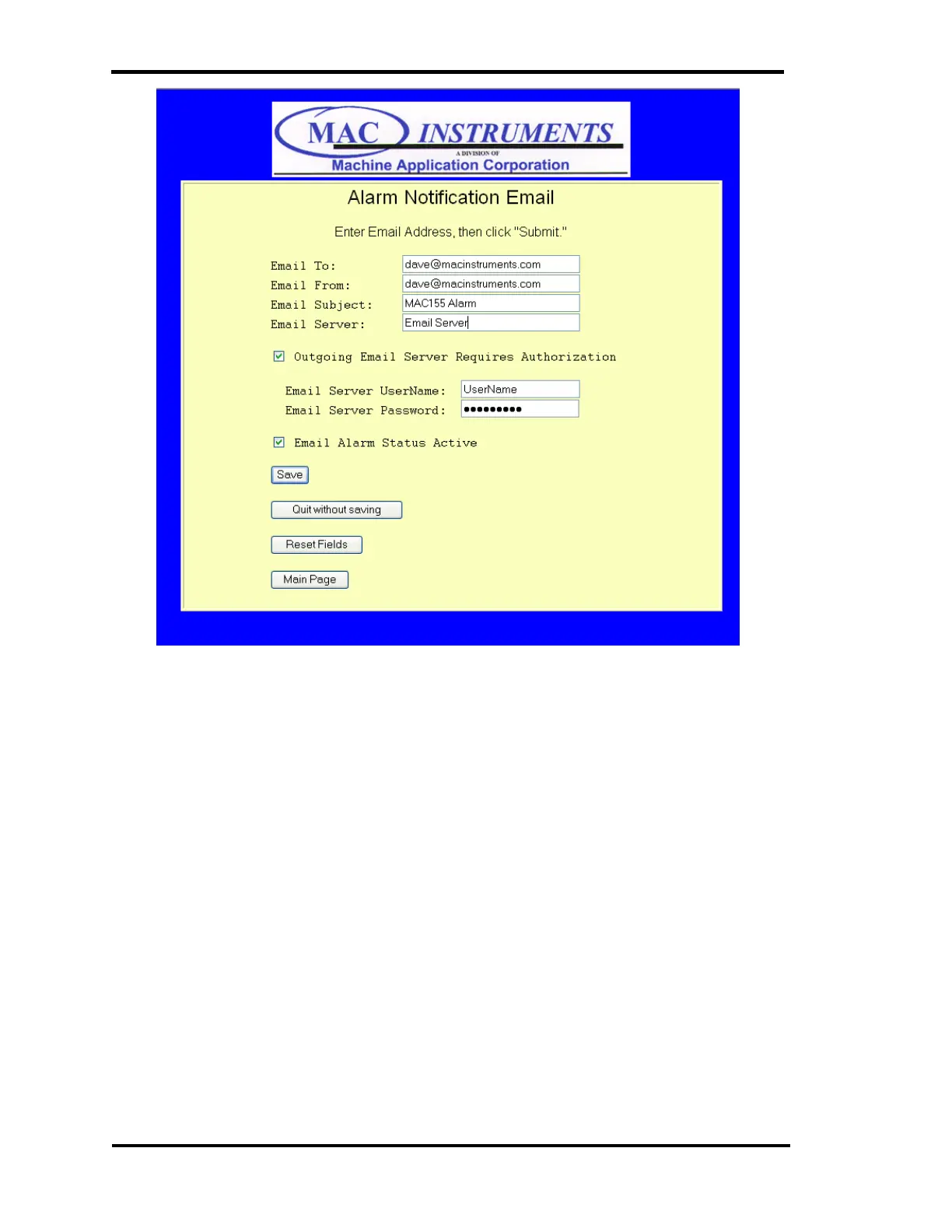
Figure 61 - Alarm Email Setup Menu
Email To:
Enter the desired email address that you would like to receive any alarm
messages generated by the MAC155.
Email From:
This field is the desired email address that will be placed in the "Email From"
field. This does not have to be a valid email address.
Email Subject:
This field contains the subject of the email. The default is MAC155 Alarm.
Placing a different subject line in this filed can provide more detail as to where
the alarm is actually from. An example would be for a location with more than
one MAC155 the subject could be “MAC155 #1 – South Stack – Alarm”. This



 To Next Page