MAC155 Rev. 12 ©Copyright MAC Instruments 2005. All Rights Reserved.
Pg 74
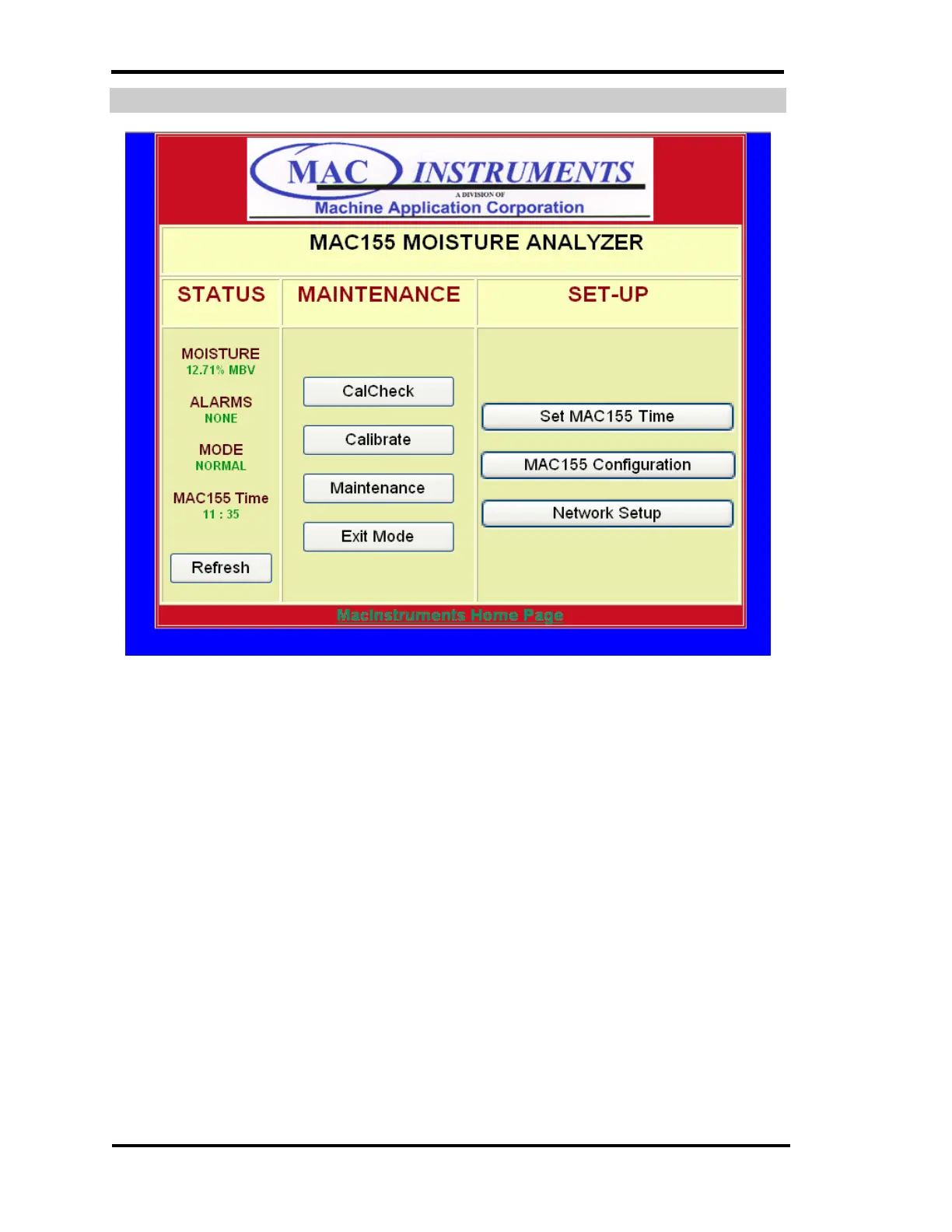
NORMAL OPERATION SCREEN
Figure 55 - Mac155 Normal Operation Screen
Upon a successful login the above web page should be visible. The first area
that may need attention is the MAC155 Time. If the time was not set using the
controller’s menu system it can be set at this time. This is accomplished by
clicking on the “Set MAC155 Time” button
Please note the Refresh button. The web page will not automatically update.
To see any changes in the condition of the MAC155 the “Refresh” button must
be clicked. This includes any alarm or mode changes.



 To Next Page