MAC155 Rev. 12 ©Copyright MAC Instruments 2005. All Rights Reserved.
Pg 20
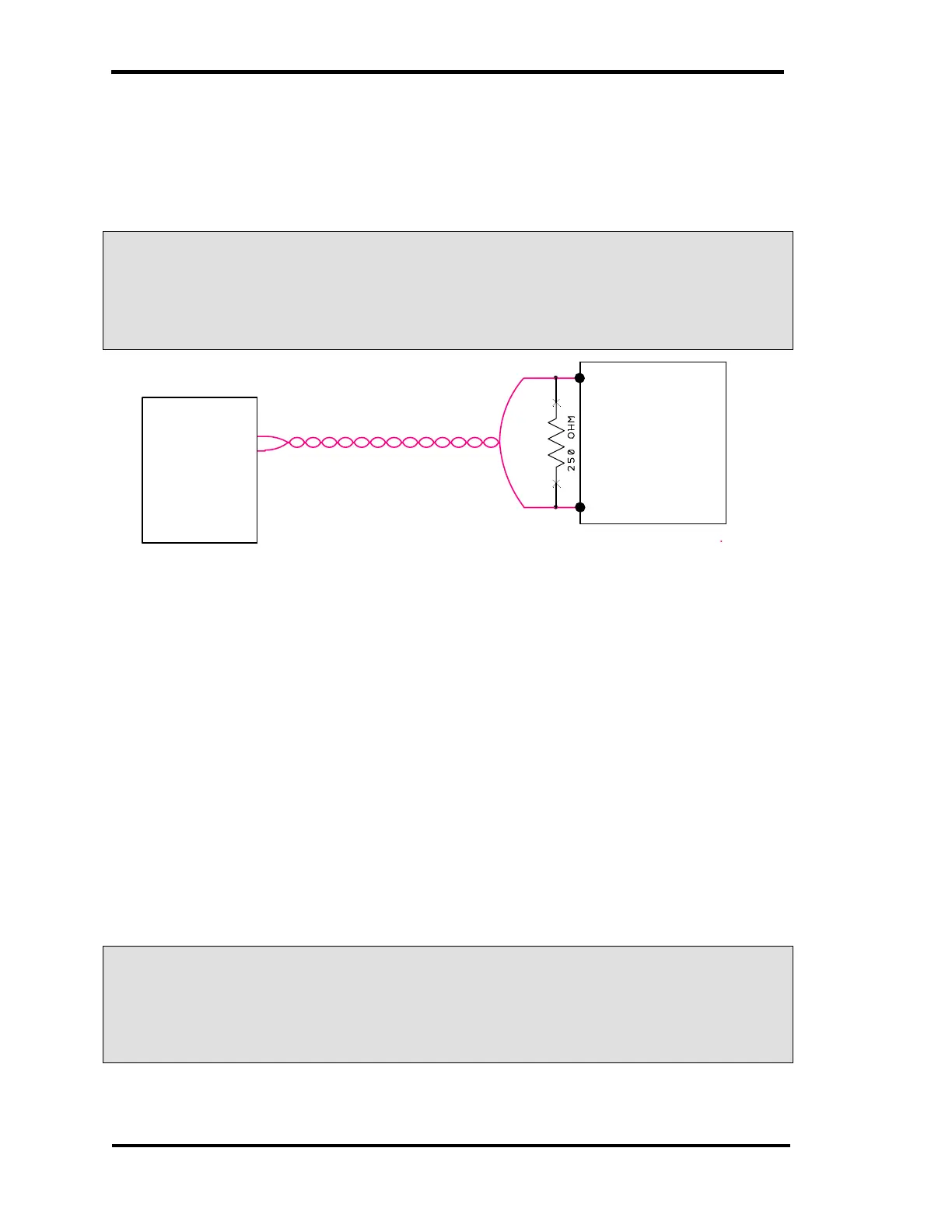
With the 0–5V setup, 10mA of current will equal 2.5V across the resistor
leads. Refer Figure 13 – MAC155 0–5V Operation
L In order to maintain the advantages of the current loop output signal,
the 250Ω resistor MUST be placed at the monitoring device, (PLC,
Meter, etc)
MAC155
MONITORING
DEVICE
INPUT (+)
INPUT (-)
0-5V INPUT
0-20mA
OUTPUT
Figure 13 – MAC155 0–5V Operation
MAINTENANCE MODE CONTACT
The maintenance mode relay contact (Normally Closed) is wired to terminals
on the rear of the controller. When power is applied to the MAC155, this contact
opens. The contact can also be closed by placing the unit into the maintenance
mode manually thru the “Maintenance” menu accessible by the push buttons on
the front panel.
The “Maintenance Mode” terminals are provided to interface with a data
acquisition or logging system to record an “IN–Maintenance” event.
L When the controller is in “Maintenance Mode” the data retrieved from
the probe should not be considered a true representation of the actual
sensor data.



 To Next Page