214658 57 Revision A
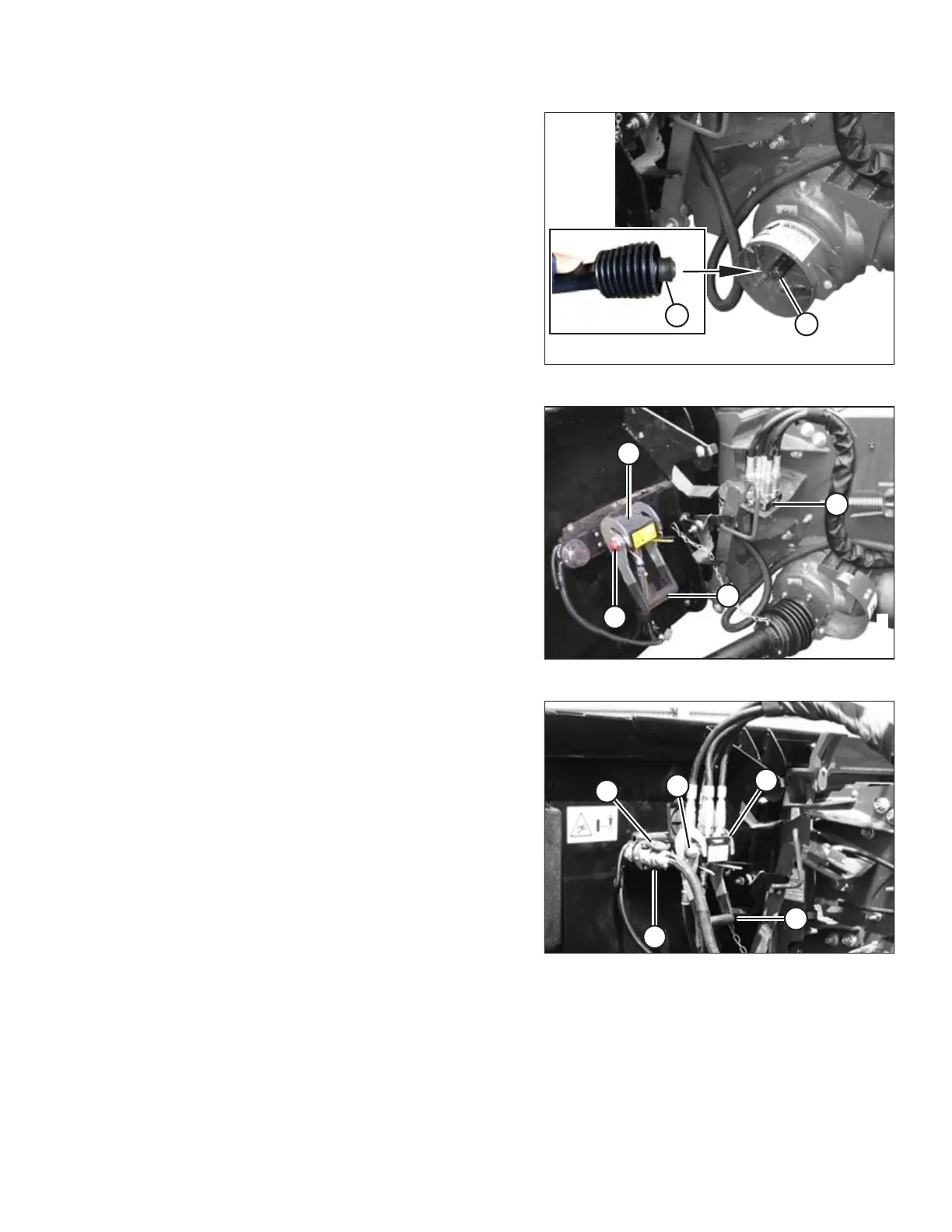
Figure 5.5: Attaching Driveline
10. Pull back collar (A) on end of driveline and push onto
combine output shaft (B) until collar locks.
Figure 5.6: Coupler Lock
11. Open cover (A) on header receptacle.
12. Push in lock button (B) and pull handle (C) upward to
fully open position.
13. Remove coupler (D) from combine, and clean mating
surfaces.
Figure 5.7: Attaching Coupler
14. Position coupler (A) onto header receptacle and push
handle (B) downward to engage coupler pins in
receptacle.
15. Push handle to closed position until lock button (C)
snaps out.
16. Open cover (D) on header electrical receptacle.
17. Remove electrical connector (E) from storage cup on
combine.
18. Align lugs on electrical connector (E) with slots in
receptacle, push connector onto receptacle, and turn
collar on connector to lock it in place.
19. Remove draper deck shipping braces. Refer to 5.5
Removing Deck Shipping Braces, page 71.
ATTACHING HEADER TO COMBINE



 To Next Page