66
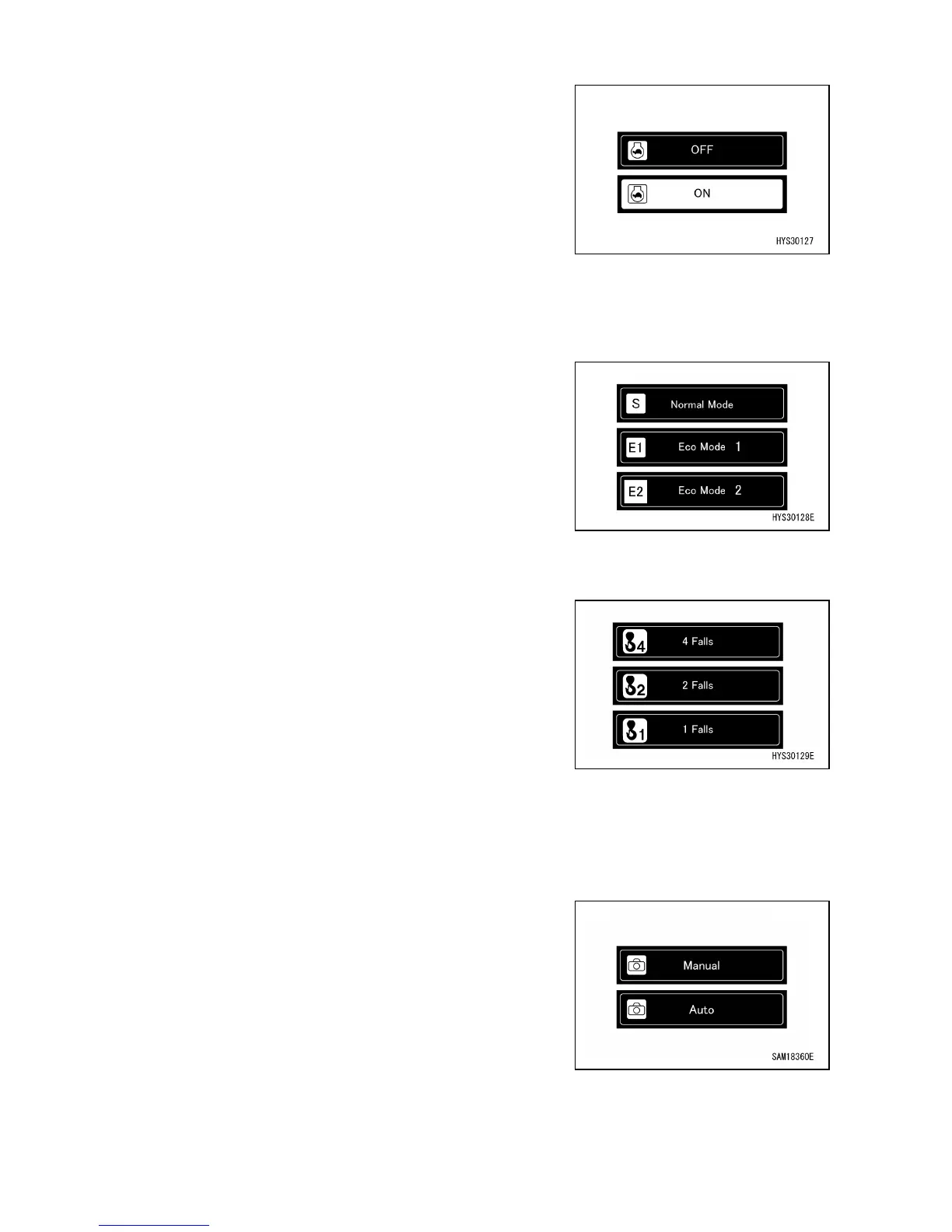
[2-1] AUTO DECELERATION ON/OFF CHANGE
When the switch (2-1) is pressed, auto deceleration
ON/OFF can be changed.
• OFF: Maintains constant engine speed even if you do not
operate the controls for the preset duration.
• ON: Reduces engine speed if you do not operate the
controls for the preset duration.
When ON is selected, the auto deceleration display (10)
icon is displayed on the top screen.
[2-2] WORKING MODE CHANGE
When the switch (2-2) is pressed, the working mode can
be changed.
• S: Standard mode
• E1: Eco mode 1 (fuel economy-focused mode)
• E2: Eco mode 2 (low revolution mode)
When the working mode is changed, the working mode
display (9) on the top screen is changed.
[2-3] HOOK FALL NUMBER CHANGE
When the switch (2-3) is pressed and held, the hook fall
number can be changed.
• Four falls
• Two falls
• One fall
When the fall number is changed, the number on the hook
part of the moment limiter part changes and rated total load
changes.
Be sure to match the displayed number with the actual
hook fall number.
[2-4] REAR VIEW CAMERA AUTO ON/OFF
SELECTOR SWITCH
When the switch (2-4) is pressed, the rear view camera
display mode can be switched between manual and
automatic.
• Manual: Select the rear view camera display using the
manual switch operation. The rear view camera display
is not automatically selected, even during a crawling or
slewing operation.
• Auto: Automatically selects the rear-view camera display
during a crawling or slewing operation.



 To Next Page