67
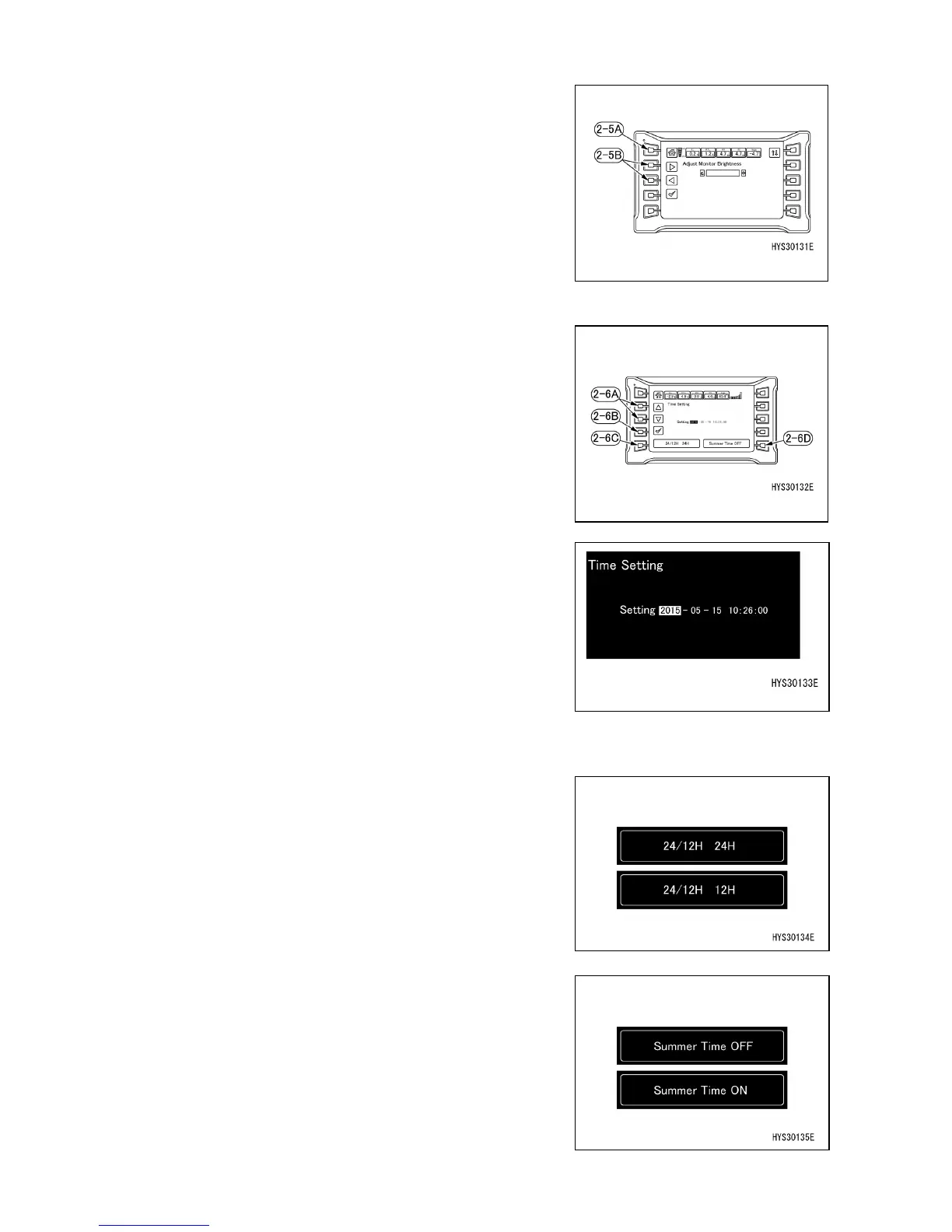
[2-5] MONITOR BRIGHTNESS ADJUSTMENT
When the switch (2-5) is pressed, the monitor brightness
can be adjusted.
Make adjustments with ◄ or ► of the adjustment switch
(2-5B).
The screen returns to the previous user mode screen with
the home switch (2-5A).
[2-6] TIME SETTING SCREEN
When the switch (2-6) is pressed, time setting, 24/12 hour
display and summer time ON/OFF can be changed.
• Time setting
• 24/12 hour display change
• Summer time ON/OFF
[2-6-1] TIME SETTING
Select the date and time desired to be changed with ◄ or
► of the adjustment switch (2-6A) and press the check
mark (2-6B).
(The part whose background is white is selected.)
When the word color turns red, editing becomes possible.
Make adjustments with ◄ or ► of the adjustment switch
(2-6A) in this condition.
When the check mark (2-6B) is finally pressed, editing is
completed.
[2-6-2] 24/12 HOUR DISPLAY CHANGE
When the switch (2-6C) is pressed, time display can be
changed to either 24 hour display or 12 hour display.
[2-6-3] SUMMER TIME ON/OFF
When the switch (2-6D) is pressed, ON or OFF of summer
time can be selected.
• ON: Time display is moved up by one hour.
• OFF: Originally set time is displayed.



 To Next Page