71
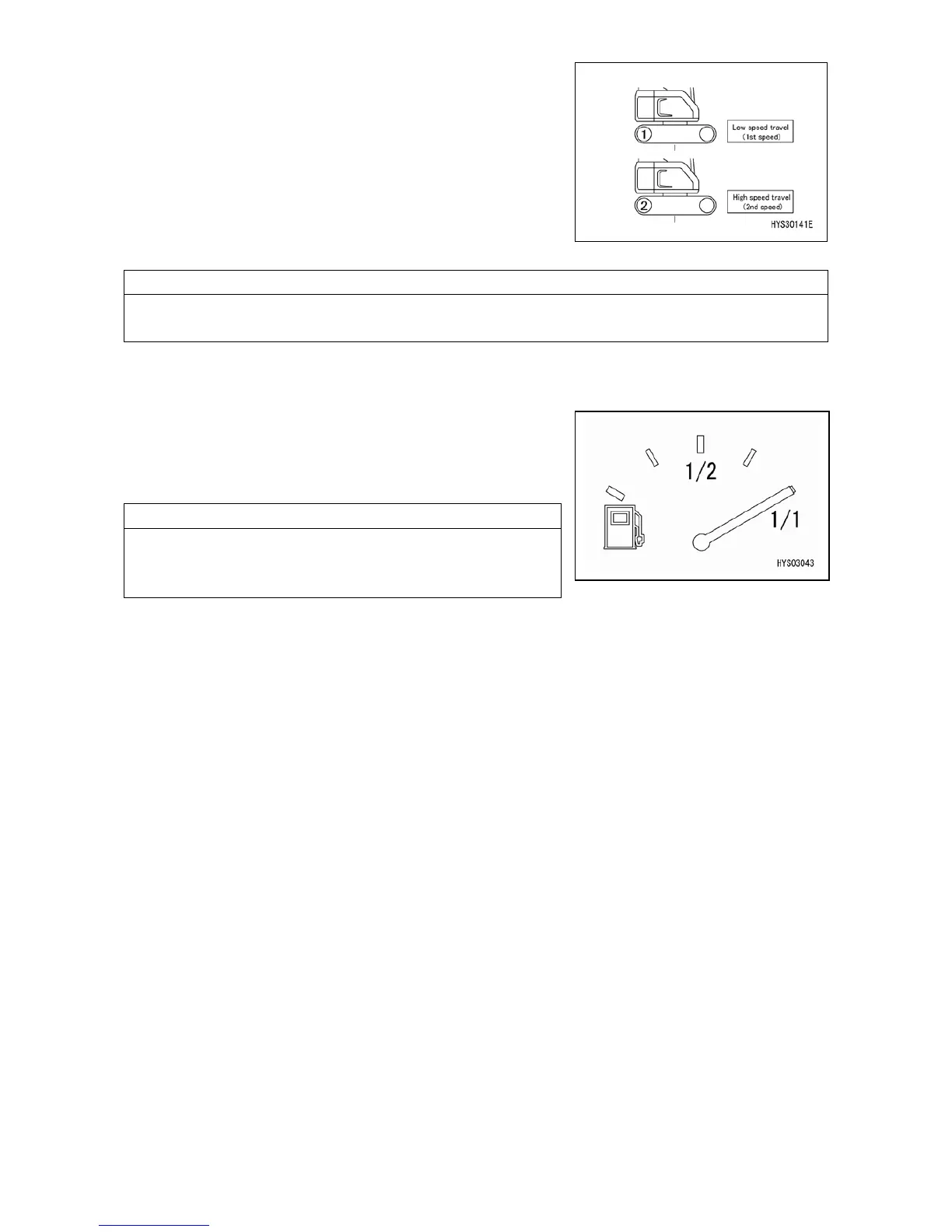
The switch (5) changes the travel speed into two stages.
Each time the switch is pressed, the speed changes from "1st
speed" to "2nd speed" to "1st speed" repeatedly.
• Display of monitor "1": Low speed travel (1st speed)
• Display of monitor "2": High speed travel (2nd speed)
The display (12) on the top screen changes.
When the actual load value of the moment limiter is 0.5ton or more, the machine does not travel
at high speed even if "2" is displayed on the monitor.
[6] FUEL GAUGE
The meter (6) indicates the fuel quantity in the fuel tank.
When the indicator comes near the red color of the meter,
check the fuel quantity in the fuel tank and replenish fuel.
Although the indicator may not point to the correct position
for a while after the starter switch is turned "ON", this is
normal.
[7] CLOCK DISPLAY
Displays the time.
[8] HOUR METER DISPLAY
Displays the hour meter.
[9] WORKING MODE DISPLAY
Displays the working mode currently set.
[10] AUTO DECELERATION DISPLAY
This is displayed when Auto deceleration is ON.
[11] WINCH 1ST SPEED/2ND SPEED DISPLAY
Each time the winch 1st speed/2nd speed selector switch is pressed, the speed changes "from 1 to
2 to 1".
[12] TRAVEL 1ST SPEED/2ND SPEED DISPLAY
Each time the travel 1st speed/2nd speed selector switch is pressed, the speed changes "from 1 to
2 to 1".



 To Next Page