22
11/06
A
FRAME AND RUNNING GEAR
PASSWORD 250 i.e.2
GETTING TO KNOW YOUR SCOOTER
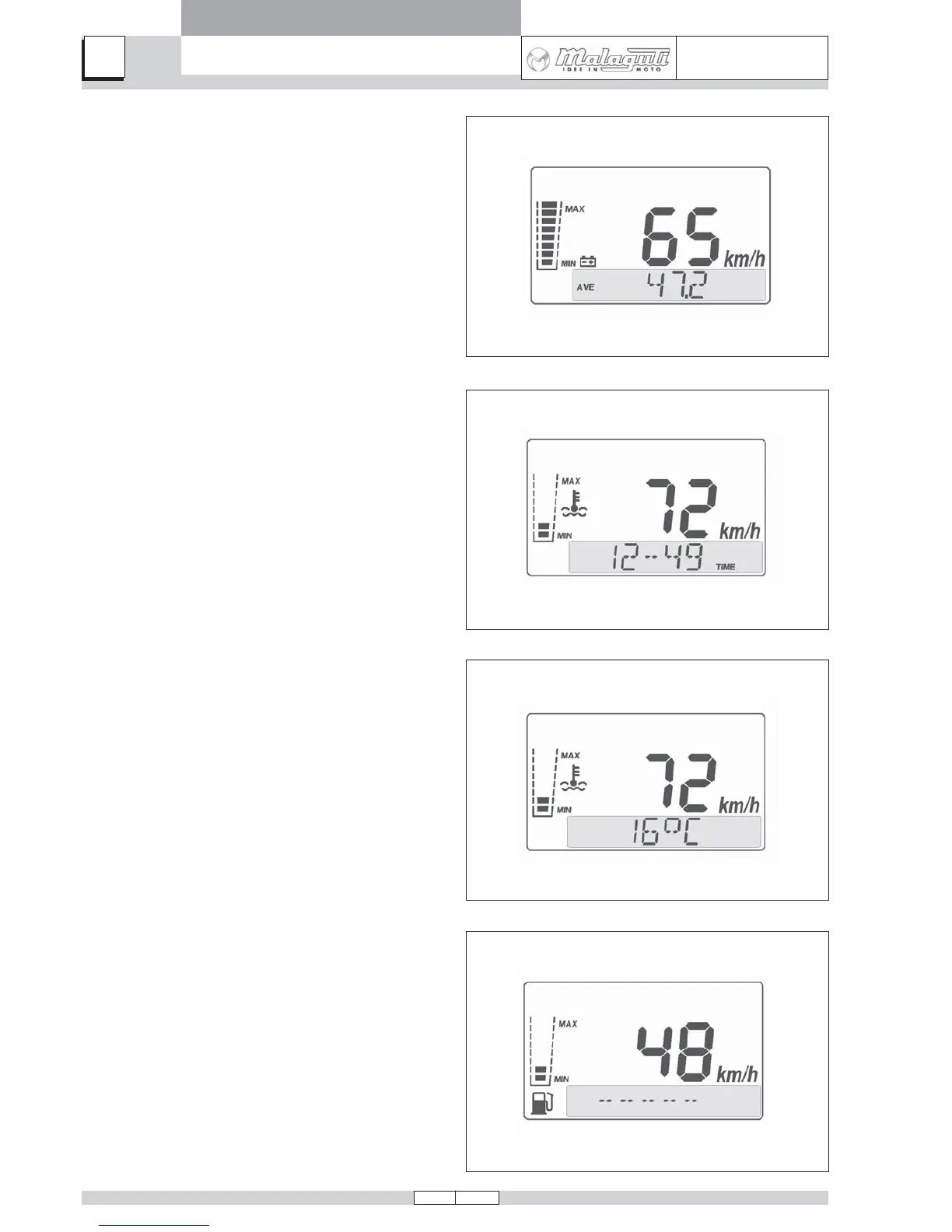
C) AVE FUNCTION (Average Speed):
• This indicates the average speed during a journey.
The value is in km/h or mph. The calculation does not
take account of stops (speed = 0). To reset, press the
MODE button when the scooter is stopped and hold it
down until the display shows 0. The function also re-
sets automatically after 24 hours of travel time or when
1000 km travelling distance is exceeded.
D) TIME FUNCTION:
• Shows the current time.
Time is shown in hours and minutes. The time display
can be adjusted only with the scooter at a standstill.
Press the MODE button for 3 seconds, until only the
minutes and seconds are shown on the display. Change
the flashing number by pressing the MODE button briefly
and repeatedly. Holding down the button for a longer
interval serves to switch to the next digit to change. Not
pressing the MODE button for 3 seconds serves to quit
time setting mode.
E) AIR TEMPERATURE FUNCTION:
• Shows ambient temperature in degrees Celsius.
Temperature is shown at the bottom of the display.
F) STAND-BY:
• For selecting options of the Bar Graph and Main
Menu.
When the display appears as shown in the adjacent
figure (for approx. 4 sec.), you can select functions of
the Bar Graph (Vbatt / Fuel / Temp. H2O) by pressing
the MODE button briefly and repeatedly, or select func-
tions of the Main Menu (Speed) by pressing the MODE
button for longer (3 seconds).



 To Next Page