23
11/06
A
FRAME AND RUNNING GEAR
PASSWORD 250 i.e. 2
GETTING TO KNOW YOUR SCOOTER
MAIN MENU
To access Main Menu function selection mode, hold the
down the “MODE” button for 3 sec. when “—” (F) is dis-
played in the Submenu.
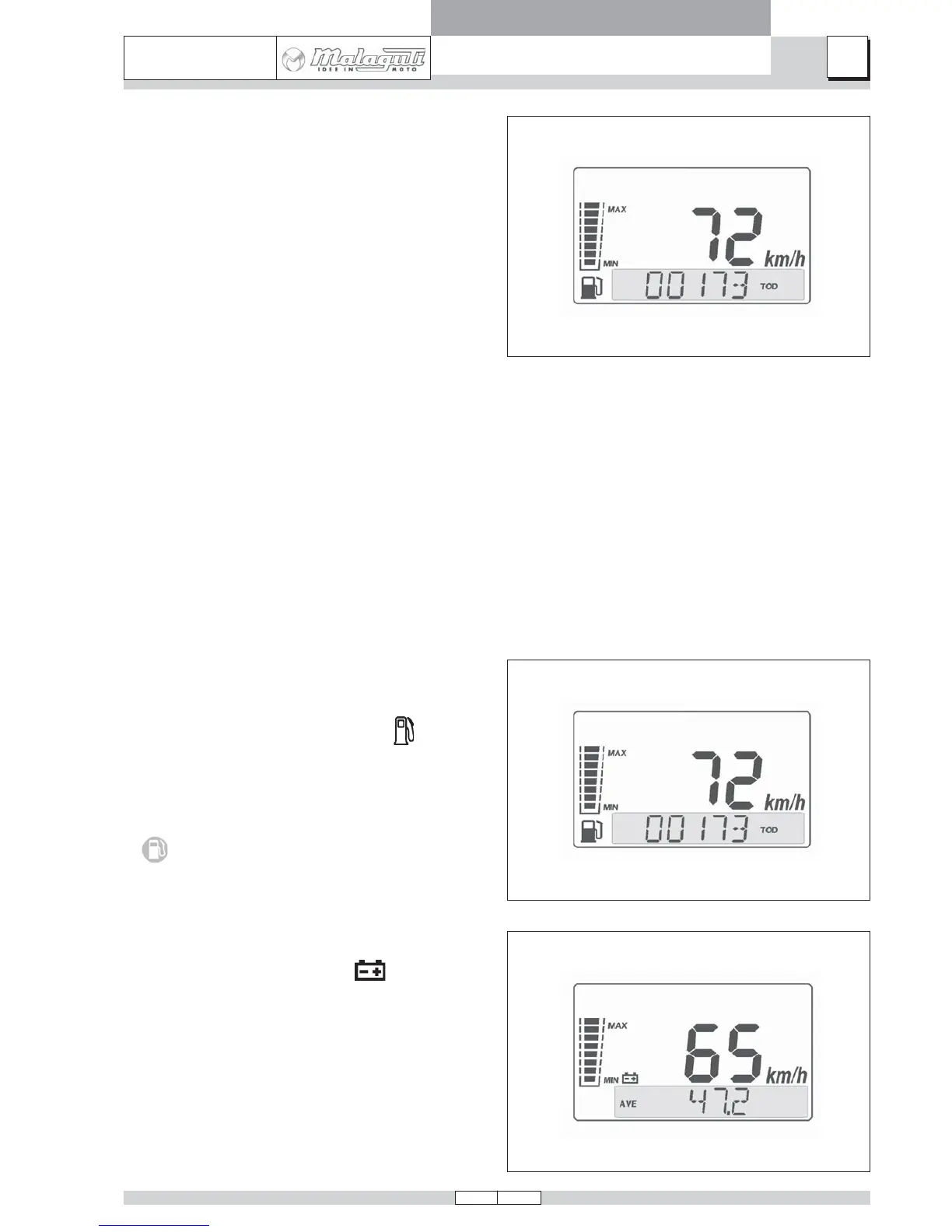
INSTANTANEOUS SPEED FUNCTION:
• Shows current road speed
This information is shown at the centre of the display;
the unit of measurement (km/h or mph) is indicated by
the relevant caption.
BAR GRAPH
A) FUEL LEVEL INDICATOR FUNCTION
• Displays the level of fuel in the tank
The quantity of fuel in the tank is displayed in graphic
form by means of an 8-segment bar graph on the right-
hand side of the display. When the second segment
switches off this means the scooter is running on the
reserve supply; the corresponding amber warning light
will illuminate.
B) BATTERY LEVEL INDICATOR FUNCTION (Vbatt):
• Shows the battery charge level
Charge level is displayed in graphic form by an 8-seg-
ment bar on the left-hand side of the display, accompa-
nied by illumination of the battery symbol.
NOTE If the “Engine stop” button is “OFF” the speed
is not displayed.



 To Next Page