IN
OUT
DIGITAL
MIX LINE
AUX
R
L
R
L
INOUT
OUT
DC IN
KEYB
I / 0
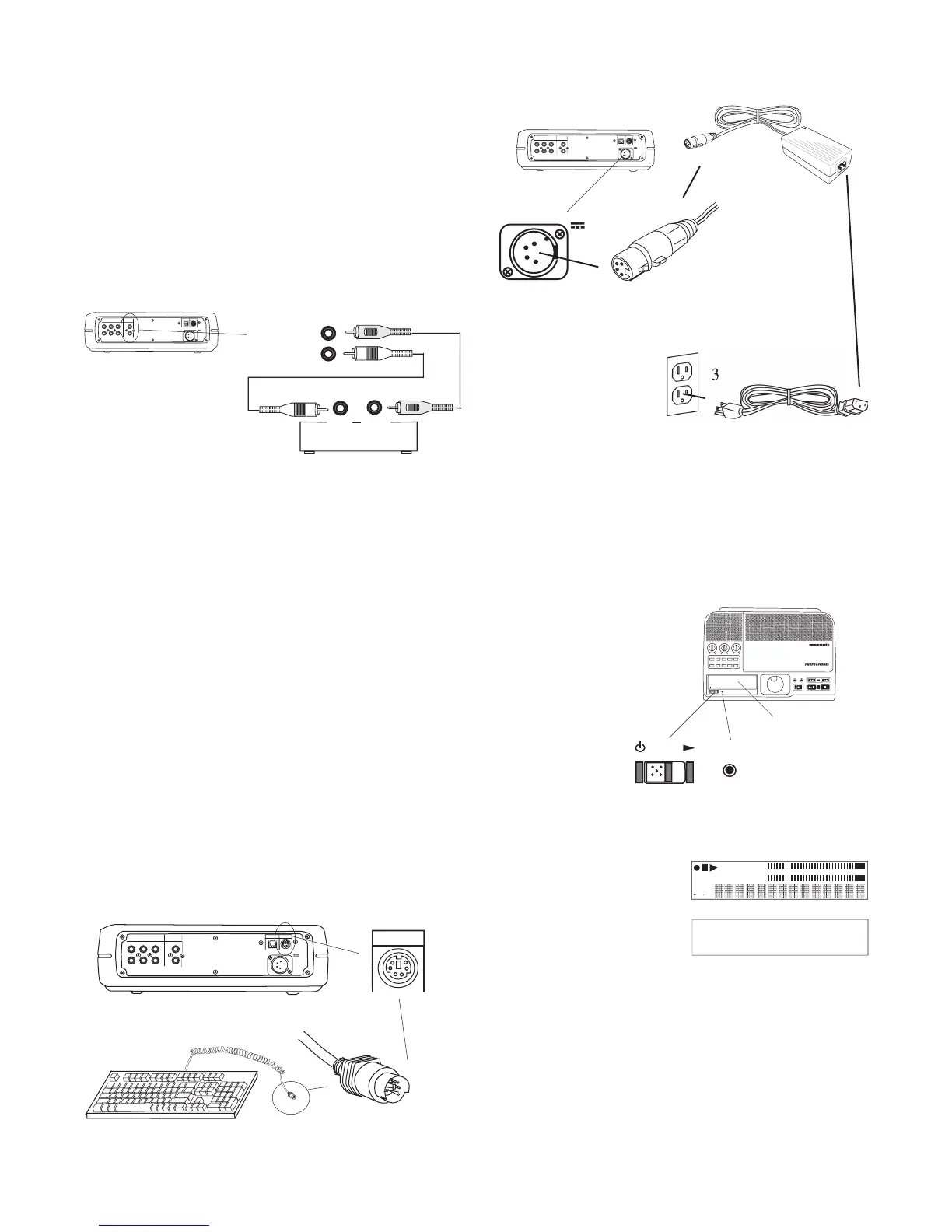
Connect Digital equipment
Connect CD/HD input and/or output to digital equip-
ment for playing or recording*.
*The CDR420 can only accept S/PDIF digital signals at the
Sample Frequency of 44.1 kHz.
Connect 2 coaxial digital cables to DIGITAL IN and/
or DIGITAL OUT and then to output and/or input of
DIGITAL
OUTPUT
digital device
IN
OUT
INPUT
Signal is available only while playing.
Use this connection for recording. Digital input cannot
be mixed with microphone or instrument inputs on the
front of the CDR420, or line level input via the AUX
The CDR420 can only receive and record a 16 bit,
44.1kHz digital audio signal. Should you input any other format of
digital audio, the display will read "NO SPDIF LOCK" and
recording is not possible.
The CDR420 is only capable of playing back fi les
that have been recorded at 44.1kHz. If you place a fi le on the HDD
that is any other frequency than 44.1kHz, playback will cease and
the display will read "44.1KHZ ONLY".
The CDR420 is not capable of monitoring audio by
any analog means, other than the level meters, when recording
digitally. Please monitor the audio at the source.
Connect your standard PS/2 PC keyboard for direct
keyboard control of the CDR420.
IN
OUT
DIGITAL
MIX LINE
AUX
R
L
R
L
INOUT
OUT
DC IN
KEYB
I / 0
IN
OUT
DIGITAL
MIX LINE AUX
R
L
R
L
INOUT
OUT
DC IN
KEYB
I / 0
• The Power supply switching adapter can accept 120 VAC 60
Hz (US standard) or 230 VAC 50 Hz (European standard)
IN
OUT
REC
SELEC T
PUSH ENTER
POWER STANDBY
TREBLE
MID
BASS
FILE DIR INFO JUMP PHANTOM CD/HD
MARK UNDO REDO EDIT MENUUTILITY MENU
HD/CD RFECORDER CDR420
5. Slide the POWER switch to the right and release.
The display will document the power up se-
See page 62 for keyboard operation.



 To Next Page