FILE DIR INFO JUMP PHANTOM CD/HD
MARK UNDO REDO EDIT MENUUTILITY MENU
IN
OUT
REC
SELEC T
PUSH ENTER
POWER STANDBY
TREBLE
MID
BASS
FILE DIR INFO JUMP PHANTOM CD/HD
MARK UNDO REDO EDIT MENUUTILITY MENU
HD/CD RFECORDER CDR420
The built in full range speaker allows listening to a re-
cording without having to connect to other equipment
The built in microphone (internal mic) is near the top
the recording being played. Level adjustments apply
to the internal speaker, PHONES jack and LINE OUT
output. Turn clockwise to boost the frequency and
counterclockwise to attenuate it. Level adjustments do
High frequencies (18 kHz)
Middle frequencies (2 kHz)
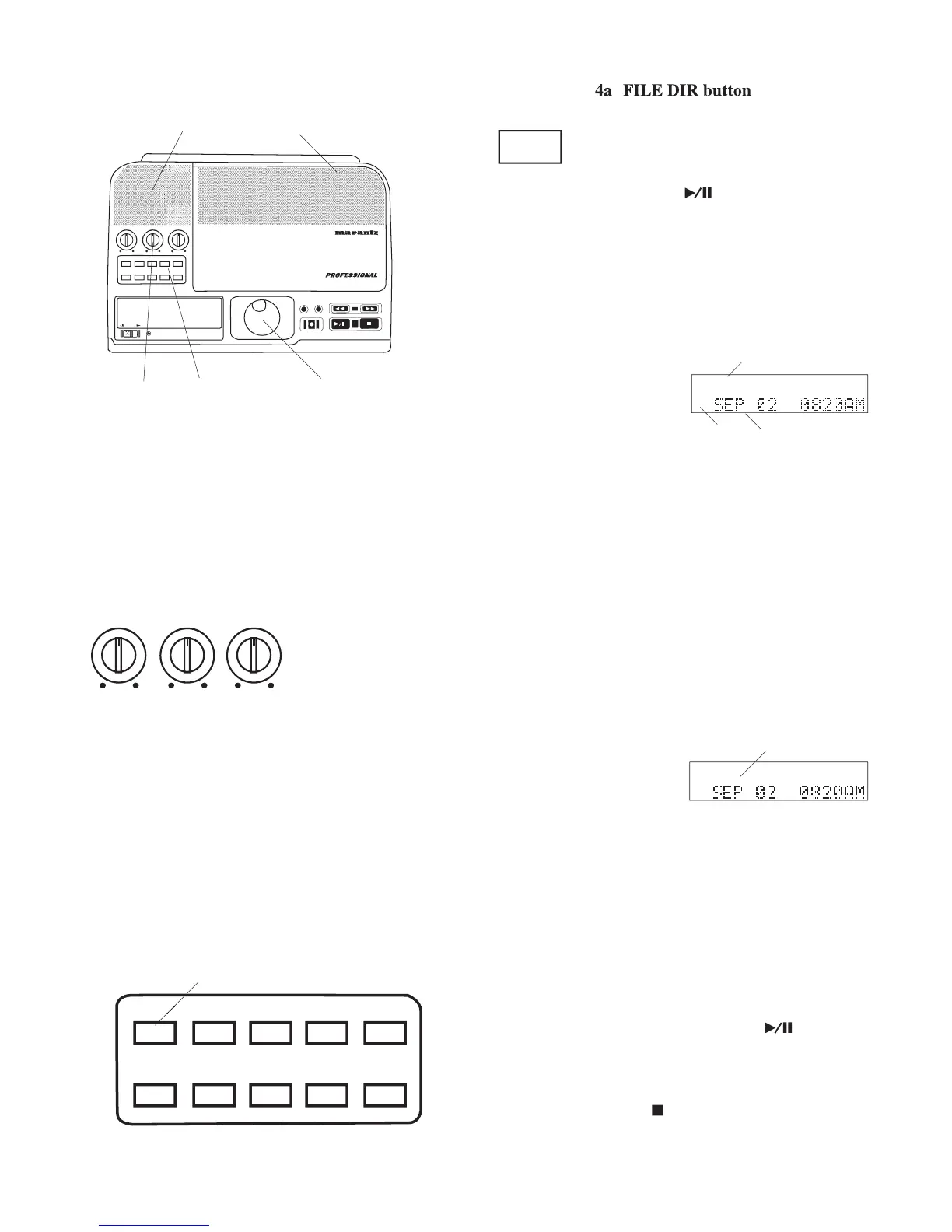
Press and release to select the File Di-
rectory. Turn the Jog Wheel to select a
press and release the Jog
'Select' tells you to turn the Jog Wheel to select the
The fi le name is displayed.
• If the fi le was recorded recently the fi le name can be confused
with the date. For example, if it was 9:20 am on September
2 when you pressed FILE DIR and the fi le name is SEP 02
0820AM. Look for the "FILES" icon (a above) in the display
to be sure you are in the File Directory.
Turn the Jog Wheel to scroll through the File Direc-
Wheel or Play/Pause button
press and release the INFO
button while the track name is displayed.
press and release the EDIT MENU
button while the track name is displayed. See How to
• If a fi le name is longer
than 14 characters, after about two seconds the fi le
name scrolls across the display.
• All audio recordings on the Hard Disc are pre-
sented in order, from most recent to oldest.
• Turn the Jog Wheel forward or backward to scroll
through the fi les in the File Directory.
Press and release the Play/Pause button
the track, press and release the INFO button for full
information about the track, press and release the
EDIT MENU button to edit the track, or press and
to exit the File Directory.



 To Next Page