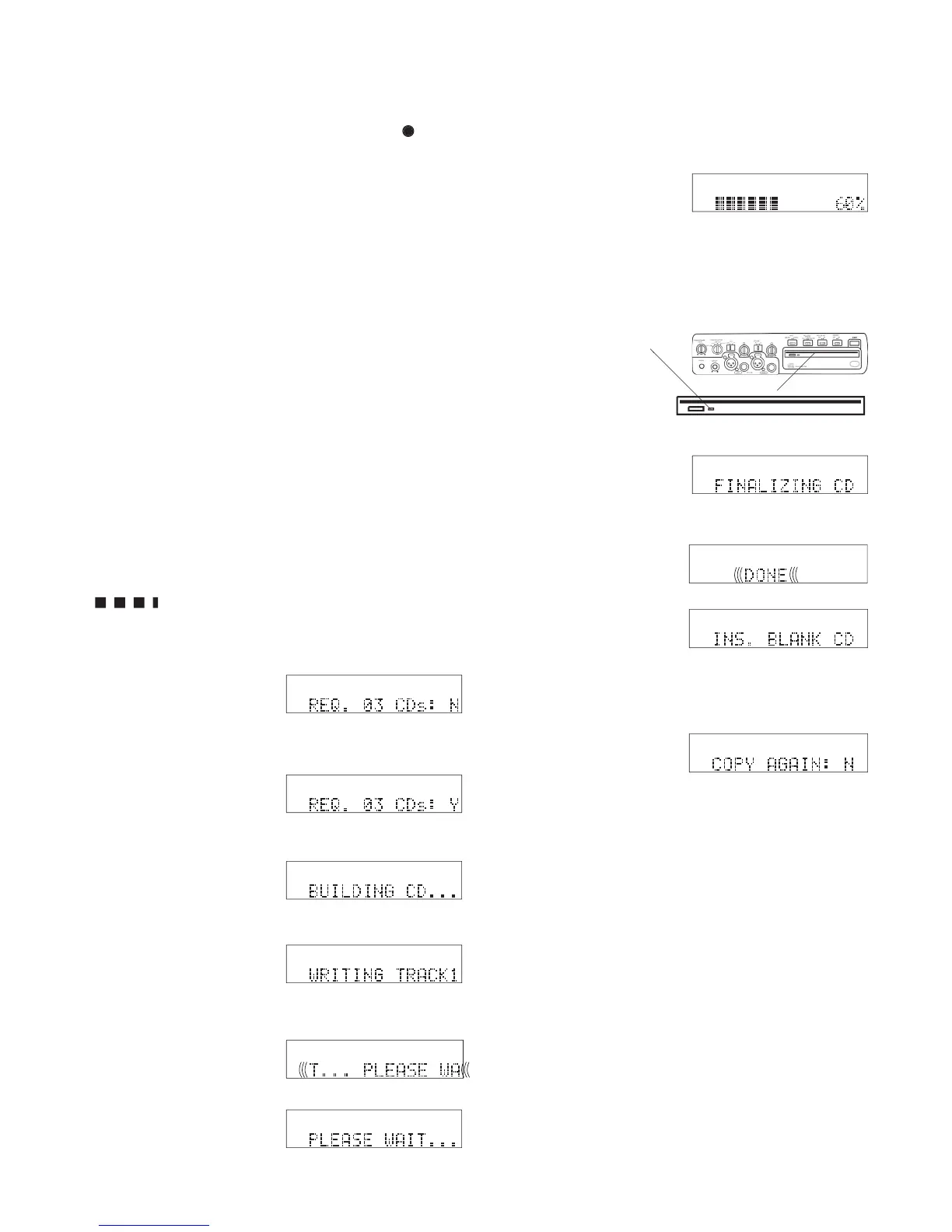
Display messages during CD burning
The CDR420 uses the display to keep you informed of
progress during CD writing (burning). The messages
can appear quite different depending on details of the
For example, the message "WRITING TRACK 3"
might fl ash by so quickly you can barely read it if
track 3 is very short. If track 3 is long the messages
"PLEASE WAIT . . ." and a graphic display of prog-
briefl y as the CDR420 pre-
play bars, with a full bar equal to 10%, increase as the
percentage number increases.
If the track is long enough
the percentage of the track
ing, but may stay off for
played briefl y while the CD
Typical messages include:
appears if the burning ses-
sion requires more than one
Turn the Jog Wheel so Y is
displayed, then press and
CD is displayed if the CD
project requires more than
completed the CD is auto-
matically ejected and the
display asks if you want to
PLEASE WAIT . . . is displayed during several types of intensive
cpu operations. Wait, it can take 5 minutes or more for some of
How to burn your CD Project to a CD
b Press and release the fl ashing REC button
turn the Jog Wheel until the highest "T" is dis-
played. The highest T will be blank.
c Press and release the Jog Wheel to add the * and
display the fi le directory.
d Turn the Jog Wheel so WRITE CD is displayed.
ARE YOU SURE:N is displayed. Turn the Jog Wheel
to select Y, then press and release the Jog Wheel to
After fi nalizing an Audio CD the display will read "CD
FINALIZED" but if the CD written is an MP3, WAV or MP3/
WAV data CD then the display will read "CD WRITE DONE."
This is different indicating that when a Data CD is closed, only
that particular session closes, allowing you to add content to the



 To Next Page