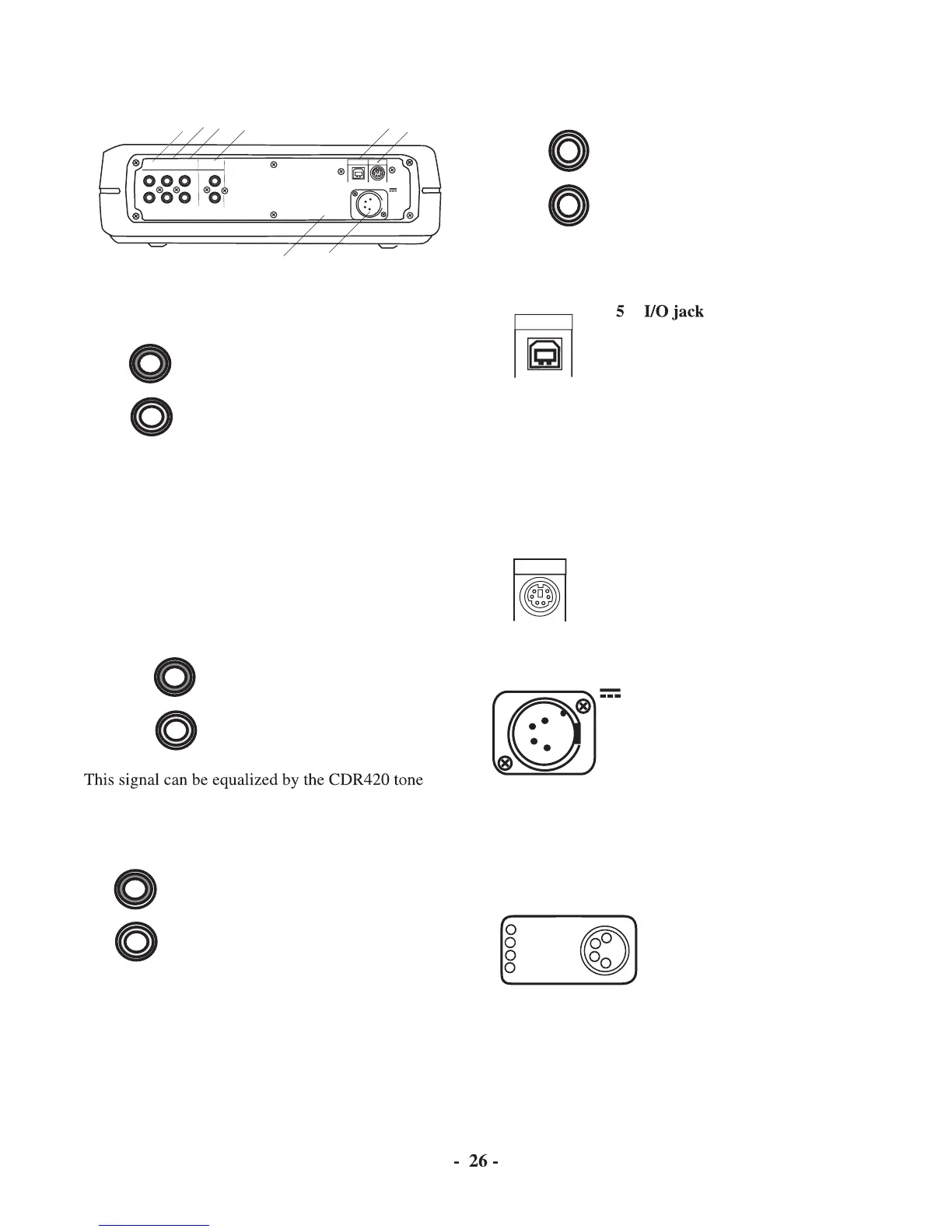
Controls, Connections (rear)
Plug Right and Left RCA audio
cables in here to connect to the
input of a amplifi er or other exter-
nal unit. Use for recording onto
Input from MIC/LINE (or INT
MIC) and/or AUX jacks are
IN
OUT
DIGITAL
MIX LINE
AUX
R
L
R
L
INOUT
OUT
DC IN
KEYB
I / 0
output as line level output to an external recorder or
amplifi er. The signal is output before going to the HD/
CD drive, so it is available for monitoring or recording
even if recording is paused or stopped.
This signal cannot be equalized by the CDR420 tone
connect to the input of an
amplifi er or other external
This signal can be equalized by the CDR420 tone
Plug Right and Left RCA audio
cables in here to connect to the
output of an external unit.
Use for recording from an external
audio source such as a cassette
4 DIGITAL IN and OUT jacks
Plug RCA coaxial cables in here to
connect to the input and/or output
of an external digital unit.
Use IN for recording from an exter-
nal 44.1 kHz digital audio source.
Use OUT for going to an external
Plug a USB cable in here and
connect the other end to your
The HD on the CDR420 appears as an external hard
drive on your computer. That makes it easy to copy
audio fi les from the CDR420 HD to your computer's
hard drive or a CD, or from your computer's hard drive
to the CDR420. The I/O connection can only be made
active when the CDR420 is off (neither recording or
Plug your PS/2 computer keyboard
in here for direct input into the
supply into a wall outlet
with a power supply suitable for your area. If you are
traveling or want battery power, see www.d-mpro.com
for available power supplies. Search for "CDR420 ac-
EXT BATT(-)
DC IN (+)
DC IN (-)
EXT BATT(+)
1
2
3
4
1
2
3
4



 To Next Page