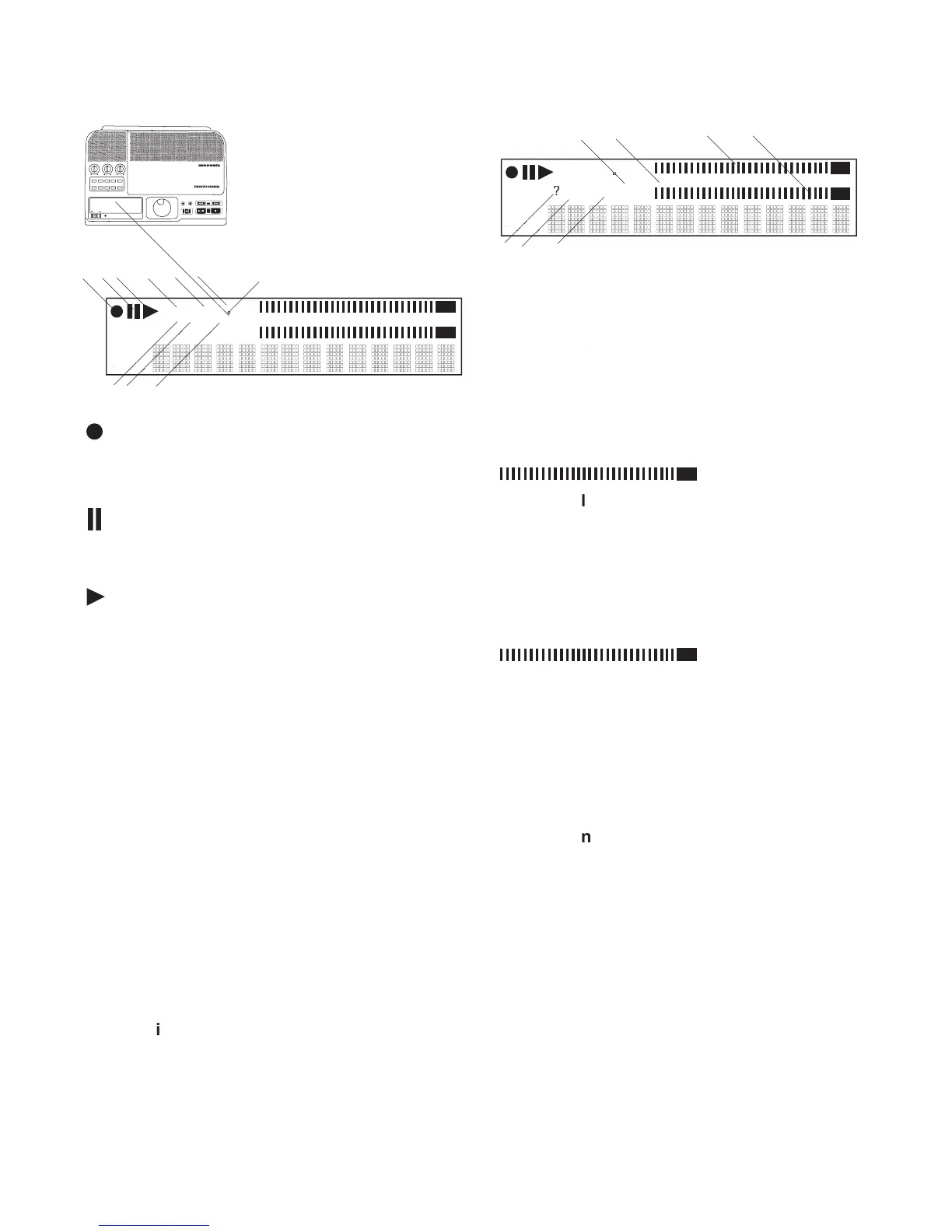
Displayed when in UTILITY MENU mode.
Labels, icons, meters and
alphanumeric messages com-
municate the status of the
The red record icon is lit when in record
The Pause icon appears when the CDR420
is in playback pause, or record pause.
The Play icon appears when the CDR420 is
in playback or recording.
Displayed after the FILE DIR button is
pressed. When present display information
refers to a track in the fi le directory.
Displayed when in EDIT MENU mode.
Displayed when in a Menu mode.
Displayed when in CD Build mode.
Displayed when an IN point is set.
Displayed when an OUT point is set.
IN
OUT
REC
SELEC T
PUSH ENTER
POWER STANDBY
TREBLE
MID
BASS
FILE DIR INFO JUMP PHANTOM CD/HD
MARK UNDO REDO EDIT MENUUTILITY MENU
HD/CD RFECORDER CDR420
Lit rectangles provide a visual display of
the level of the left channel during play-
back or recording. The red OVER block
on the left is displayed when the level of
the left channel clips or is over 0 dB.
Lit rectangles provide a visual display of
the level of the right channel during play-
back or recording. The red OVER block
on the right is displayed when the level of
the right channel clips or is over 0 dB.
Lit when the CDR420 is waiting for your
Displayed when the fi le being recorded,
played back, or being viewed in the File
Directory is in MP3 format.
Displayed when the fi le being recorded,
played back, or being viewed in the File
Directory is in PCM (standard audio CD
The Level meter scale is in decibels (dB).
Displayed when in Record or Playback.
OVER is displayed when the level clips



 To Next Page