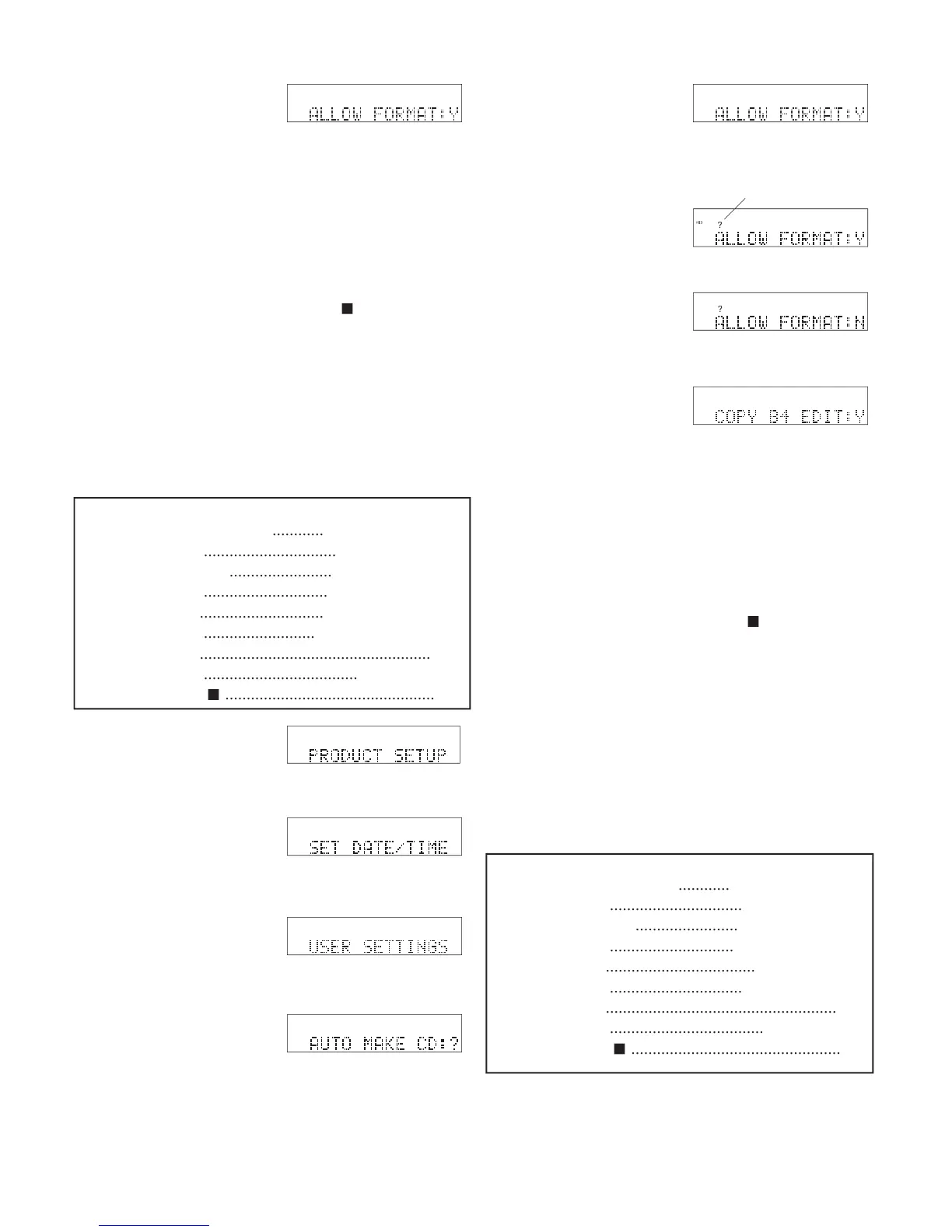
8 The display switches to
• Press and release the Jog Wheel to review or reset
• Turn the Jog Wheel to tab through the User Setting
• Press and release the UTILITY MENU button to
return to RECORD SETTING.
• Press and release the Stop button
• Do nothing. After one minute the CDR420 returns
to Idle Mode with your changes, if any, saved.
Lets you turn off the ability to format the Hard Drive
in the main UTILITY MENU. The FORMAT HDD
screen will not appear. Default Y.
USER SETTINGS is displayed.
Jog Wheel. AUTO MAKE CD is displayed.
ALLOW FORMAT is displayed.
times. PRODUCT SETUP is displayed.
Jog Wheel. SET DATE/TIME is displayed.
• Press and release the Jog Wheel to review or reset
• Turn the Jog Wheel to tab through the User Setting
• Press and release the UTILITY MENU button to
return to RECORD SETTING.
• Press and release the Stop button
• Do nothing. After one minute the CDR420 returns
to Idle Mode with your changes, if any, saved.
Lets you turn off the automatic copy that is made
before editing a track. That saves you time by not hav-
ing to wait for the copy to be made, but it makes your
recording less secure if you make an editing error.
and release the Jog Wheel.
8 The display switches to
...............................
.............................
.............................
..........................
......................................................
....................................
.................................................
...............................
.............................
...................................
...............................
......................................................
....................................
.................................................



 To Next Page