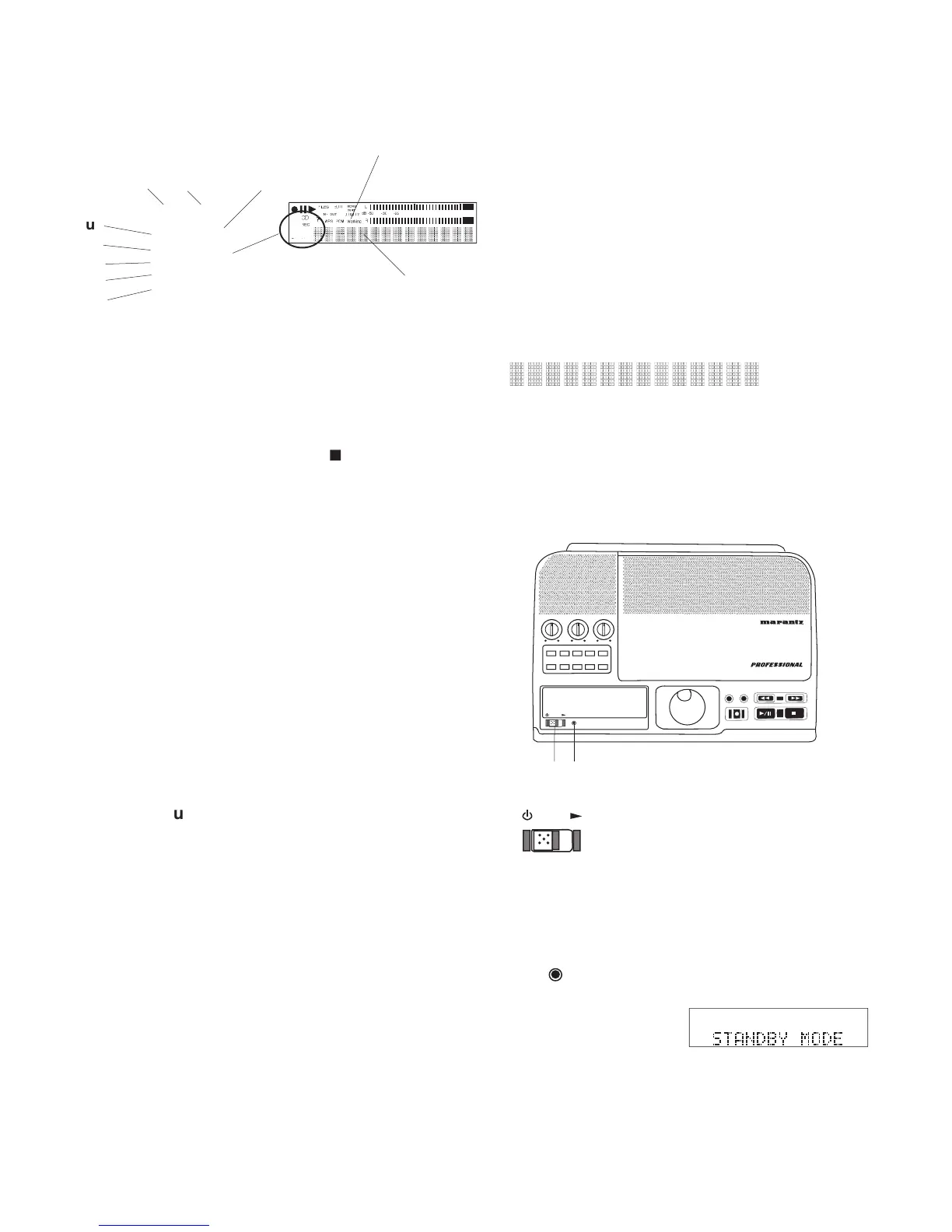
The CD label appears when the CD drive
The REC label appears when the CDR420
Displayed when a preset time for recording
Displayed when the alphanumeric display
shows the total time for the selected track
Displayed when the CDR420 expects you
Displayed when the alphanumeric
display shows the elapsed time (time
from the beginning) of the selected
Press and hold the INFO button for 2
seconds so the alphanumeric display
shows the remaining time (time to
the end) of the selected track (fi le) or
the remaining record time on the HD.
Flashing when the CDR420 is processing
information. The Alphanumeric display
bars show progress of the operation. Wait
for the operation to be completed. Press-
The HD label appears when the Hard
Drive is selected/active.
Displays a variety of information
including remaining recording time,
menu settings, etc. Displays of more
than 14 characters may scroll.
IN
OUT
REC
SELEC T
PUSH ENTER
POWER STANDBY
TREBLE
MID
BASS
FILE DIR INFO JUMP PHANTOM CD/HD
MARK UNDO REDO EDIT MENUUTILITY MENU
HD/CD RFECORDER CDR420
Slide the POWER switch to the
right to turn power on or off.
When power is ON the display is lit and the
Lit when in STANDBY MODE.
STANDBY MODE retains the state of the record



 To Next Page