EasyManua.ls Logo

Marantz CDR420 - Playback Mode Options; Setting the Playback Mode

Marantz CDR420
66 pages
Print Icon
To Next Page IconTo Next Page
To Previous Page IconTo Previous Page
Loading...
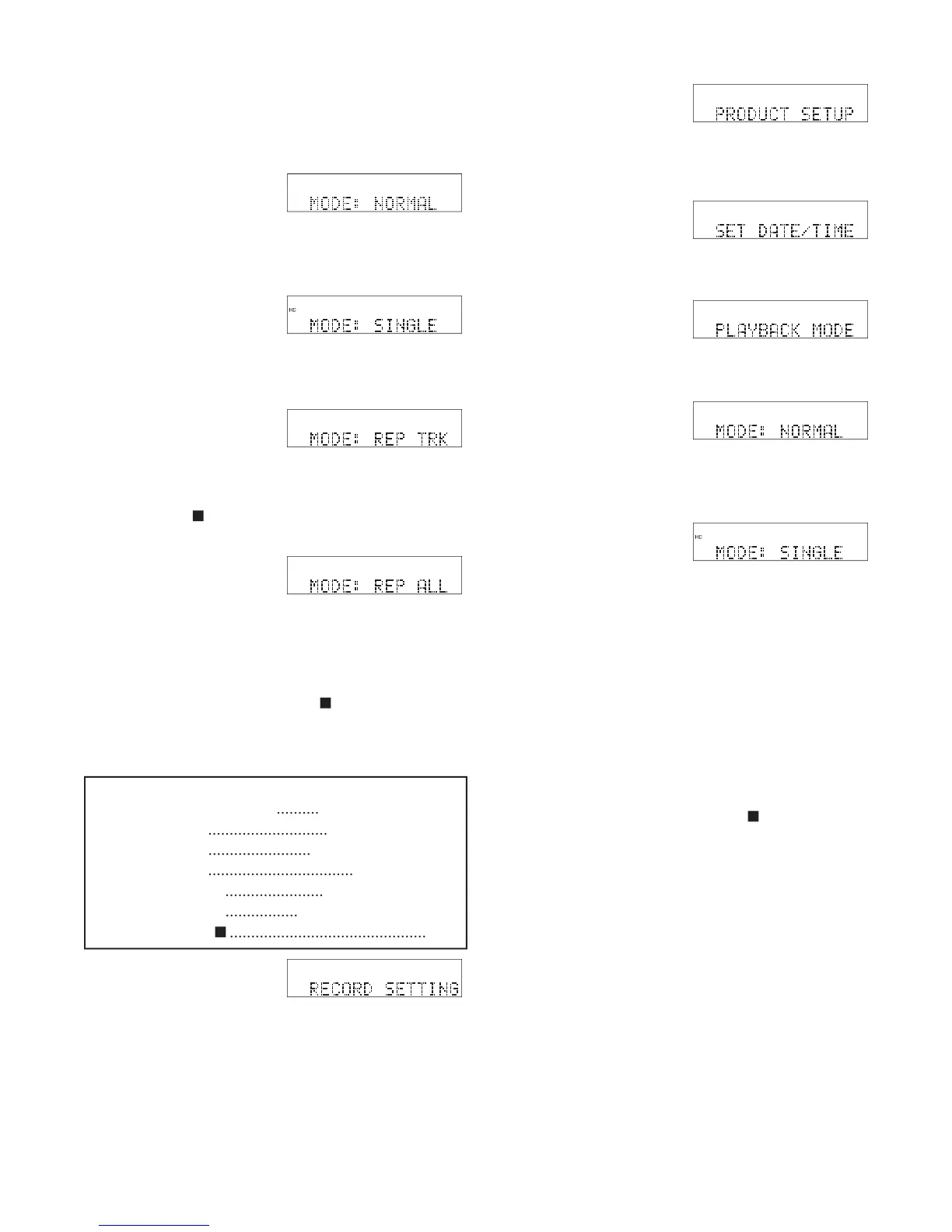
PLAYBACK MODE
The available Playback Modes are:
HD
MENU
UTILITY
NORMAL:
At the end of
the track, the CDR420 au-
tomatically begins the next
track. At the end of the last track in the fi le directory
the CDR420 automatically stops. Factory default.
SINGLE:
At the end of the
track, the CDR420 auto-
matically switches to the
beginning of the same track
HD
MENU
UTILITY
and stops.
REPEAT TRACK:
At
the end of the track, the
CDR420 automatically
HD
MENU
UTILITY
switches to the beginning of the same track and contin-
ues playback. Press the Play/Pause button to pause or
the Stop button
to exit.
REPEAT ALL:
At the end
of the track, the CDR420
automatically switches to
HD
MENU
UTILITY
the beginning of the next track and continues play-
back. At the end of the fi le directory, the CDR420
automatically switches to the fi rst track in the fi le
directory and continues playback. Press the Play/Pause
button to pause or the Stop button
to exit.
How to set the Playback Mode
Quick instructions:
Press UTILITY MENU 3x
..........
PRODUCT SETUP.
Press Jog Wheel
............................
SET DATE/TIME.
Turn Jog Wheel
........................
PLAYBACK MODE
Press Jog Wheel
..................................
Current Mode.
Turn Jog Wheel
.......................
tab through modes.
Press Jog Wheel
.................
accept displayed mode.
Press Stop button
..............................................
exit.
HD
MENU
UTILITY
HD
MENU
UTILITY
HD
MENU
UTILIT
Y
HD
MENU
UTILITY
HD
MENU
UTILITY
Example display
HD
MENU
UTILITY
Example display
1 From Idle Mode, press
and release the UTIL-
ITY MENU button.
2 While RECORD SET-
TING is displayed,
press and release the
UTILITY MENU button or turn the Jog Wheel
until PRODUCT SETUP is displayed.
3 While PRODUCT
SETUP is displayed,
press and release the
Jog Wheel. SET DATE/TIME is displayed.
4 While SET DATE/
TIME is displayed, turn
the Jog Wheel until
PLAYBACK MODE is displayed.
5 While PLAYBACK
MODE is displayed,
press and release the
Jog Wheel. The cur-
rently selected Playback Mode is displayed.
6 Turn the Jog Wheel to
tab through the Play-
back Modes. When cor-
rect, press and release
the Jog Wheel. The display returns to PLAY-
BACK MODE.
You can:
Press and release the Jog Wheel to review or reset
the Playback Mode.
Turn the Jog Wheel to tab through the Utility
Menu PRODUCT SETUP choices.
Press and release the UTILITY MENU button to
return to RECORD SETTING.
Press and release the Stop button
to exit the
Utility Menu.
Do nothing. After one minute the CDR420
returns to Idle Mode with your changes, if any,
saved.
- 43 -
RECORD SETTING is displayed.

Table of Contents

Related product manuals