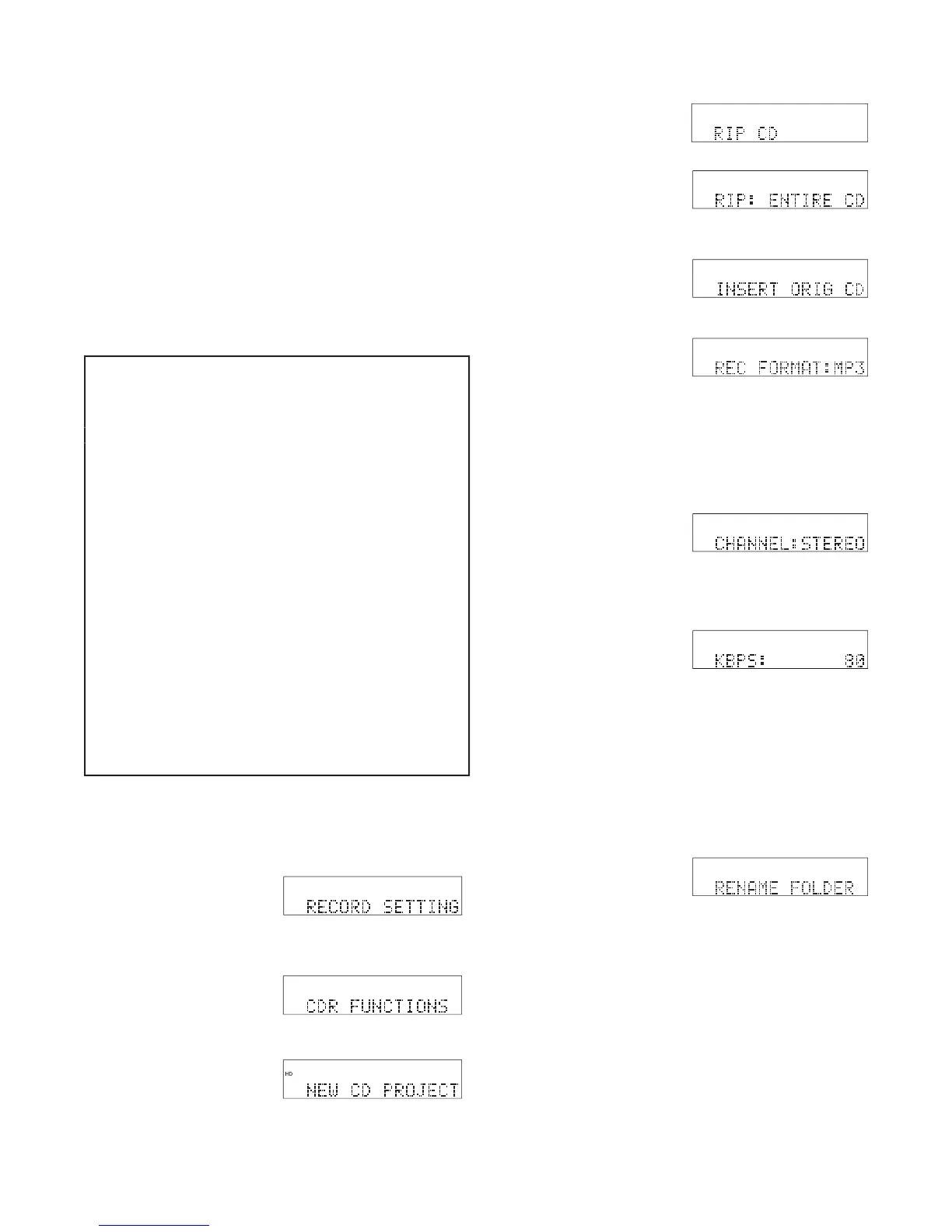
Quick instructions RIP entire CD:
(or INSERT CD will be prompted)
Press Jog Wheel to enter........ CDR FUNCTIONS
.................................
.........................
Turn Jog Wheel to select MP3 or PCM
g. Press Jog Wheel. If MP3
Turn Jog Wheel to select .
.........................
.........................................
............................................
...................................................
...................................................
...............................................
...............................................................
Press Jog Wheel to enter........ CDR FUNCTIONS
Use RIP CD when you want to transfer an individual
track on a CD, or transfer an entire CD to the HD.
RIP CD permits changes to the recording format (RIP
a standard CD to MP3), channel(s) recorded, and/or
bitrate. RIP CD records a copy of the ripped material
into a new folder on the CDR420 HD within a folder
named RIPPED CD. You are prompted to give the
new folder a name. You can burn a new CD from the
RIP: ENTIRE CD is displayed.
6. Insert the CD you want
The RIP entire CD procedure below assumes all factory defaults
and starting with no CD in the CD drive.
Turn the Jog Wheel to toggle between MP3 and
PCM. Then push and release the Jog Wheel.
The CDR420 cannot convert MP3 fi les to PCM.
of the track to be ripped. This setting cannot be
changed. It is simply displayed as a reference.
played. If REC FORMAT selected in step 6 was
If Stereo turn the Jog Wheel to tab through 64, 80,
If Mono turn the Jog Wheel to tab through 32, 40,
Then press and release the Jog Wheel.
Press and release the Jog Wheel to begin renaming
the folder*, or turn the Jog Wheel to skip renam-
*Only the folder name (folder stored within the RIPPED CD folder
on the CDR420 HD) can be renamed at this time. Tracks within
the folder are named 01, 02, ... You can use EDIT MENU / EDIT
TAGS / TRACK NAME to rename them later.



 To Next Page