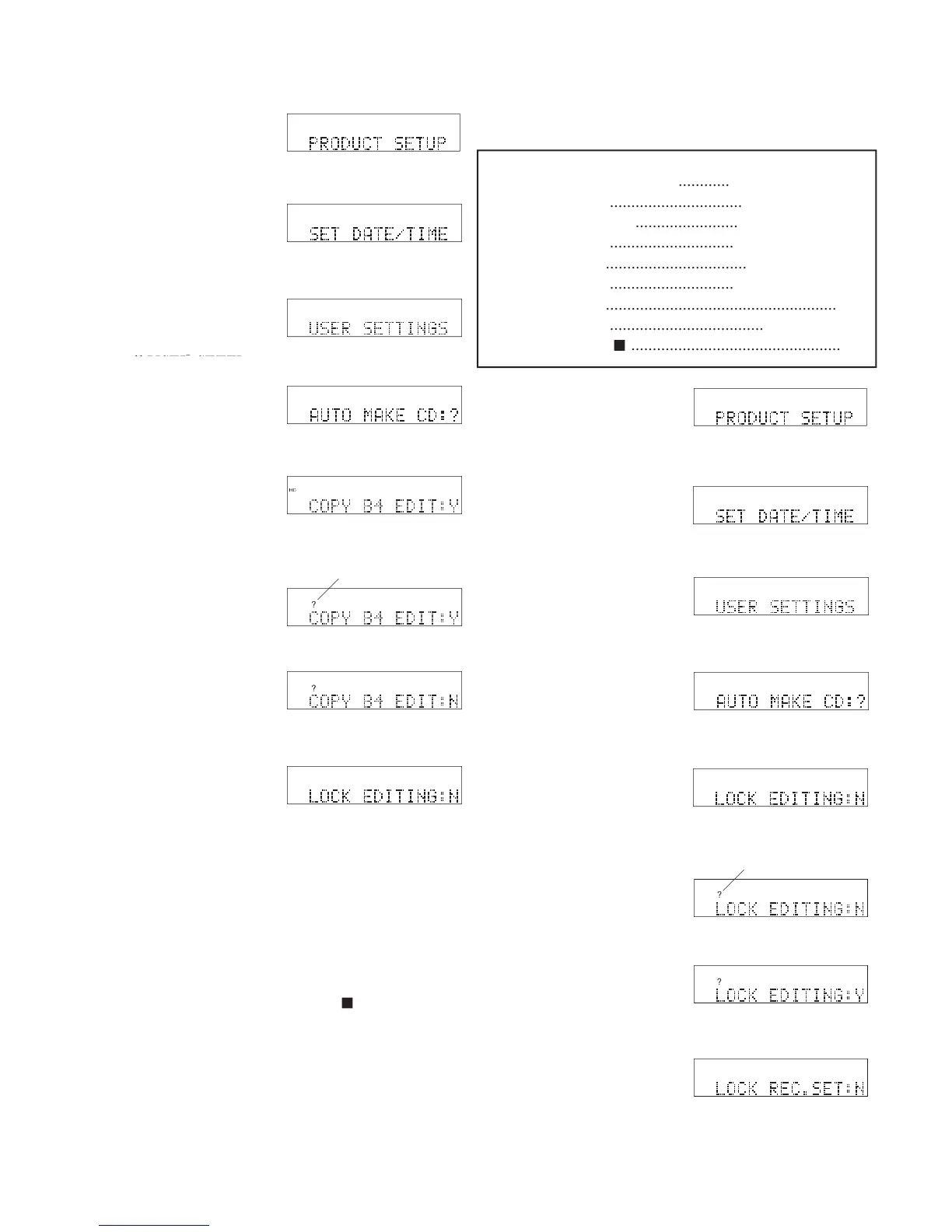
Jog Wheel. AUTO MAKE CD is displayed.
COPY B4 EDIT is displayed.
and release the Jog Wheel.
8 The display switches to
• Press and release the Jog Wheel to review or reset
• Turn the Jog Wheel to tab through the User Setting
• Press and release the UTILITY MENU button to
return to RECORD SETTING.
• Press and release the Stop button
• Do nothing. After one minute the CDR420 returns
to Idle Mode with your changes, if any, saved.
three times. PRODUCT SETUP is displayed.
Jog Wheel. SET DATE/TIME is displayed.
until USER SETTINGS is displayed.
turn the Jog Wheel
until USER SETTINGS is displayed.
turn the Jog Wheel
Lets you disable the EDIT button so tracks on the hard
drive cannot be changed. Default N.
times. PRODUCT SETUP is displayed.
Jog Wheel. SET DATE/TIME is displayed.
USER SETTINGS is displayed.
Jog Wheel. AUTO MAKE CD is displayed.
LOCK EDITING is displayed.
and release the Jog Wheel.
8 The display switches to
...............................
.............................
.................................
.............................
......................................................
....................................
.................................................



 To Next Page