4. Control buttons continued
and time, or playback the
fi rst press and release of
In the example the full track name is "SEP 06
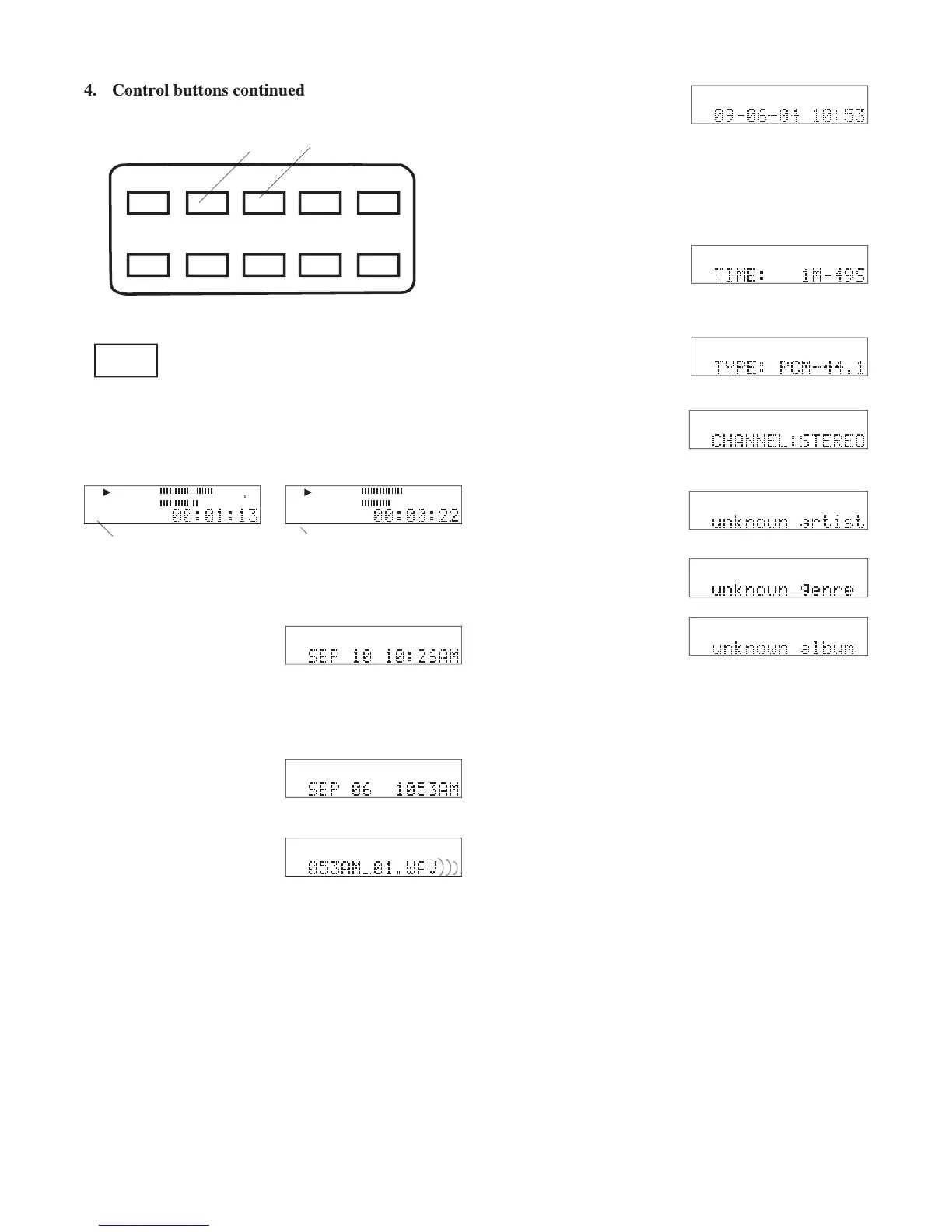
Press and release the INFO button to tab through the
track information displays.
• An information display is only displayed briefl y. If the next
information display is not selected the CDR420 returns to idle
FILE DIR INFO JUMP PHANTOM CD/HD
MARK UNDO REDO EDIT MENUUTILITY MENU
date and time the record-
If you have changed the track name the date and time of the re-
cording is thus still available.
INFO is available from idle, playback or recording.
the INFO button switches the display to the currently
In the example that track
Example idle screen display
The length of the track in
The fi le type and bitrate/
If a comment tag has been entered it is displayed.
press and release the INFO button
to tab through the name, type and channel.
you can also press and hold the
INFO button for 2 seconds to switch from elapsed
record time to remaining record time on the HD.
Press and release repeatedly to tab
through the currently selected fi le's
During playback press and hold for 2 seconds to
switch the playing time display between elapsed and



 To Next Page