IN
OUT
REC
SELEC T
PUSH ENTER
POWER STANDBY
TREBLE
MID
BASS
FILE DIR INFO JUMP PHANTOM CD/HD
MARK UNDO REDO EDIT MENUUTILITY MENU
HD/CD RFECORDER CDR420
Controls, Display (top) continued
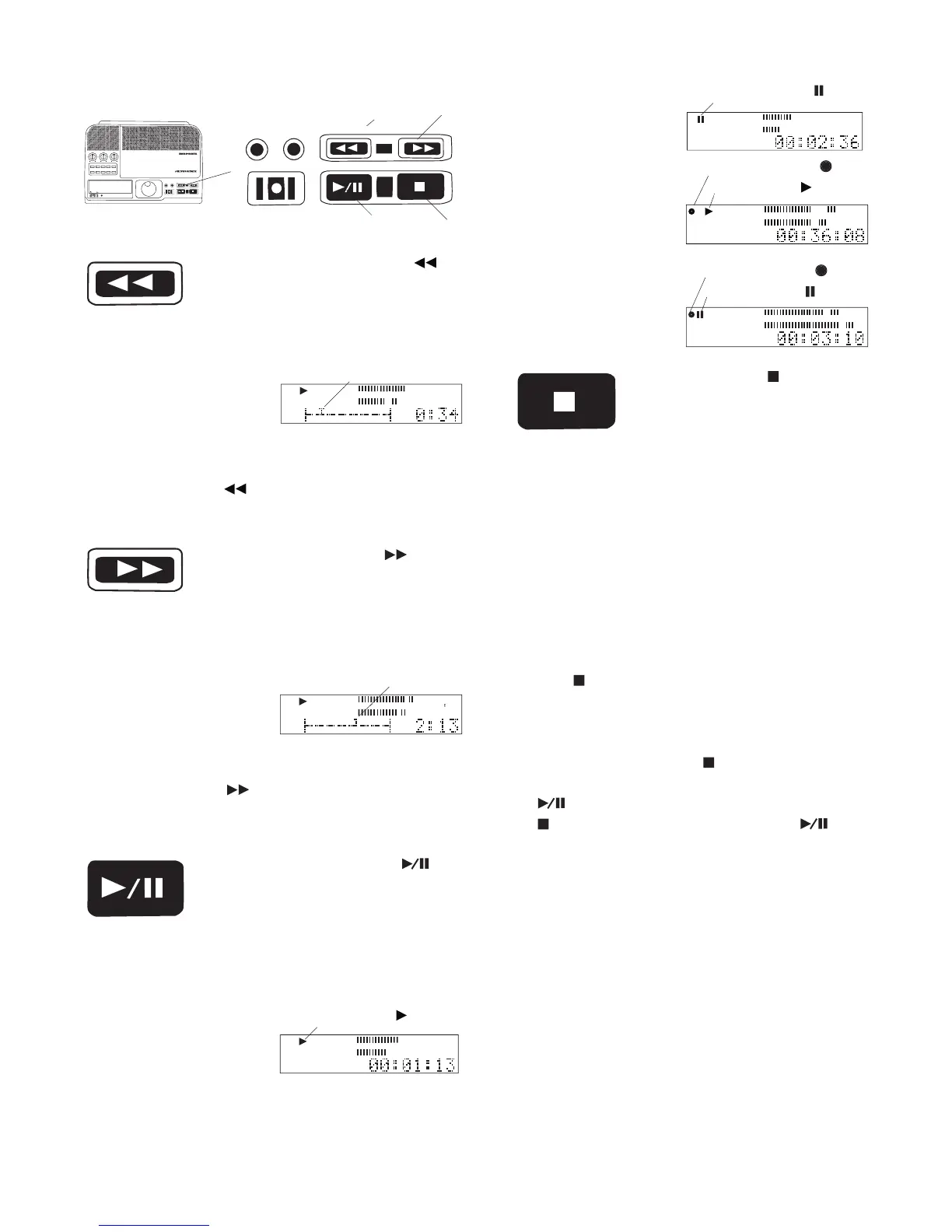
During playback, play pause, or
edit play press and hold to play
audio at high speed in reverse.
During play and edit play audio snippets are heard.
Play continues from the new point on releasing the
during play or edit play.
Speeds are 2x for 3 seconds and then 10x (audible).
shows an edit screen with
the cursor at the current
During playback, play pause, or edit
play, press and hold to play audio at
During play and edit play audio snippets are heard.
shows an edit screen with
the cursor at the current
Play continues from the new point on releasing the
during play or edit play.
Speeds are 2x for 3 seconds and then 10x (audible).
Press and release to start play of
a stopped or paused track. Press
and release during playback or
Button lit during play or record, fl ashing during pause.
Press and release to Stop or
cancel the current operation.
Button lit and steady when recording or playback is
If playback was stopped, resuming playback resumes
playback from the beginning of the selected track.
If recording was stopped, starting playback begins
playback at the beginning of the recorded track. Re-
suming recording begins a new track.
During menu, or other functions press and release the
to cancel the function and return the
During editing the Stop button
mode. It controls playback along with the Play/Pause
. During editing after pressing the Stop
then pressing the Play/Pause button
play starts at the beginning of the track.
To exit edit mode see How to Exit Edit Execute Mode



 To Next Page