EasyManua.ls Logo

Marantz CDR420 - Deleting All Tracks; Copying a Track

Marantz CDR420
66 pages
Print Icon
To Next Page IconTo Next Page
To Previous Page IconTo Previous Page
Loading...
- 59 -
5 Press and release the
Jog wheel to confi rm
the track to be deleted.
?
HD
MENU
UTILITY
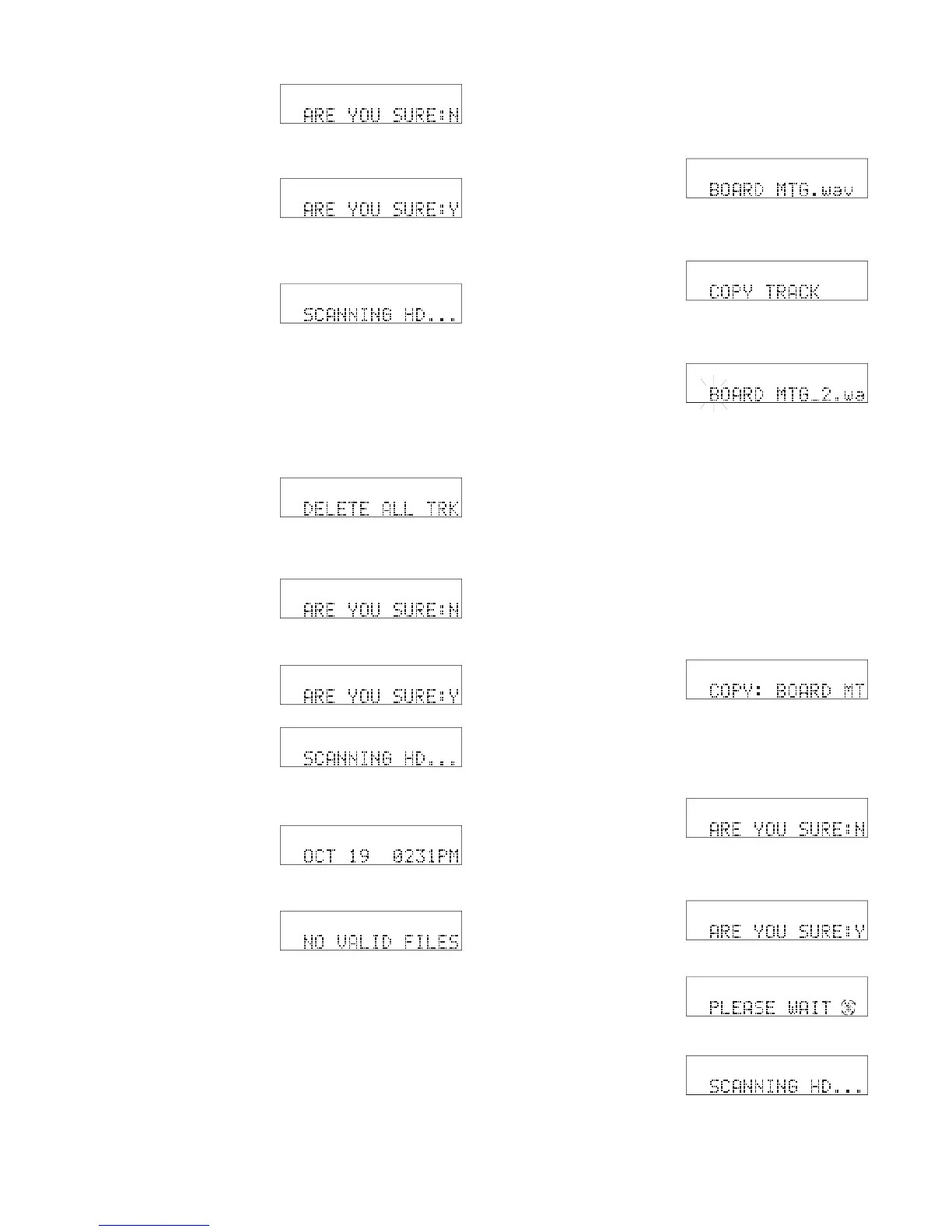
ARE YOU SURE is displayed.
6 Turn the Jog wheel so
Y is displayed. Then
press and release the
Jog Wheel.
7 The track is deleted.
SCANNING HD . . . is
displayed momentarily.
?
HD
MENU
UTILITY
HD
The CDR420 returns to idle mode.
How to delete all tracks
DELETE ALL TRK lets you delete (erase) all recorded
tracks on the HD without reformatting the HD.
1 From Idle mode press
and release the EDIT
MENU button four
HD
MENU
EDI
T
times. DELETE ALL TRK is displayed.
2 Press and release the
Jog Wheel. ARE YOU
SURE is displayed.
3 Turn the Jog Wheel so
Y is displayed.
4 Press and release the
Jog Wheel. SCAN-
NING HD . . . is
displayed briefl y.
The CDR420 returns to
idle mode.
5 If you turn the Jog
Wheel or press and
release the FILE DIR
?
HD
MENU
UTILITY
?
HD
MENU
UTILITY
HD
HD
Example display
HD
button, NO VALID FILES is displayed.
How to copy a track
COPY TRACK lets you change the name of the copy.
1 From Idle mode turn
the Jog Wheel until the
track you want copied
is displayed
2 Press and release the
EDIT MENU button
ve times until COPY
TRACK is displayed.
3 Press and release the
Jog Wheel.
The proposed track
name of the copy is
displayed.
Example display
PCM
Select
HD
MENU
FILES
PCM
Select
HD
MENU
FILES
HD
MENU
EDI
T
_2 is added to the original's name, and edit name is
automatically entered with the fi rst character of the
new name fl ashing.
You can edit the name of the copy by turning the Jog
Wheel to change the fl ashing character then pressing
and releasing the Jog Wheel to move to the next char-
acter (or using your attached keyboard).
Example display
Example display
4 When editing is com-
plete, or if you don't
want to change the _2
name, double click the
EDI
T
HD
MENU
Example display
Jog Wheel to confi rm. COPY: and the copy name
are displayed.
5 Press and release the
Jog Wheel to copy.
ARE YOU SURE is
displayed.
6 Turn the Jog Wheel so
Y is displayed.
?
HD
MENU
UTILITY
?
HD
MENU
UTILITY
HD
MENU
UTILITY
HD
Then press and release the Jog Wheel.
PLEASE WAIT is dis-
played while the copy
is made.
SCANNING HD . . .
is displayed briefl y.
The CDR420 returns to idle mode.

Table of Contents

Related product manuals