EasyManua.ls Logo

Marantz CDR420 - Splitting a Track; Converting PCM to MP3

Marantz CDR420
66 pages
Print Icon
To Next Page IconTo Next Page
To Previous Page IconTo Previous Page
Loading...
How to split a track
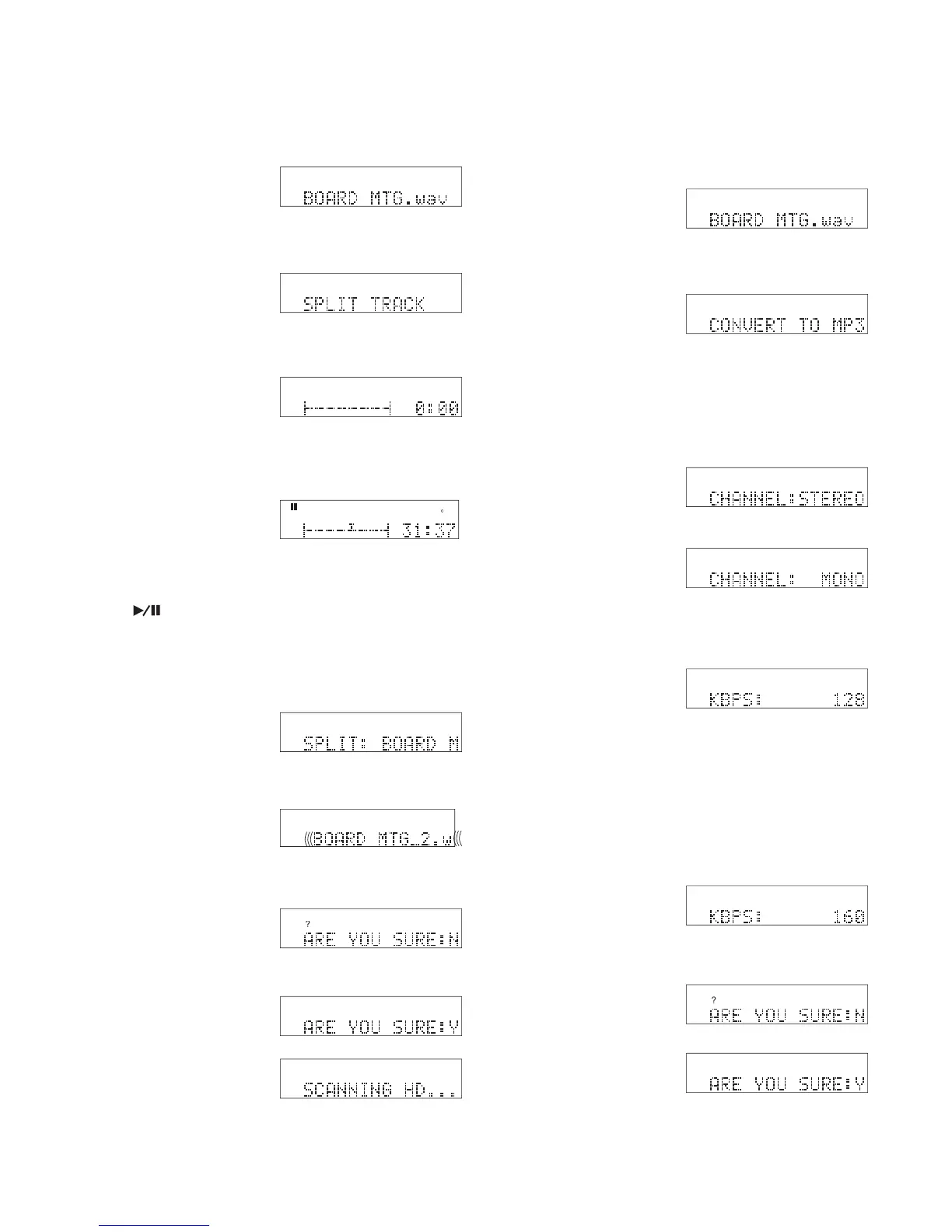
SPLIT TRACK lets you split a track into two tracks.
PCM
Select
HD
MENU
FILES
- 60 -
1 From Idle mode turn
the Jog Wheel until
the track you want to
split is displayed.
2 Press and release the
EDIT MENU button
six times until SPLIT
TRACK is displayed.
3 Press and release the
Jog Wheel. The track
is ready to position the
cursor at 0:00 and with
HD
MENU
EDI
T
NOTE:
You can navigate "on the fl y" by pressing the Play/Pause but-
ton
(see page 53).
You can navigate precisely (see page 54).
From 0:00, if you turn the Jog Wheel one click counterclock-
wise you position the cursor at the end of the track. That is
handy because the CDR420 displays the total track time.
HD
MENU
EDI
T
the cursor graphic displayed.
4 Navigate the cursor to
your desired split posi-
tion.
EDI
T
0
-4
-8
-1
2
-1
6
-2
2
-3
0
dB -5
0
R
L
HD
MENU
Example display
Example display
5 Press and release the
Jog Wheel. SPLIT:
and the name of the
EDI
T
HD
MENU
second part of the split are displayed.
Example display
The name (the original
name followed by _2)
scrolls by.
6 Press and release the
Jog Wheel. ARE YOU
SURE: is displayed.
7. Turn the Jog Wheel so
Y is displayed, then
press and release the
Jog Wheel.
SCANNING HD . . .
EDI
T
HD
MENU
Example display
?
HD
MENU
EDI
T
?
HD
MENU
EDI
T
HD
is displayed briefl y. The CDR420 returns to idle
mode.
How to convert PCM to MP3
CONVERT TO MP3 lets you convert a PCM track on
the HD to an MP3 fi le. MP3 to PCM conversion is not
available on the CDR420.
1 From Idle mode turn
the Jog Wheel until
the track you want to
split is displayed.
2 Press and release the
EDIT MENU but-
ton seven times until
CONVERT TO MP3
is displayed.
PCM
Select
HD
MENU
FILES
Example display
NOTE:
CONVERT TO MP3 does not appear if the track selected is in
MP3.
3 Press and release the
Jog Wheel. CHAN-
NEL is displayed.
4 Turn the Jog Wheel
to toggle between
converting to an MP3
STEREO or an MP3
MONO track.
5 When correct, press
and release the Jog
Wheel.

HD
MENU
EDI
T
HD
MENU
EDI
T
HD
MENU
EDI
T
The bitrate is displayed in KBPS (Kilo Bytes Per
Second).
NOTE:
MP3 Stereo bitrate choices are 64, 80, 128, 160, 256, or 320
kbps.
MP3 Mono bitrate choices are 32, 40, 64, 80, 128 or 160
kbps.
?
HD
MENU
EDI
T
?
HD
MENU
EDI
T
HD
MENU
EDI
T
6 Turn the Jog Wheel to
tab through the bitrate
choices.
HD
MENU
EDI
T
When correct, press and release the Jog Wheel.

Example display
7 ARE YOU SURE is
displayed.
8 Turn the Jog Wheel so
Y is displayed, then
press and release the
Jog Wheel.

Table of Contents

Related product manuals