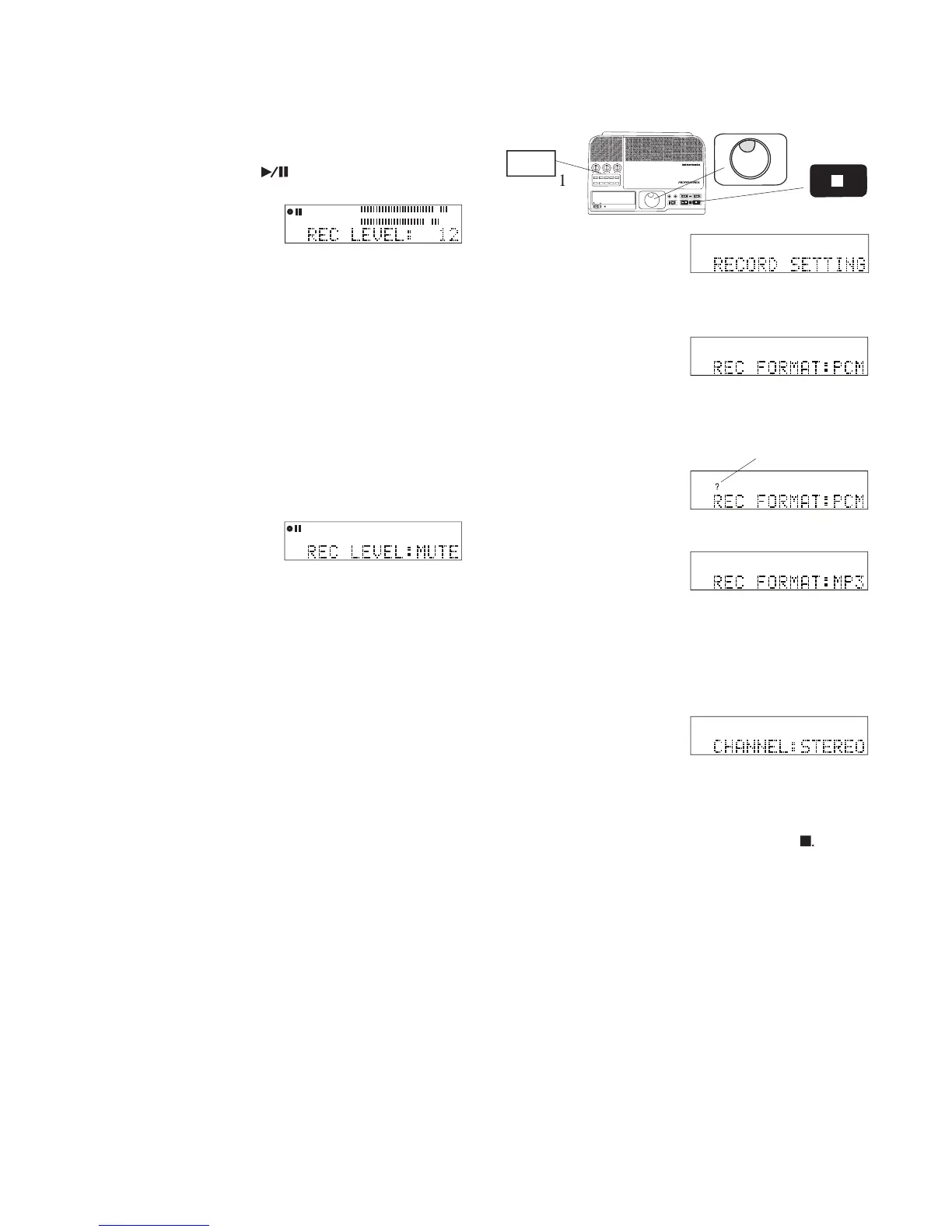
The recording level adjustment is available in all
recording modes, during recording or when at Record
REC LEVEL: is displayed along with the current
If the Jog Wheel is not turned for about 2 seconds
the displayed REC LEVEL is saved and the display
returns to showing the elapsed recording time.
Changes to the REC LEVEL setting are saved in
memory even through STANDBY and power off.
Recording level settings are in dB from +10 to -70 dB.
level turn the Jog Wheel.
displayed and the input is
The CDR420 can record in two formats: MP3 and
MP3 is a compressed audio data recorded using
MPEG1 Layer III, or MPEG2 Layer III (bitrate depen-
dents) mono or stereo. This compressed fi le format is
commonly used to send audio fi les over the internet.
The 20 GB Hard Drive in the CDR420 can store up to
1400 hours of MP3 recording at 32 kbps, mono. You
can record up to about 40 hours of audio on a 700 MB
CD. MP3 compressed recordings, however, lack the
audio quality of PCM recordings and are primarily
used in applications where managing storage space is
PCM (Pulse Code Modulation) is uncompressed
recording of CD quality. The 20 GB Hard Drive in the
CDR420 can store up to 30 hours of PCM recording.
You can record about 80 minutes of audio on an 80
minute CD in standard (WAV/CDA) format.
If a track is already recorded on the CDR420 in PCM,
you can change its format to MP3 by recording a copy
in MP3. See How to convert PCM to MP3 on page 60.
How to set or change the REC FORMAT to be
RECORD SETTING is displayed.
Jog Wheel. REC FORMAT: is displayed.
When correct press and release the Jog Wheel to
can continue with RECORD SETTING.
5 To exit press and release the Stop button
IN
OUT
REC
SELEC T
PUSH ENTER
POWER STANDBY
TREBLE
MID
BASS
FILE DIR INFO JUMP PHANTOM CD/HD
MARK UNDO REDO EDIT MENUUTILITY MENU
HD/CD RFECORDER CDR420



 To Next Page