Recording in Mono requires half as much memory as
Stereo. The reduced fi le size makes Mono recording
desirable in some situations. For example, when your
audio source is Mono or when recording a meeting.
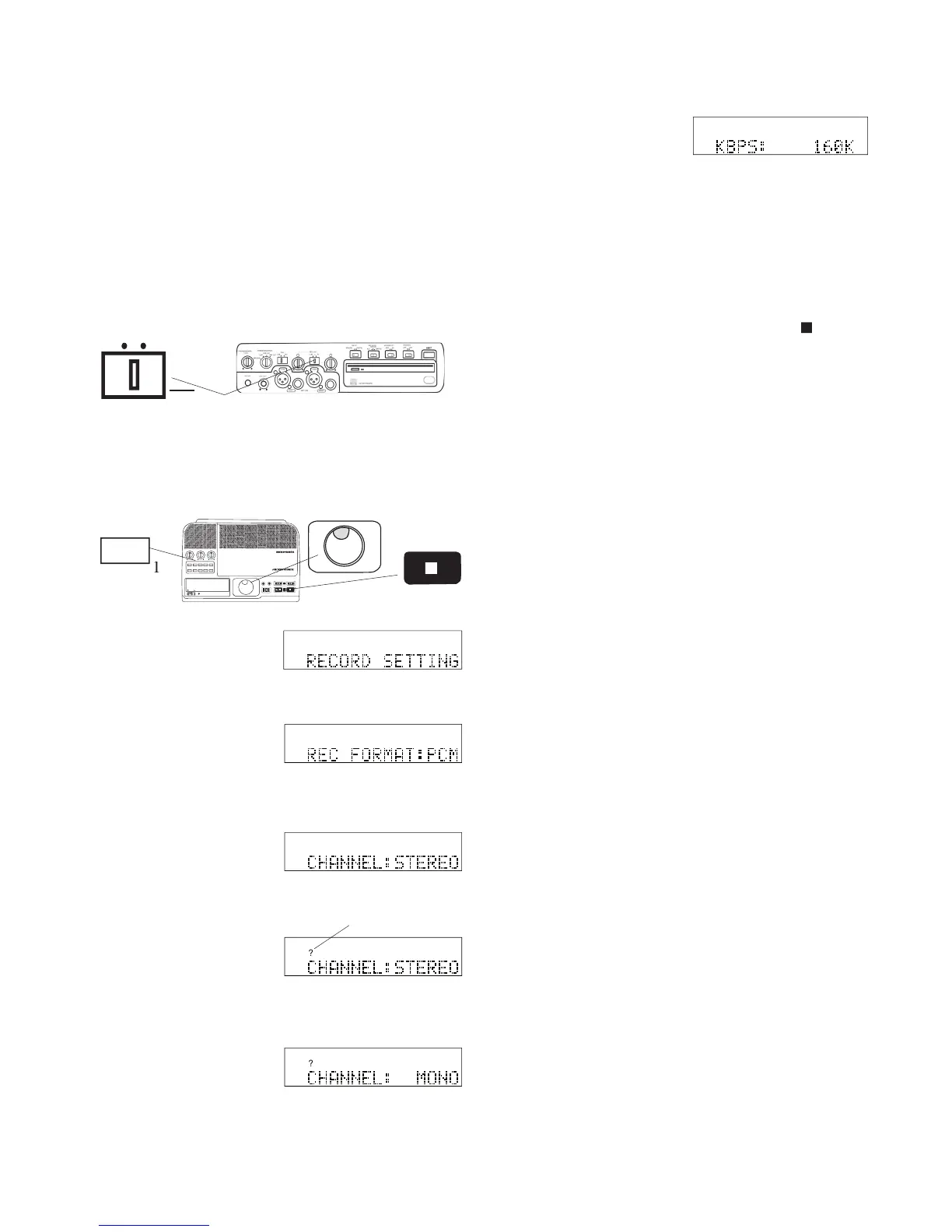
To record in Mono from a single microphone or line
level source, use the Left jack (left XLR or Phone jack
on the front of the CDR420, or left AUX IN RCA jack
RECORD SETTING is displayed.
To record in Mono from two microphones or line level
sources, be sure the L/R L+R switch is at L+R.
How to set or change the Channel to be recorded
IN
OUT
REC
SELEC T
PUSH ENTER
POWER STANDBY
TREBLE
MID
BASS
FILE DIR INFO JUMP PHANTOM CD/HD
MARK UNDO REDO EDIT MENUUTILITY MENU
HD/CD RFECORDER CDR420
Jog Wheel. REC FORMAT: is displayed.
When correct, press and release the Jog Wheel.
KBPS, so you can continue with RECORD SET-
*If your selected REC FORMAT is PCM, KBPS is not applicable.
The display switches to the next RECORD SETTING parameter:
5 To exit press and release the Stop button



 To Next Page