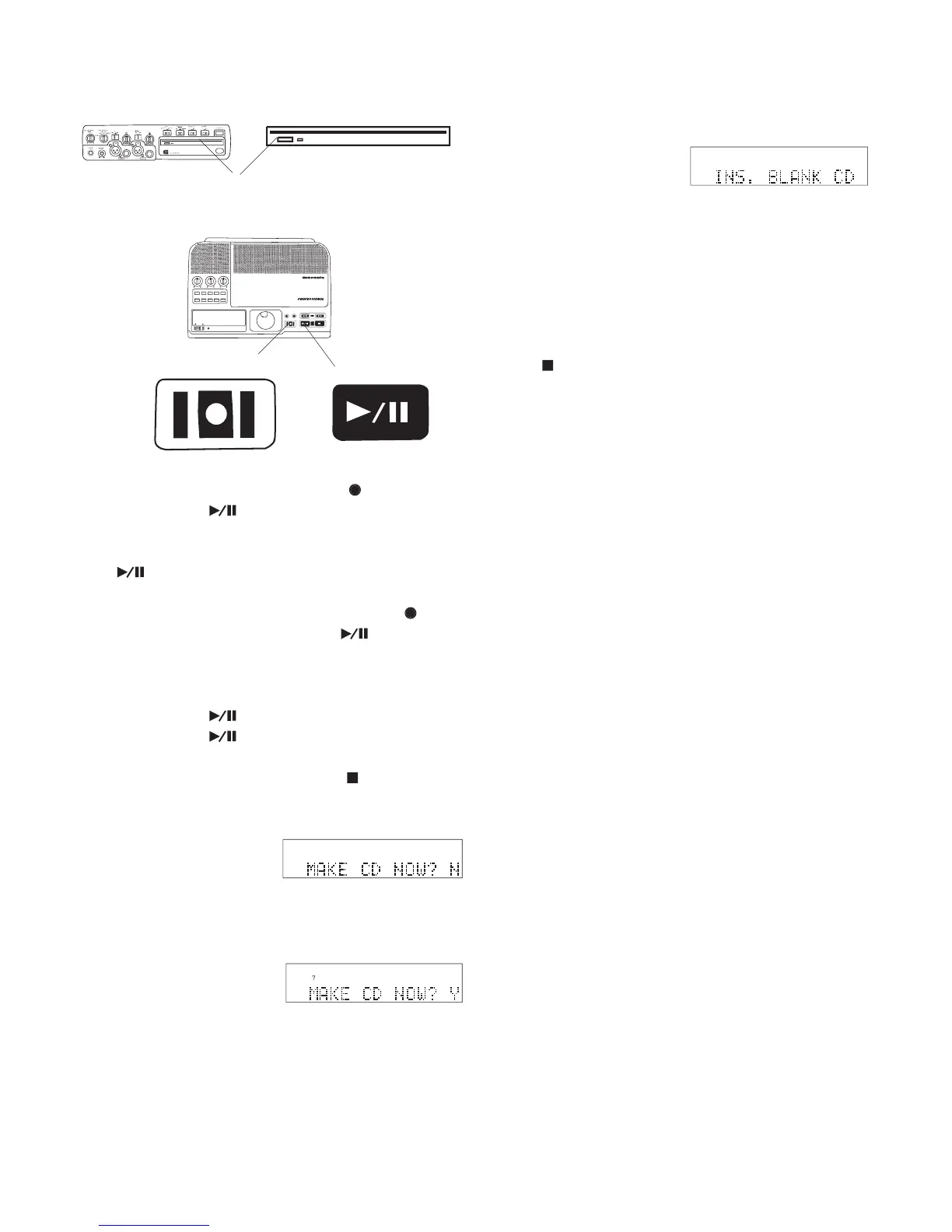
IN
OUT
REC
SELEC T
PUSH ENTER
POWER STANDBY
TREBLE
MID
BASS
FILE DIR INFO JUMP PHANTOM CD/HD
MARK UNDO REDO EDIT MENUUTILITY MENU
HD/CD RFECORDER CDR420
Insert a blank (8x or greater) CD (optional).
Press and release the REC button
Press and release the fl ashing Play/Pause button
While recording both the red REC button
and the green Play/Pause button
To pause recording press and release the Play/
. Press and release the Play/
again to resume recording.
Press and release the Stop button
7a. To exit without making a CD press and release
Jog Wheel so MAKE CD NOW? Y is displayed,
then press and release the Jog Wheel.
If a non-blank CD is in the drive it is ejected.
When you insert a blank CD it is automatically
prepared, burned, fi nalized, ejected, and you are
asked if you want to make another copy.
Answer N (no), or press and release the Stop but-
• If your recorded track is longer than will fi t on a single CD,
the CDR420 will tell you how many blank CDs are needed.
• Whether or not a CD is made, the recording remains on the
The CDR420 checks for a blank CD in the CD



 To Next Page