4-6
Remove the control panel (see page 4-1).
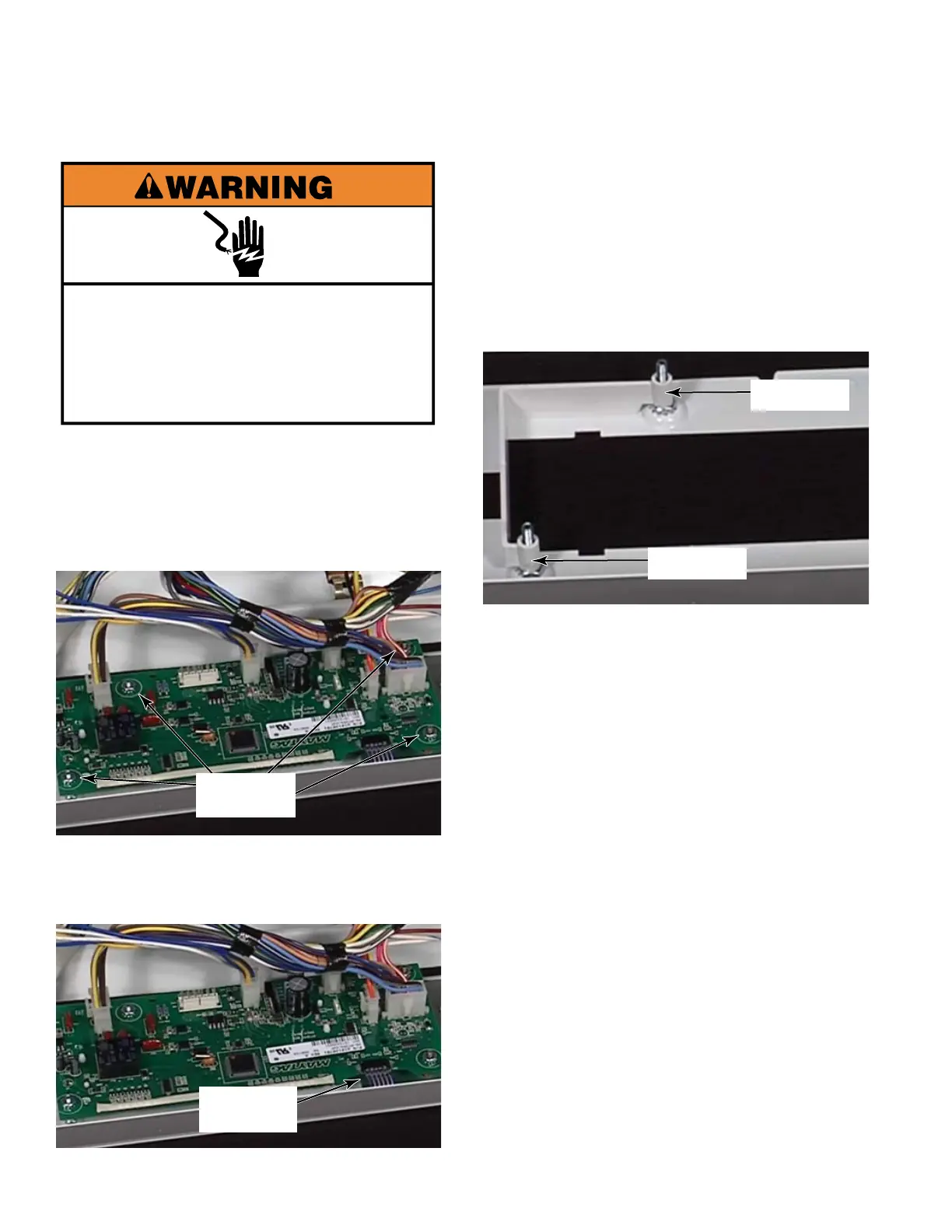
Remove the four - 5/16 inch nuts that
secure the control board to the control
panel.
Remove the ribbon connector to the user
interface by pulling the ribbon cable out of
the connector.
1.
2.
3.
REMOVE THE PROCESSOR CONTROL BOARD
Ribbon
connector
5/16 inch
nuts
If you are removing the control board
for replacement, disconnect all the wire
connectors from the control board.
Lift the control board off the control panel.
Remove the spacers for the processor
control from the two screws on the opposite
side of the control panel.
4.
5.
6.
The two screws are secured to the control
panel with two - 5/16 inch nuts that do
not need to be removed unless you are
replacing the control panel.
7.
Spacer
Spacer
Electrical Shock Hazard
Disconnect power before servicing.
Replace all parts and panels before
operating.
Failure to do so can result in death or
electrical shock.


 To Next Page