4-13
Remove the control cover assembly by
pulling it up off the washer top and pass the
control panel through the face of the control
cover assembly.
5.
Remove the control panel (see page 4-1).
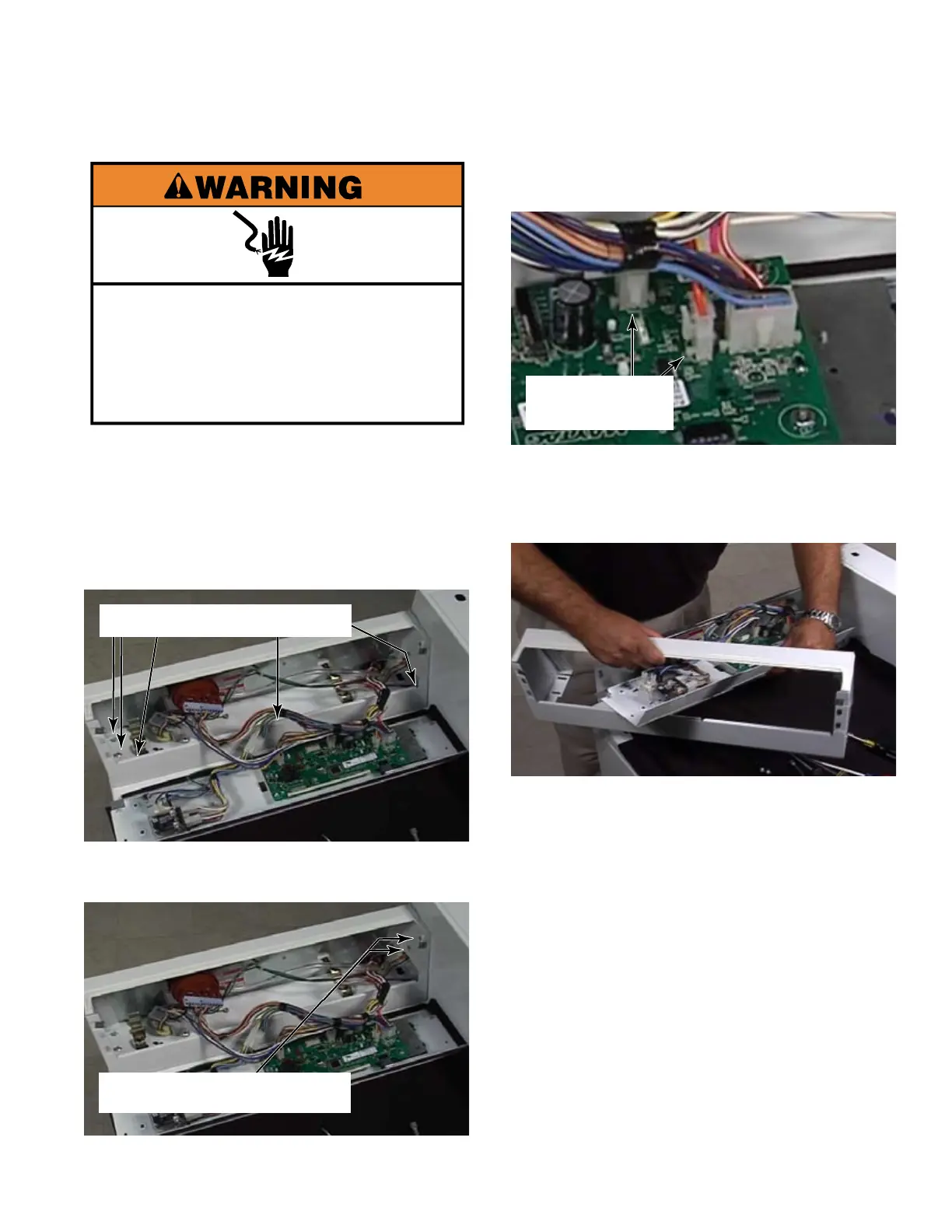
Remove seven - 5/16 inch hex head screws
from inside the control cover assembly, two
at the left end, three inside the front edge
and two that secure the control cover
assembly to the metercase.
1.
2.
3.
REMOVE THE CONTROL COVER ASSEMBLY
Remove two wire connectors from the
control board that go to the metercase.
4.
Two wire
connectors
Five 5/16 inch hex screws
Two 5/16 inch hex screws
Electrical Shock Hazard
Disconnect power before servicing.
Replace all parts and panels before
operating.
Failure to do so can result in death or
electrical shock.


 To Next Page