4-40
ADDITIONAL COMPONENT ACCESS
REMOVE THE COIN DROP
Open the control panel and remove the wire
connector to the coin drop from the control
board (See page 4-13, step 4).
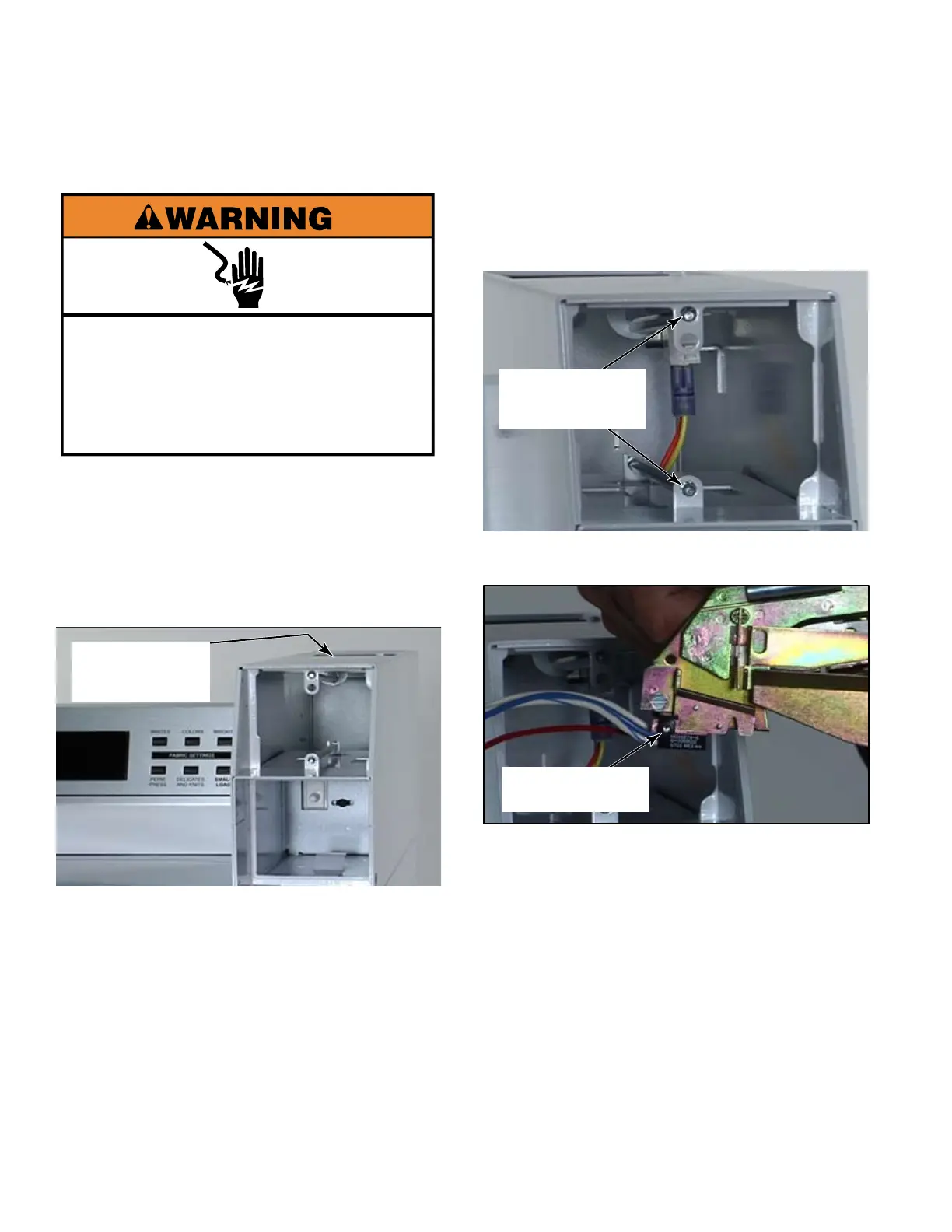
Remove the service access door on top of
the metercase.
1.
2.
Using a 1/4 inch socket unscrew the two
security bolts at the top and bottom of the
metercase.
3.
Service access
door
Pull the coin drop out of the metercase.4.
Security bolts
The optical sensor is attached to the back of
the coin drop and can be ordered separately
if needed.
5.
Optical sensor
Electrical Shock Hazard
Disconnect power before servicing.
Replace all parts and panels before
operating.
Failure to do so can result in death or
electrical shock.


 To Next Page