101
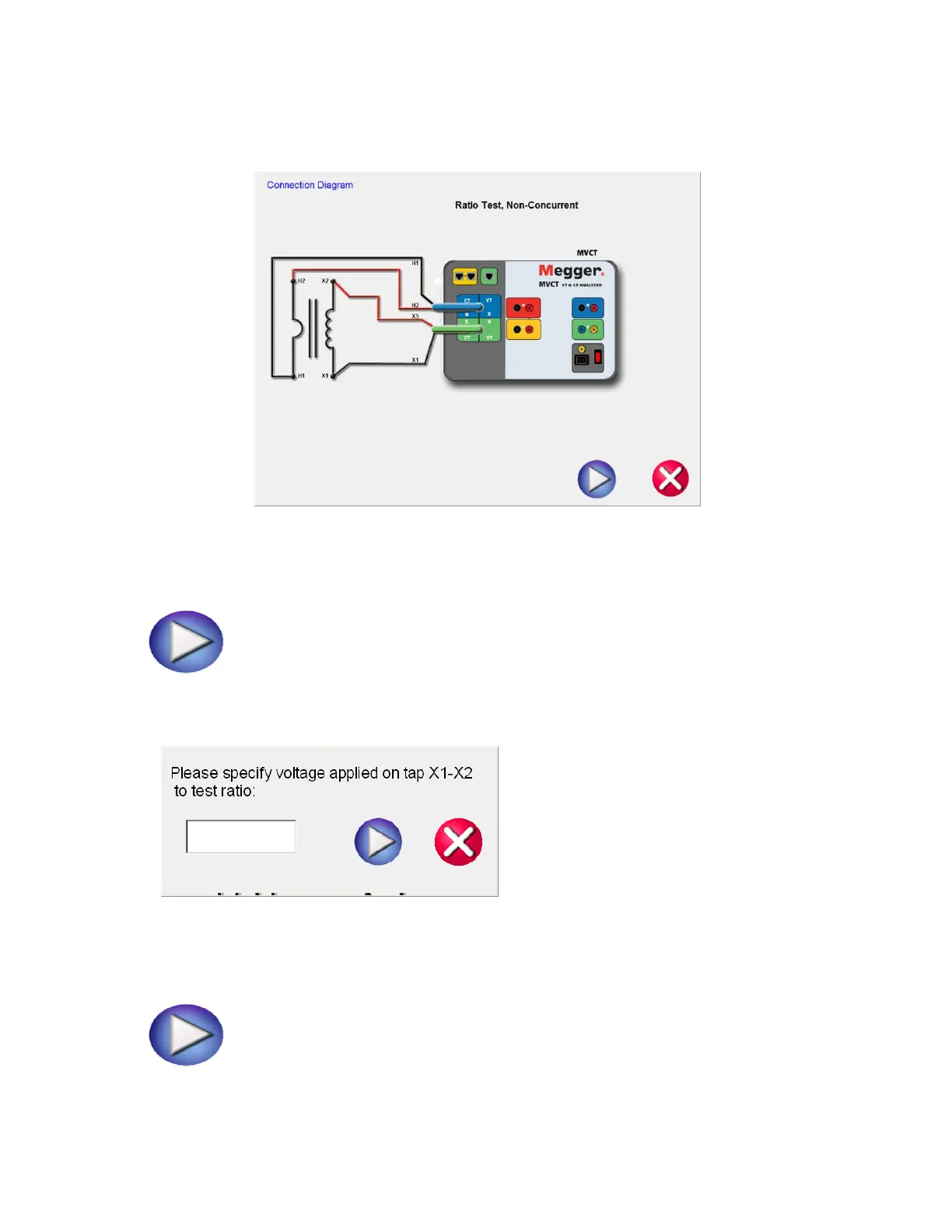
12. After selecting the appropriate tap, select the play button and a connection diagram will appear
showing how to correctly connect the MVCT to the CT
Figure 71 CT Ratio Test Connection Diagram - Non Concurrent
13. Check all connections to ensure correctness
14. Hit Blue Play button.
15. A dialog will appear requesting how much Voltage to apply to the CT during
the ratio test
16. Enter a voltage between 1V and 300V that is less than the knee point of the CT
17. Hit Blue Play button to begin test.
18. The Ratio test will begin.



 To Next Page