85
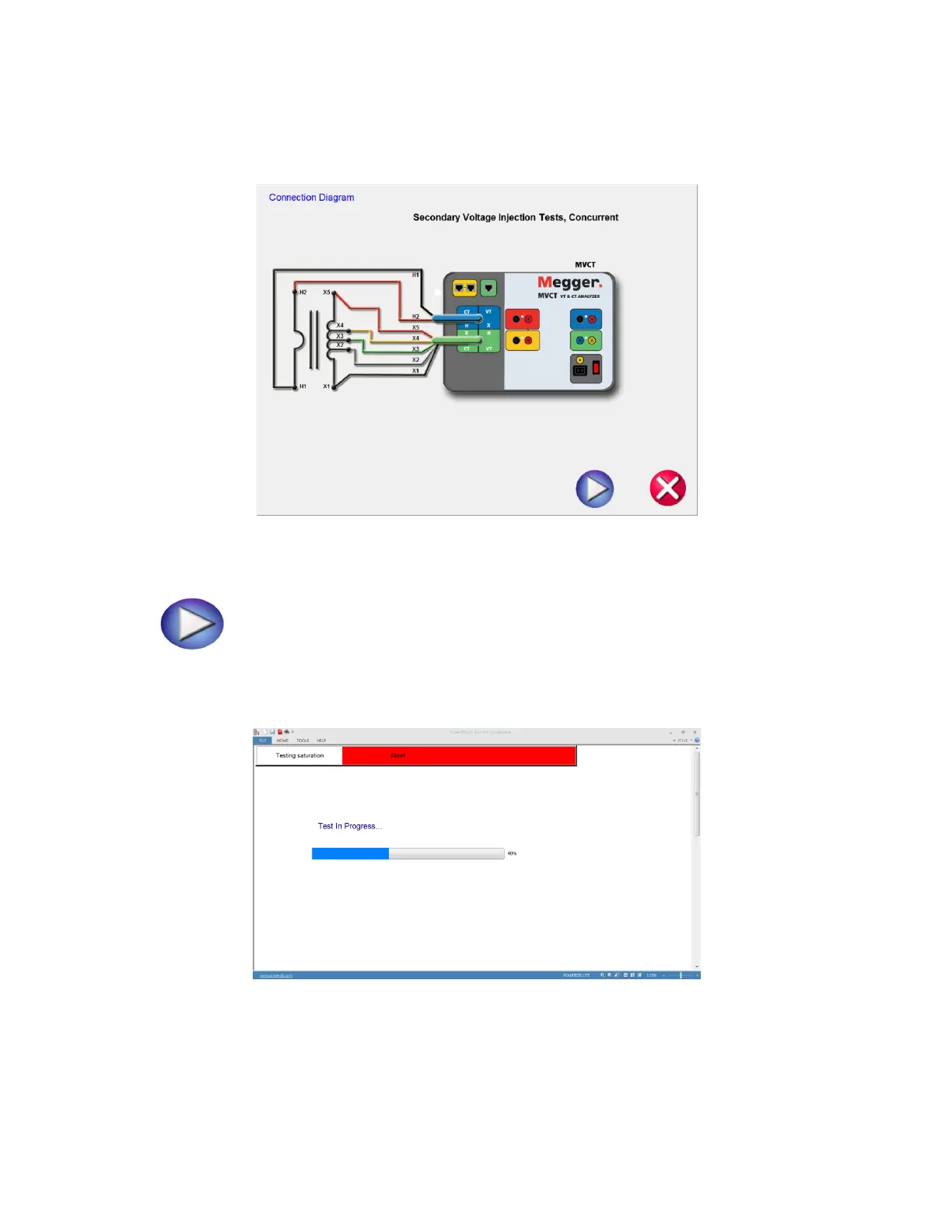
18. A connection diagram will appear showing how to properly connect the MVCT to the CT
Figure 56 CT Connection Diagram Multi Tap: Concurrent
19. Continue the test by selecting the Blue Play button
20. At any point of time Test can be terminated by hitting the ABORT button at the top
of any testing screen.
Figure 57 CT Saturation Testing Screen: Concurrent
21. Upon completion of test, the results will be displayed in a test report



 To Next Page