84
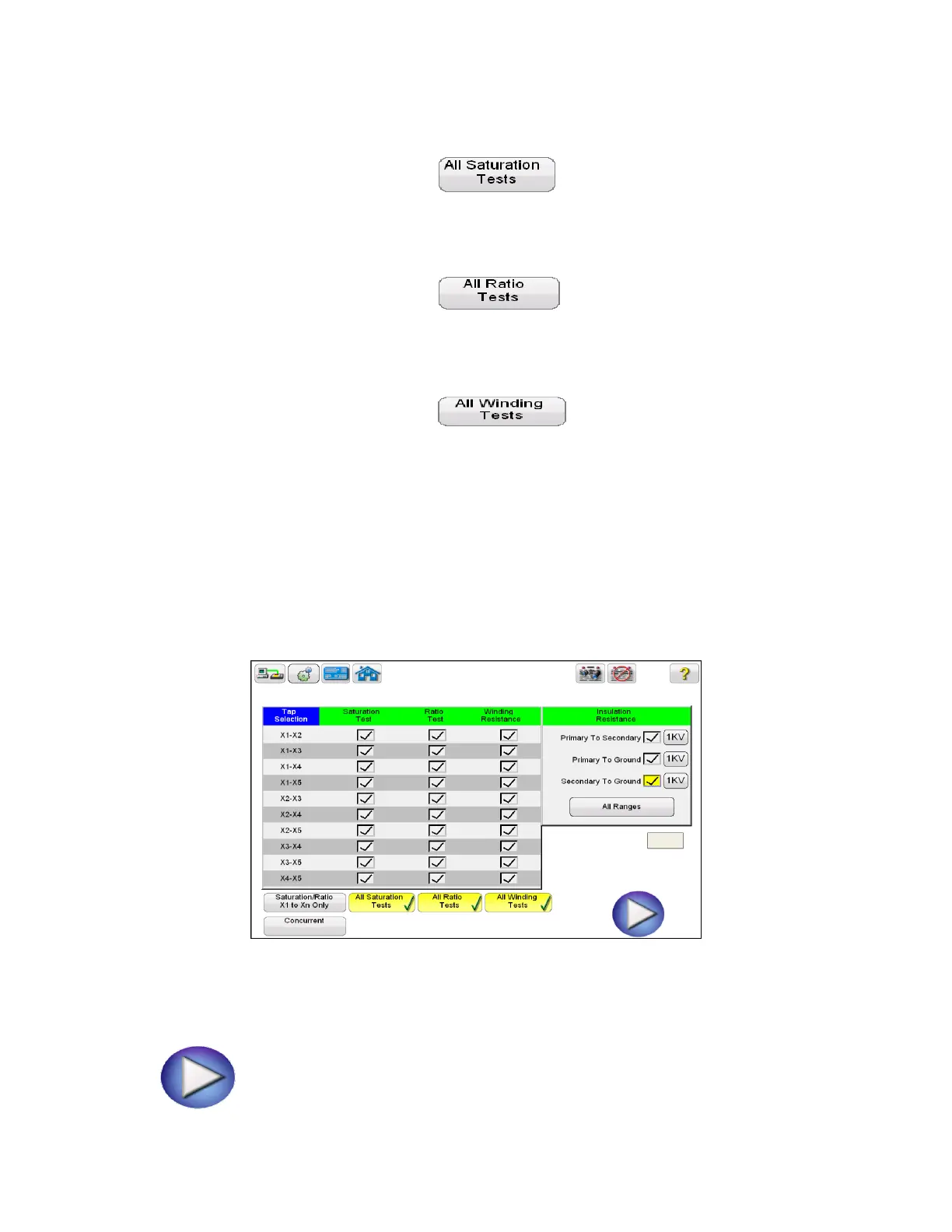
11. Select the individual taps for saturation testing by placing a check in the corresponding
box. Or select all taps by selecting the button. This will place a check
corresponding to all taps.
12. Select the individual taps for ratio testing by placing a check in the corresponding
box. Or select all taps by selecting the button. This will place a check
corresponding to all taps.
13. Select the individual taps for Winding Res testing by placing a check in the corresponding
box. Or select all taps by selecting the button. This will place a check
corresponding to all taps.
14. Place a check in the corresponding box next to each desired insulation test – Primary to
Secondary, Primary to Ground, and Secondary to Ground.
15. Select the desired voltage range to conduct the insulation test; either 500V or 1KV
16. At this point, this test file could be saved, opened at a later date , and ran.
Figure 55 Test Plan - Multi Tap
17. The test plan can be ran at this time by selecting the Blue Play button



 To Next Page