7.3 IP Settings TIM 8
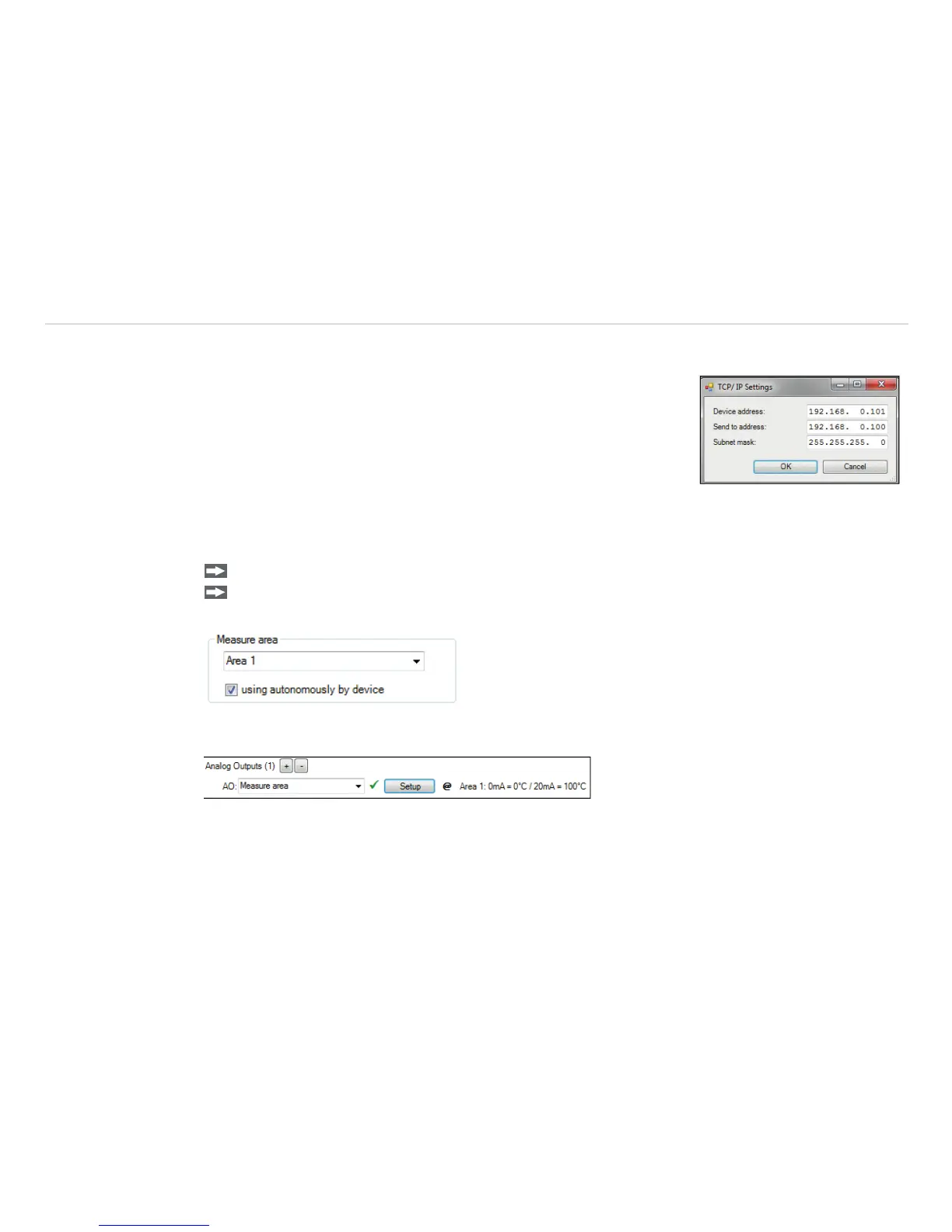
The TIM 8 has a direct Ethernet interface (see thermoIMAGER TIM
operating instructions). To make the appropriate address settings, go to
Tools, Extended and TCP/IP Settings.
The address for the device is assigned under Device address. This
must have a different address to the other participant (Send to ad-
dress).
7.4 Autonomous Operation TIM 8
A special feature of the TIM 8 is the autonomous operation. There is no need for a permanent connection to
the TIM Connect software. Only a few settings must be set in advance in the software.
Proceed as described, see Chap. 7.2.2.
Select an output and press Setup. Here you have to put the check in using autonomously by de-
vice.
A @ sign will appear next to the output used in the configuration menu Device PIF. Whenever this sign is
visible, the function can run in autonomous operation.


 To Next Page