7.2.2 Process Interface (PIF) for TIM 8
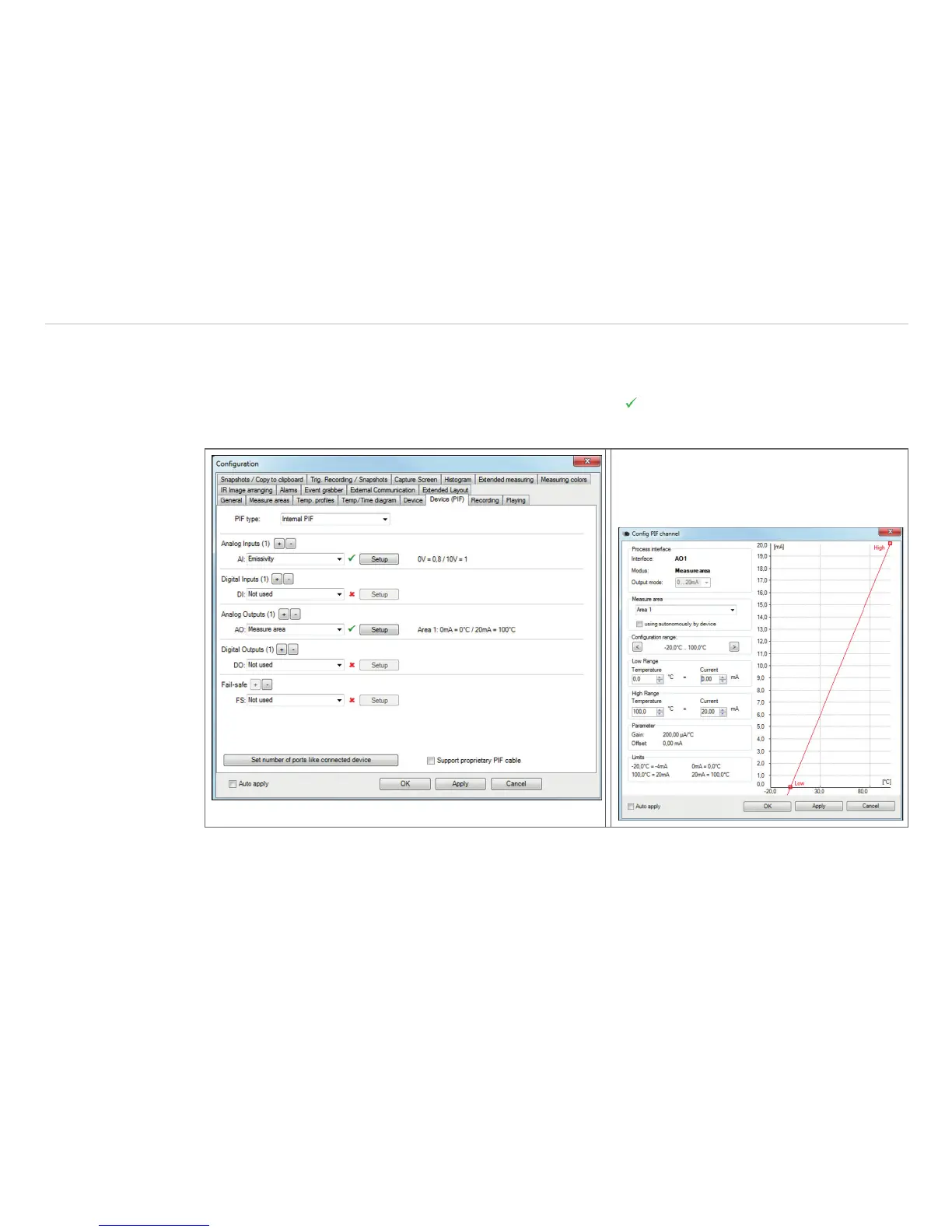
Using Tools, Configuration and Device PIF menu you can configure a PIF which is connected to the camera.
The number of in- and outputs can vary depending on the connected PIF type (internal PIF or stackable PIF).
An available in- or output will be marked with a green checkmark . A not available in- or output will be
marked with a red X. With Set number of ports like connected device, only the available inputs/outputs are
displayed.
If you configure an analog value an addi-
tional window will show up if you press the
Setup button. In this window you can scale
the in- or output:
The settings for the stackable PIF are similar to those for the internal PIF. Under PIF type, Stackable PIF
must first be selected. Furthermore, the number of PIFs used must be specified under Devices. The device
number must be identical to the RS485 address set on the device. Now the existing inputs and outputs can
be assigned with corresponding functions.



 To Next Page