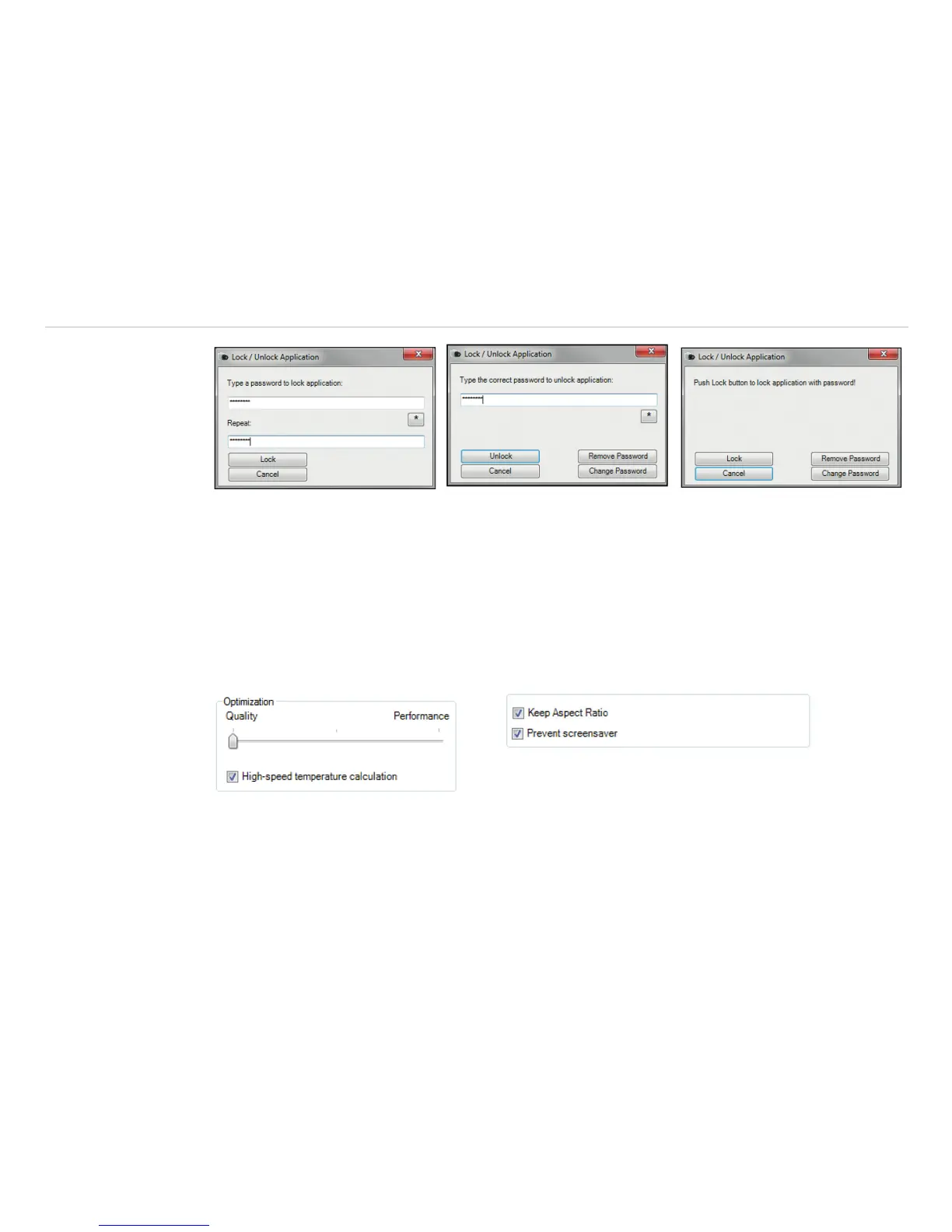
Fig. 16 View 1_Lock Fig. 17 View 2_Unlock Fig. 18 View 3
4.1.7 Optimization of Software
The display of the thermal image in the main window of the software can be adjusted according to the per-
formance of the computer. Choosing the option Quality and High-speed temperature calculation
the display will be enlarged to the highest resolution, but requires a higher computing power. Using a slow
computer, it is recommended to choose the option Performance. Is the bar placed in the middle, you get a
compromise between quality and performance.
If Keep Aspect Ratio is selected the aspect ratio will be maintained.
The option Prevent screensaver is suppressing the screensaver functionality of your computer.
Fig. 19 View Optimization of Software
If Keep Aspect Ratio is selected the aspect ratio will be maintained.
The option Prevent screensaver is suppressing the screensaver functionality of your computer.


 To Next Page