4.4.2 Prozessinterface (PIF) for TIM and TIM 40 Camera
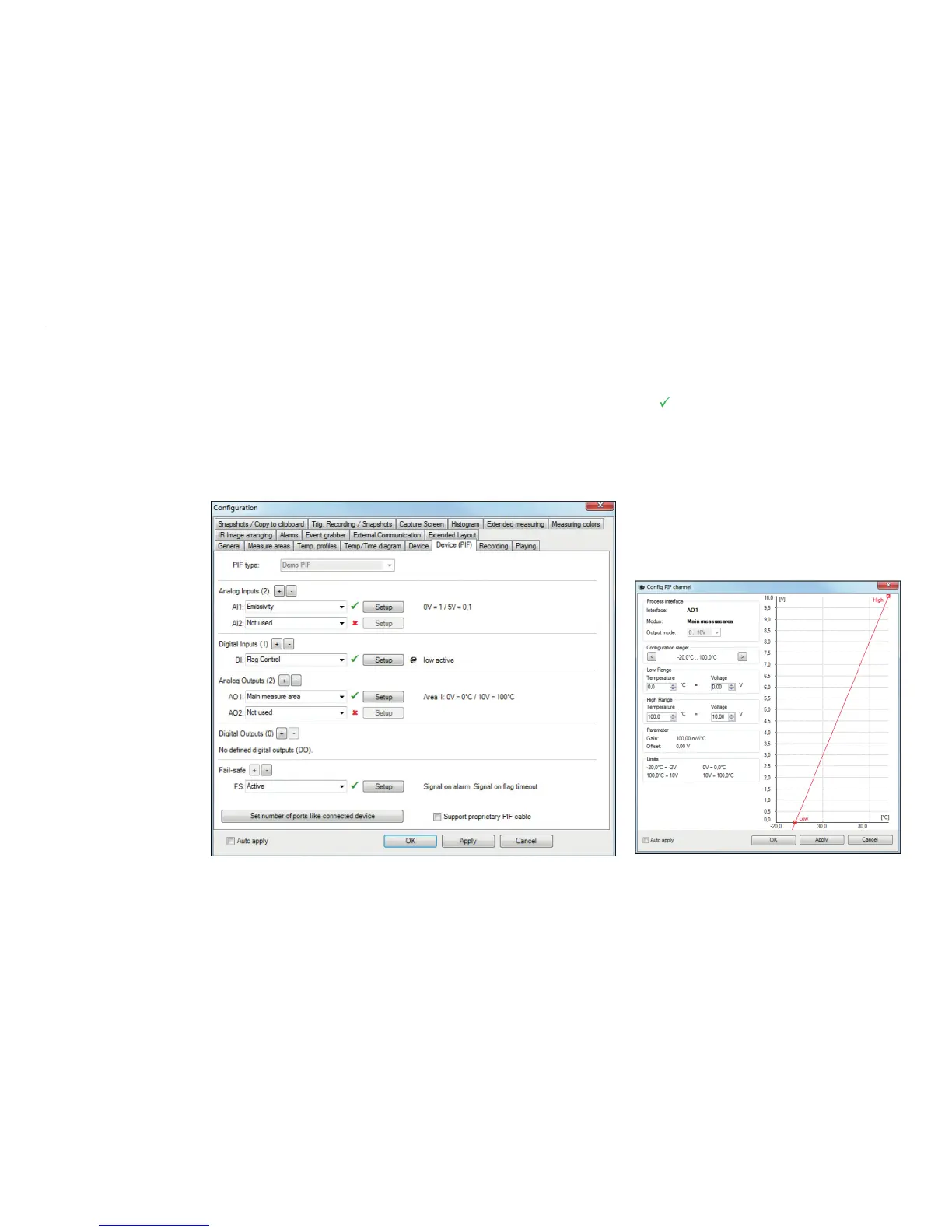
Using Tools, Configuration and Device PIF menu you can configure a PIF which is connected to the
camera. The number of in- and outputs can vary depending on the connected PIF (Standard-PIF or Industrial
PIF). An available in- or output will be marked with a green checkmark . A not available in- or output will be
marked with a red x. With Set number of ports like connected device, only the available inputs/outputs are
displayed.
If you configure an analog value an additional window will show up if you press the Setup button. In this win-
dow you can scale the in- or output:
Fig. 40 View configuration Fig. 41 View Config PIF channel



 To Next Page